Over 40 Years in BusinessISO 27001 compliantPublic sector: GSA contract holder
LA 562-298-5000 · Chicagoland 312-432-5300 · Phoenix 602-733-6807 · Client Support

Over 40 Years in BusinessISO 27001 compliantPublic sector: GSA contract holder
LA 562-298-5000 · Chicagoland 312-432-5300 · Phoenix 602-733-6807 · Client Support
BTI Communications Group designs, installs and supports commercial network installation in the Inland Empire, including Ontario, Riverside, Rancho Cucamonga, Corona and nearby cities. We pull and certify copper and fiber, install racks, switching, firewalls and Wi-Fi, and leave a test report and as-builts, including in occupied buildings. Work is served from our Santa Fe Springs office.
Local engineers, 24/7 NOC/SOC monitoring and ISO 27001 compliant processes for Inland Empire organizations. BTI Communications Group has over 40 years in business. Ontario logistics parks, Riverside offices and Rancho Cucamonga distribution sites often need cabling, Wi-Fi and racks installed around an occupied operation.
Ontario warehouses, Riverside offices and San Bernardino plants each need different drop counts, outdoor paths and closet layouts. Sites along the I-10, I-15, 60 and 215 are served from Santa Fe Springs, about 22 to 58 miles from most Inland Empire communities.
Picture an Ontario freight office adding a warehouse in Fontana and a dispatch room in Riverside, with old cabling in the walls and no current test report. Start with a drop list an operations manager can read: each closet, each dock office, the fiber path between buildings and the circuit handoff. Confirm riser and pathway rules with the landlord before work starts. Then pull new copper and fiber, certify every run and cut over after a shift so dispatch stays online. Leave labeled panels and as-builts when the job is done. For a Riverside professional office, the acceptance test might follow a new suite closet from rack to a working handoff. For a Rancho Cucamonga warehouse, it might follow a dock office switch from rack to a certified jack.
In 79 seconds, Eric Brackett explains how BTI plans and installs cabling, switching, Wi-Fi and firewalls together for Inland Empire moves and upgrades. Press play.
Moving offices or upgrading your network in the Inland Empire? Get the cabling, switching, Wi-Fi and firewall designed together and installed once, the right way. I'm Eric Brackett, Founder and President of BTI Communications Group.
I founded BTI in 1985 installing business phones. Over 40 years later, your phones, cameras, door access, computers and AI all ride on the network, so we design it for everything that connects.
It starts with a site walk, then a written scope, schedule and bill of materials. Our own C-7 licensed low-voltage technicians pull and terminate the cable, and our engineers install Cisco Catalyst or Meraki switching, Wi-Fi and firewalls.
Every run is labeled at both ends and certified, every access point is validated, and you get a port map, so future moves take minutes. Guests, cameras and business systems stay on separate segments.
BTI is a Cisco Select Partner and ISO 27001 compliant. After go-live, our 24/7 NOC/SOC can monitor it, so the team that built it keeps it running.
Get your free IT assessment with the Let's Start a Conversation form on this page, or call 323-510-8003.
This page is for Inland Empire organizations that already know what they need built and want it installed correctly: operations leaders, facilities managers, IT directors and general contractors working on offices, clinics, warehouses, schools, retail and multi-site portfolios. If you are still deciding what the network should look like, how it should be segmented or which hardware fits, start with our network design consultants in the Inland Empire. Design work done there flows straight into the installation described here.
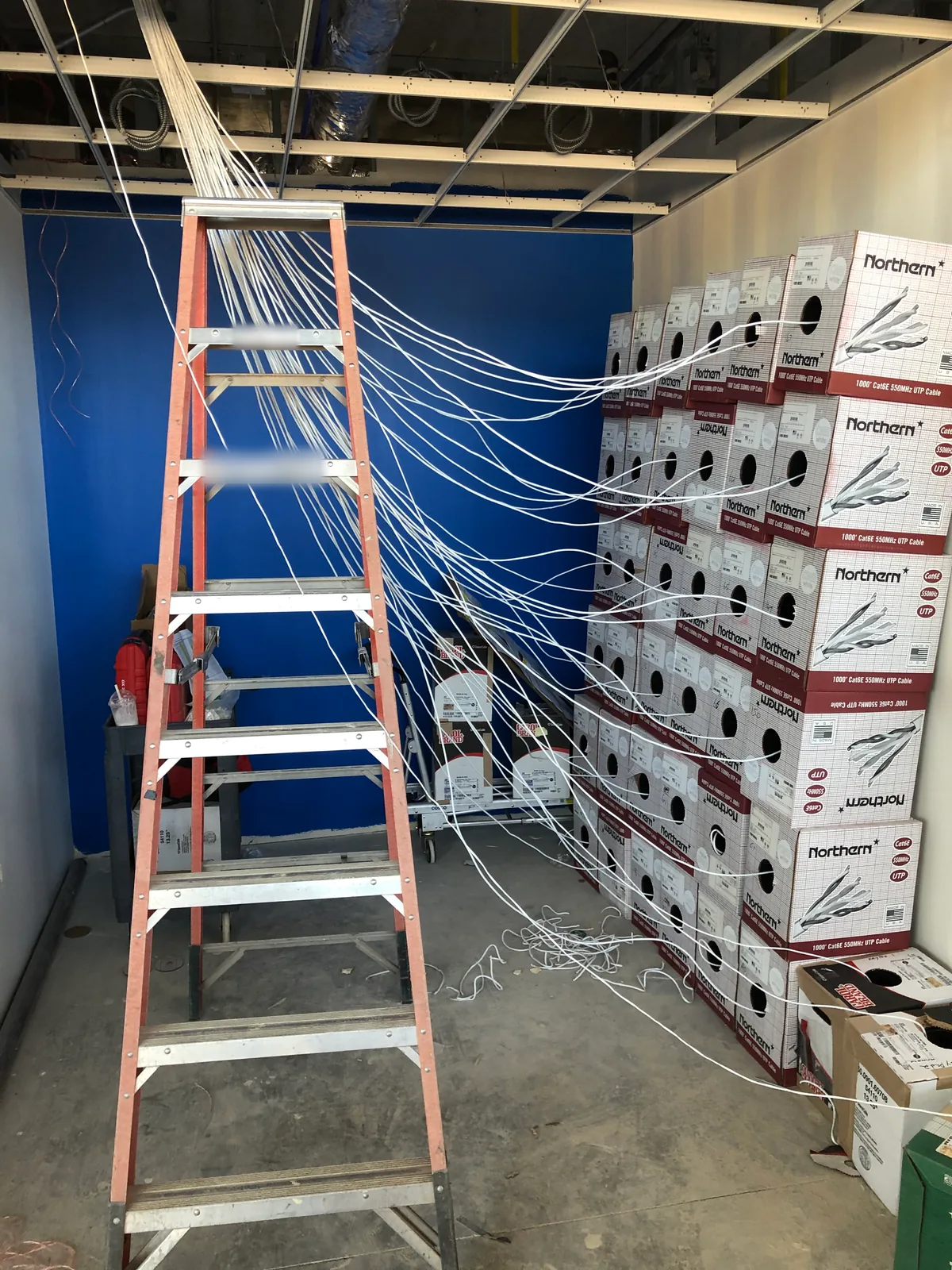
A network installation from BTI is one accountable scope, not a stack of subcontractors. Depending on the project, it includes:
Network installation projects in the Inland Empire go off track for predictable reasons: late ceiling access, landlord rules nobody shared, ISP circuits that arrive weeks behind schedule, and cabling crews who leave before anyone tests the switches. Our process is built around those risks.
A project lead walks the space with your team, and your contractor if there is one. We confirm drop counts, MDF and IDF locations, ceiling and wall conditions, plenum requirements, building access hours and any landlord or property-management standards. If you already have drawings from an architect or a network design, we work from those.
You get a written scope that spells out what is included, what the ISP or electrician is responsible for, and what has to be in place before each phase can start. We coordinate the low-voltage schedule with the general contractor's schedule so cabling goes in before ceilings close, not after.
Our C-7 licensed technicians pull, terminate and label cabling to the agreed standard. In occupied offices we can work after hours or in phases so the business keeps running.
Engineers rack and configure switches, firewalls and access points to the design, then bring the ISP handoff online. We stage and preconfigure hardware where we can so on-site cutover time stays short.
Every link is certified and every access point is validated. We cut over at a time that suits your operations, stay on site through first-day issues, and hand over documentation your team or ours can support for years.
Tell us about your space and timeline
Most network installations happen inside a tenant improvement or a move. Low-voltage work has to fit around framing, electrical, fire and ceiling inspections, and a missed window can mean opening finished ceilings. We join early, before drywall, and agree pathway, conduit and backbox locations with your contractor. We also flag what the building owner requires, such as plenum-rated cable, firestopping at penetrations or approved contractors for riser work, so nothing stalls the certificate of occupancy.
When you are moving, we plan the network so it is live and tested before move-in day. Phones, printers, conference rooms and cameras work on the first morning, not the second week.
Organizations with locations across the Inland Empire, or across several states, need every site built the same way. We create a site standard covering rack layout, labeling, switch and access point models, VLAN plan and firewall policy, and repeat it at each location. Meraki's cloud dashboard makes this especially efficient. With thousands of commercial deployments, we know how to template networks so a new site comes up in hours and your team can see every location in one place. Learn more about our Inland Empire Cisco Meraki partner services.
Structured cabling outlasts every switch and access point you plug into it, so it pays to get it right. We recommend Cat6A for new Wi-Fi 6E and Wi-Fi 7 access point drops and for any run that may carry high-power PoE. Cat6 suits most desk and device drops, and single-mode or OM4 fiber suits backbones between floors and buildings. Every run is labeled at both ends, recorded on a port map and certified with a tester, so future moves and troubleshooting take minutes instead of hours.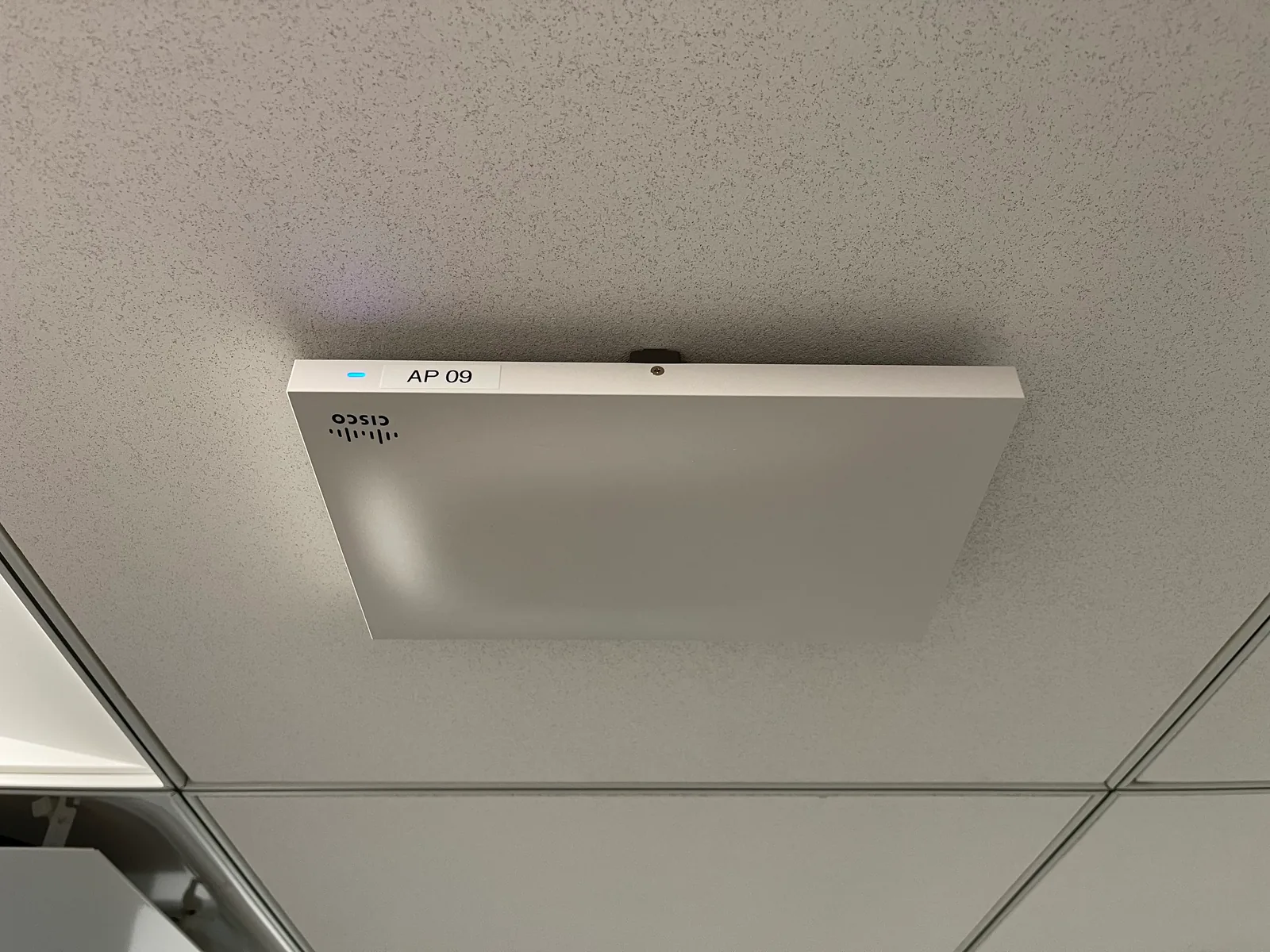
If you have an older building with undocumented cabling, we can audit what is there, tone and label what is worth keeping, and remove abandoned cable as part of the project.
We don't publish prices because two offices with the same headcount can need very different work. These are the factors that move a network installation budget most:
Your written scope will itemize each of these so you can compare options, and 100% financing is available on qualifying projects.
Use this as a starting point when you plan a move or build-out:
Every BTI installation is designed to avoid these, and we can remediate them in networks someone else installed.
Low-voltage work in California requires a licensed contractor. BTI holds a California C-7 low-voltage systems license (#807767), carries the insurance commercial landlords and general contractors require, and is an ISNetworld member for clients who prequalify contractors through it. We are ISO 27001 compliant, and we run a 24/7 NOC/SOC, which matters once the network is live and being monitored. Public-sector buyers can work with us through our GSA contract.
Many installers leave once the last cable is terminated. BTI can stay on as your support partner. Options include network monitoring from our 24/7 NOC/SOC, which has handled more than 10,000 alerts with zero missed; firmware and configuration management; and a one-business-day engineer response commitment for on-site needs. For ongoing coverage, see our managed IT services in the Inland Empire or our outsourced IT for Inland Empire organizations.
Network installation is a capital project, and timing often matters more than the total. BTI offers 100% financing on qualifying projects, so you can install the network your space needs now and spread the cost over time. We give a fixed written scope before work starts, so you know what is included and change orders are rare.
When an Inland Empire project combines cabling, switching, Wi-Fi, firewalls, circuits and ongoing support under BTI, the price per item usually drops as the bundle grows. One team runs the design, installation, configuration, testing, commissioning, quality control and project management, so the same site walk, the same mobilization and the same project manager cover the whole scope. That saves time and creates economies of scale on every phase.
For a tenant improvement or multi-site rollout across the Inland Empire, a bundle can include:
Every extra vendor on an Inland Empire job site adds handoffs, schedules and people to coordinate, and that complexity shows up as delays and change orders. When BTI coordinates and has authority over more of the value chain, from the carrier handoff to the last access point, the work gets done better, faster and less expensively.
Cabling, hardware, circuits and support in one proposal. Call 323-510-8003
12155 Mora Dr, Units 1 & 2
Santa Fe Springs, CA 90670
Call 323-510-8003
Office hours: 7:30 AM to 4:30 PM, Monday to Friday PT. Emergency support is available 24/7. Call 800-435-7284.
Our Santa Fe Springs office is about 22 to 58 miles from most Inland Empire communities. BTI has been in business for over 40 years. 4-hour onsite emergency response is available under BTI support agreements. California C-7 license #807767
BTI Communications Group designs and installs commercial network cabling, fiber and Wi-Fi across the Inland Empire, including Ontario, Rancho Cucamonga, Riverside and San Bernardino. We work from a written scope, test and label each drop, and hand over a port map. Call IT sales at 323-510-8003.
Cost depends on drop count, Cat6 or Cat6A, fiber runs between closets, ceiling access, after-hours work and how much existing cabling can be reused. BTI walks the site and gives an itemized written quote before work starts. We do not publish a standard package price.
A typical project includes a site walk, a written scope, certified copper and fiber, racks, switching, Wi-Fi, firewalls as scoped, labeled panels, a test report and as-builts. The exact bill of materials is written after the walk, not before.
Timing depends on drop counts, pathway access and whether the building is occupied. A small office can move quickly after the walk. A warehouse or multi-closet campus is scheduled in phases. We put the schedule in the written scope.
Yes. We schedule cable pulls and cutovers after hours or in phases so offices, docks and closets stay usable, and we confirm building access rules before work starts.
Yes. California requires a C-7 low voltage systems license for structured cabling work. BTI holds California C-7 license #807767 and carries the insurance landlords and general contractors ask for.
No. Structured cabling is low-voltage data work: copper, fiber, panels and test reports. An electrician may run power or a single cable, but a certified network installation is planned, labeled and tested as a system. BTI performs the low-voltage installation and coordinates with electrical trades when a closet needs power.
Design decides closets, drop counts, cable types, switching and Wi-Fi before anything is pulled. Installation is the certified plant, the racks and the cutover. BTI does both so the drawings match what is left in the closet.
No. An ISP usually hands off a circuit at a demarc or a single jack. Network installation is the certified cabling, racks, switching, Wi-Fi and documentation inside the building that your users actually connect to. BTI can coordinate the circuit and the inside plant so both sides meet cleanly.
Yes. BTI assesses existing cabling, switches and Wi-Fi, fixes what fails testing and plans upgrades. Ongoing support includes our 24/7 NOC/SOC and SLAs with 4-hour onsite emergency response under BTI support agreements. Emergency support is available 24/7. Call 800-435-7284.
4-hour onsite emergency response is available under BTI support agreements. Emergency support is available 24/7. Call 800-435-7284.
Yes. 100% financing is available on qualifying projects, covering hardware, licensing and labor, and 3.99% financing is available on Cisco Meraki hardware, subject to credit approval. We review options during the proposal.
BTI is a reseller and installer, not a distributor. We quote switches, access points, cabling, licensing and labor together, so one team owns the result from purchase through support.
Yes. BTI sells and renews network licensing, including Cisco Meraki, and plans switch and Wi-Fi refreshes so licenses, firmware and hardware stay supported.
BTI installs networks for healthcare, logistics and warehousing, manufacturing, education, government, financial services and parking venues, each with segmentation and documentation suited to how the site runs.
Yes. Segmented VLANs, documented port maps, labeled cabling and change records make audits such as PCI DSS easier to support. BTI processes are ISO 27001 compliant, and our IT compliance team can help with formal programs.
BTI has been in business for over 40 years. Since 1996, BTI has installed and supported network infrastructure for VoIP and business networks, including cabling, switching and the paths those systems need.
Logistics and distribution parks in Ontario, Rancho Cucamonga and Fontana need long fiber runs, outdoor-rated paths and Wi-Fi that holds at the dock. Manufacturers in Corona, Eastvale and Mira Loma need closets that stay organized through shift work. Professional offices in Riverside, Upland and Redlands often need after-hours tenant improvement installs. Public and civic sites in San Bernardino and Moreno Valley need documented cabling and clear as-builts.
Swipe to see more

Healthcare IT for the Inland Empire medical groups, PACE programs, pharmacies and dental groups.
Healthcare IT services in the Inland Empire →
Managed IT and help desk support for public agencies with lean IT teams.
Government IT services →
Network, device and help desk support for K-12 districts, charter schools and colleges.
School and college IT services →
Warehouse Wi-Fi, ERP uptime and network support across every shift.
Logistics and manufacturing IT services →
Managed IT for CPA, tax, title and mortgage firms.
Managed IT for CPA, title and mortgage firms →
IT support for water utilities and special districts, with office IT kept apart from plant systems.
IT services for water utilities →
Job trailer networks, mobile device support and tenant improvement cabling.
IT support for construction companies →
Practical managed IT for churches, ministries and nonprofit offices.
IT services for nonprofits and churches →
Venue Wi-Fi, point of sale networks and managed IT for parking operators and venues.
Venue and parking IT services →