
How Growing Businesses Can Put AI to Work to Save Time, Support Sales, and Reduce Costs
Your first step into AI does not have to be a complicated development project. It can start with something much more practical:…
Read guide →Over 40 Years in BusinessISO 27001 compliantPublic sector: GSA contract holder
LA 562-298-5000 · Chicagoland 312-432-5300 · Phoenix 602-733-6807 · Client Support

Give your team access to all platform models in one secure workspace—with all-inclusive workspace support at a low, fixed monthly cost. BTI handles setup and helps your employees put AI to work.
Move beyond unmanaged public AI accounts. Choose the model that fits the task, keep business access under control, and get expert help as your needs change.
Get your monthly price, see what’s included, and find out how quickly your team can get started. No custom development project required.
The right starting point is a business problem—not a particular AI product. BTI helps identify where AI can reduce repetitive work, make information more useful, improve service, or strengthen operational oversight. We define the intended result and how it will be evaluated before deciding what to build.
These examples illustrate possible projects. Final scope depends on your systems, information, permissions, and business requirements.

Bring approved policies, procedures, product information, or service documentation into a searchable assistant that respects user access.
Measure: Time to an accepted answer, source accuracy, and appropriate information access.
Help your team summarize inquiries, retrieve approved answers, prepare service records, and route follow-up work—with clear human handoffs.
Measure: Resolution time, repeat contacts, documentation quality, and appropriate escalation.
Extract, organize, summarize, and prepare information from approved documents, with review for missing information and exceptions.
Measure: Processing time, correction rates, and work requiring manual review.
Turn approved notes and business records into draft summaries, proposed next steps, and follow-up tasks.
Measure: Follow-up completion, preparation time, and rework. Communications, pricing, and commitments follow approved review rules.
Assist with service summaries, documentation, evidence organization, and operating reports.
Measure: Documentation completeness, review effort, and unresolved exceptions.
Help teams prepare location summaries, organize maintenance information, and follow repeatable procedures using approved sources and location-specific access.
Measure: Reporting effort, follow-through, and consistency between locations.
BTI designed, integrated, and delivered an agentic AI contact center solution automating radiology scheduling for a multi-site radiology group that gained national recognition at the RSNA 2025 show at McCormick Place in Chicago. These are the results from BTI’s client’s slides as presented:

Dropped from $3.03 to 63¢
Reduced from 6 minutes to 2 minutes
Of all calls handled for scheduling without agent involvement
Patient scheduling — to stabilize access and reduce abandoned calls
Scheduling for mammograms and X-rays
Then expand to ultrasounds
To govern AI behavior and outputs
CT and MRI scheduling
(multisite average)
Within 12 months of deployment
Across mammograms, ultrasounds, CT, and MRI
“Radiology is at a turning point – demand keeps growing, but efficiency and access can’t fall behind. Today, Jessica and I will unpack how automation and analytics are helping practices scale intelligently while keeping patient experience at the center. Radiology volume and complexity continue to rise faster than teams can hire. Patients expect fast, accurate communication at every step. Manual workflows can’t scale; they limit throughput, revenue, and experience. AI is now a requirement for operational efficiency, cost control, and growth.
So for radiology leaders here, this means two things – Your peers and competitors are already deploying AI. The key lever isn’t just introducing AI — it’s embedding it into workflows that matter. This sets the stage for why not having a plan is a risk, and why the rest of this presentation matters.“
A useful AI tool is not the same thing as a supported business solution. Before a team depends on AI, someone needs to connect the right systems, manage access, test the workflow, understand the costs, and take responsibility when something changes. BTI brings those requirements into the project from the start.
“The demo works. The actual workflow is still manual.”
“It works for one employee. How does the whole team use it?”
“What happens to costs and capacity as usage grows?”
“We need company information, but we cannot give AI unrestricted access.”
“Who fixes it when something changes?”
“How do we know it is working—and being controlled?”
BTI maps the complete process, connects the necessary systems, and tests handoffs and exceptions—not just the best-case demonstration.
BTI establishes an approved workspace or application with user access, shared workflows, documentation, training, and a support owner.
BTI defines relevant licenses, expected volumes, usage allowances, spending controls, and what happens when a limit is reached.
BTI reviews source permissions, approves connections, limits actions, and establishes human approval where required.
BTI assigns operating responsibility, change testing, monitoring, escalation, and recovery procedures through the service agreement.
BTI agrees on acceptance criteria and reviews outcomes, exceptions, costs, and evidence of the controls that matter.
You should not have to build an AI development and operations department just to improve a business process. BTI can deliver the project, work alongside your team, or manage the agreed solution for you.
Plan knowledge assistants, employee tools, and document workflows alongside account access, information permissions, application ownership, and support.
Consider connectivity, segmentation, remote access, and infrastructure dependencies when workflows connect cloud services, sites, and on-premises systems.
Bring approved data access, limited agent permissions, monitoring, and incident handling into the solution design.
Connect AI assistance to call flows, service information, customer records, escalation paths, and the ability to reach a person.
Explore maintenance workflows, approved event summaries, and operational reporting with the teams responsible for cameras, access control, and facility systems. Consequential actions require explicitly approved controls.
Connect everyday SaaS platforms and cloud-hosted business tools—CRM, helpdesk, finance, and productivity apps—into secure, governed AI workflows.
The advantage is not simply that BTI supports more technologies. It is that we understand the connected environment in which your AI solution has to work.
Illustrative workflow—not a customer case study. Integrations and approvals are established during scoping.
AI is arriving inside almost every product you already pay for, from Microsoft Copilot, ChatGPT, Claude and Gemini to the assistants built into your line-of-business apps. Gartner predicts 33% of enterprise software applications will include agentic AI by 2028, up from less than 1% in 2024 (Gartner). Most of it is sold one SaaS product at a time: per-seat add-ons, credit packs, token meters and per-action fees. Some of those features are worth it. BTI helps you capture the upside without the SaaS-at-a-time tax.
BTI’s AI services cover planning, tools, development, security, governance, continuity, and ongoing operation. The scope follows the business need and the level of responsibility you want BTI to assume.

Pick the stage that sounds like your business today. Each one points to the right next step.
Step 0: No AI allowed yet
Allow employees to use AI chat safely and securely under managed, governable, compliant controls: managed accounts, data loss controls, sign-in through Entra ID, a clear AI use policy and activity logging.
Safe, governed AI use for employeesStep 1: Just getting started
Find the AI use cases that pay off first, then build them with guardrails in place.
AI opportunity assessmentStep 2: Already using AI
Your people rely on AI every day. Add AI governance, security and business continuity so AI can scale safely.
AI governance, security and continuityStep 3: Want one partner to run it
Bring in an outsourced AI partner to build, govern and run AI across the whole business, plus the IT and connectivity underneath it.
Outsourced AI partner and connected technologyA working session about your business—not a tour of AI features.
What you receive: Prioritized use cases, readiness findings, required stakeholders, and a practical roadmap with clear next decisions.
Give employees an approved environment for AI-assisted work, with defined access, data handling, administration, and support.
What you receive: A configured workspace, approved capabilities, user guidance, and documented operating responsibilities.
Build assistants, knowledge applications, document-processing systems, and agent workflows around a specific business requirement.
What you receive: A built and tested solution, integration documentation, user training, and defined acceptance criteria.
Define how AI is approved, owned, used, reviewed, and changed.
What you receive: Defined responsibilities, permitted uses, authority boundaries, review procedures, and reporting appropriate to the engagement.
Design information access, application connections, output validation, monitoring, and escalation into the solution.
What you receive: A documented security design, configured controls, test findings, and responsibilities for ongoing review.
Plan how the underlying business process continues when AI or a dependency is unavailable or produces an unacceptable result.
What you receive: Fallback procedures, escalation paths, recovery requirements, and tested methods for stopping or limiting automation.
Assign ongoing responsibility after deployment.
What you receive: Defined support, monitoring, operating reviews, reporting, and improvement cycles.
Coverage hours, supported systems, deliverables, and escalation commitments are established in the service agreement.
A managed AI workspace is one way to begin—not the limit of what BTI can deliver. BTI can configure and support an Azure-hosted, tenant-isolated employee AI workspace with approved tools, defined access, shared workflows, administrative visibility, and support. We combine an established technology foundation with the configuration, integration, onboarding, and operating responsibilities your organization needs.
Establish which capabilities and information sources are available to your team—nothing more, nothing less.
Make useful assistants and repeatable processes available without depending on one person’s account or configuration.
Review users, available capabilities, and usage as part of the ongoing operating relationship.
Help employees understand how to use the workspace, when to review output, and where to get assistance.
BTI uses established capabilities where they fit and adds the engineering needed for your workflow. Your solution documentation identifies the systems involved, information flows, and responsibilities of BTI, your team, and relevant technology providers.
Custom development and business-specific integrations are scoped separately from workspace access.
Compare more than the subscription price. Before your team depends on AI, understand where information is processed, how it may be used, who controls access, what your business owns, and who supports the workflow after launch.
Workspace & Administration
Personal accounts and user-managed settings.
Organizational workspace and administration, depending on the product and plan.
Azure-hosted, tenant-isolated, managed workspace configured and administered for your organization.
Use of Information for Model Training
Depends on the service, account type, and user settings.
No-training protections are available in enterprise offerings; confirm the applicable terms.
No-training requirements documented and confirmed for approved providers, models, and data paths.*
Retention of Prompts & Responses
History, deletion, and retention follow the service’s terms and settings.
Retention controls vary; stored chat history and API zero-retention arrangements are different considerations.
Zero data retention for approved model calls; separate retention rules for workspace content, business records, and audit evidence.*
Business Information & IP Ownership
Content rights follow the service terms; the account does not define ownership of a separately developed solution.
Customer content rights may be protected; custom development and platform rights remain separate.
Customer-owned information and contributed proprietary business logic are distinguished from licensed components. Custom-deliverable and transition rights are defined in the agreement.*
Access to Company Information
Connections and sharing depend on the service and account configuration.
Enterprise identity and source-permission controls may be available and require appropriate configuration.
Approved users, information sources, connectors, and agent permissions configured and reviewed within scope.
Custom Workflows & Integrations
Your organization arranges the implementation and ongoing maintenance.
Built-in features and development tools may be available; implementation responsibility still needs to be assigned.
Your team can build and maintain workflows, with BTI guidance and troubleshooting when needed. BTI-led integrations and development are also available by agreement.
Support After Launch
Support follows the individual product plan.
Product support follows the agreement; responsibility for the connected business process must also be established.
Supported components, escalation, change testing, operating reviews, and recovery responsibilities identified in the service agreement.
Connection to the Wider Environment
Your organization coordinates separate tools and dependencies.
Integration and operational coordination depend on the implementation.
AI delivery coordinated with Microsoft, networking, cybersecurity, voice, contact center, and physical security expertise.
Capabilities vary by provider, plan, configuration, and agreement. This compares purchasing and operating models—not a claim that enterprise AI subscriptions lack security or privacy controls.
*Model-call retention, no-training terms, workspace records, and development rights are separate matters. Applicable commitments and exceptions are documented for the approved solution.
Enterprise AI protections are the foundation. A working, supported business solution is the objective.
BTI helps establish the right environment, connect the right systems, protect proprietary information, and assign responsibility after deployment.
Your information protected. Your ownership rights defined. Your AI solution supported.
Start where you are. A workshop is available when you need direction—not mandatory when you already have a defined requirement.
For a specific application, integration, or workflow. Clear requirements, deliverables, acceptance criteria, documentation, and handoff. Ongoing support can be included or addressed separately.
For organizations with internal IT, an existing MSP, or application specialists who need additional AI engineering and operating support. Responsibilities, access, and escalation paths are documented.
For organizations that want ongoing responsibility assigned after deployment. Agreed support, monitoring, reviews, change management, and optimization under a service agreement.
Already have an AI deployment that needs attention? Bring us the pilot, agent, integration, or workspace that is not delivering what you expected. An Existing Deployment Review examines the workflow, dependencies, access, controls, operating costs, and support arrangements. What you receive: Findings, priorities, and an improvement or transition plan.
Moving from individual AI use to shared business workflows raises practical questions about features, capacity, deployment, security, and support. BTI brings the tools and expertise together so your team does not have to address these questions alone.
Start with the models and tools included in your managed workspace. BTI helps your team choose the capabilities appropriate to the task.
Get a predictable monthly plan, with usage expectations and capacity requirements explained before deployment.
Your team can develop and share workflows and agents, with BTI guidance, troubleshooting, and hands-on assistance when needed.
Use a managed environment with hosting, updates, monitoring, and support responsibilities defined for your service.
Establish controlled access, approved information sources, and documented model-processing and retention arrangements.
Understand which controls are available, how their operation is reviewed, and what evidence supports your requirements.
Each wall you clear hands you the next one. BTI exists so your business never has to build against these walls in the first place; the managed AI workspace is what sits on the other side of all six. Start with the tools. Build with support. Expand with clear responsibilities.
AI capability and AI authority are different. A model may be able to describe an action without the application being authorized to carry it out. BTI makes those boundaries explicit in the solution design.

Perform a narrowly defined validated low-consequence workflow with monitoring and a stop mechanism
Perform approved classes of actions within enforced limits with validation logs and exception handling
Propose a specific action; an authorized person approves before execution
Read approved information and prepare output; a person reviews and sends it; no autonomous action
Use case or action is not authorized; excluded information and activities remain unavailable
A lower authority level can be the right long-term design. Every material workflow needs an accountable human owner. This is BTI’s operating framework, not an industry certification. These levels do not represent a maturity ladder every customer should climb.
Important boundaries are enforced through application design, credentials, permissions, and connected systems. A sentence telling AI to “be careful” is not a substitute for an access control.
Continuity planning addresses the business process, not just the AI service. Three scenarios every deployment should address:
Define manual queues, human handoffs, reduced-function processes, or validated alternatives. Track unfinished work and ensure continuity of the underlying business process.
Stop further impact, identify affected records, investigate, and correct or restore the business state where possible.
Document configuration, access, dependencies, ownership, export options, and transition requirements before the change occurs.
Restoring an earlier workflow version does not necessarily reverse actions already taken in another system. The objective is to reduce exposure and prepare a workable response—not promise that technology can never fail.
A policy states the rule. Evidence shows what was configured, tested, reviewed, or observed. BTI structures operating reviews around three categories:
Workflow, business owner, permitted information, authority level, and operating responsibilities. Clarity here prevents ambiguity when something changes.
Access reviews, configuration changes, exceptions, unresolved findings, and assigned next actions. Change without review is where risk accumulates.
Agreed business measures, operating costs, recovery-test status, and decisions about improvement or expansion based on evidence—not activity counts.
A high number of logins or successful agent runs is not the same as a useful business outcome.
The tools, talent, and support to do more—without a big development budget.
Get all platform models, a secure AI workspace, and all-inclusive workspace support at a low, fixed monthly cost. BTI handles setup and helps your employees put AI to work.
Then build on that foundation. Your team can create workflows and agents using the tools already in place, with expert help when needed—at a fraction of the cost of developing everything from scratch.
Put secure AI tools in your team’s hands without commissioning a custom development project. Begin with useful everyday tasks and expand at your pace.
Create and improve your own workflows and agents. Get guidance, troubleshooting, and occasional hands-on help instead of outsourcing every step.
Use the same managed foundation as your ideas grow. Add new uses, choose different models, and refine your solutions without treating every improvement as a new software project.
You don’t need a big budget to start doing more with AI. Get your monthly price, see what’s included, and find out how quickly your team can get started.
Need BTI to take on a specialized integration or complete build? Additional work is agreed with you in advance.
An AI solutions provider turns business requirements into working applications, tools, and workflows. That can include consulting, development, integration, security, governance, training, and ongoing support. BTI brings these activities together around the business result.
The service agreement defines the supported systems and workflows, coverage hours, monitoring, escalation, reporting, operating reviews, and change process.
No. Workshops help identify opportunities and align stakeholders. A defined requirement can begin with solution scoping, and an existing deployment can begin with a review.
Yes. The offering includes custom assistants, agent workflows, knowledge applications, document-processing systems, and business-specific integrations. Required information, permitted actions, acceptance criteria, and support responsibilities are established in the project.
Yes. Co-managed engagements work alongside internal IT, existing providers, security specialists, and application owners. Responsibilities and access are documented.
An Existing Deployment Review identifies what is working, what needs remediation, and what would be required for support or transition. Supportability and access must be established before BTI assumes operating responsibility.
Training use and retention are separate questions. Your solution review documents no-training terms for approved providers, whether model calls qualify for zero retention, and how workspace history, files, logs, and business records are handled.
Customer information, proprietary business logic, custom deliverables, and third-party platforms are distinct. The agreement identifies ownership, licensing, documentation, access, and transition rights before development begins.
Timing depends on the workflow, information readiness, integrations, security requirements, and testing. BTI establishes the delivery plan and dependencies during scoping.
AI governance can support compliance work through defined controls, responsibilities, and evidence. It is not, by itself, a certification or a substitute for evaluating the requirements that apply to your organization.
Less busywork. More business. Know where to start.
Discover how to give employees secure AI access, turn company knowledge into useful answers, and identify automation opportunities that can improve sales, service, and operating costs.
BTI’s free guide gives growing and mature businesses practical checklists, workflow examples, and a roadmap from everyday AI tools to connected automation.
Get your team started: Secure-workspace and onboarding checklists, everyday AI tasks, and company-knowledge assistants.
Find opportunities worth pursuing: 10 department workflow examples covering sales, customer service, accounting, purchasing, employee onboarding, and more.
Make informed decisions: Business-case tools, privacy and support questions, and a sample 30-, 60-, and 90-day adoption plan.
Start with the sections that matter to your business. Keep the guide as a reference as your team grows.
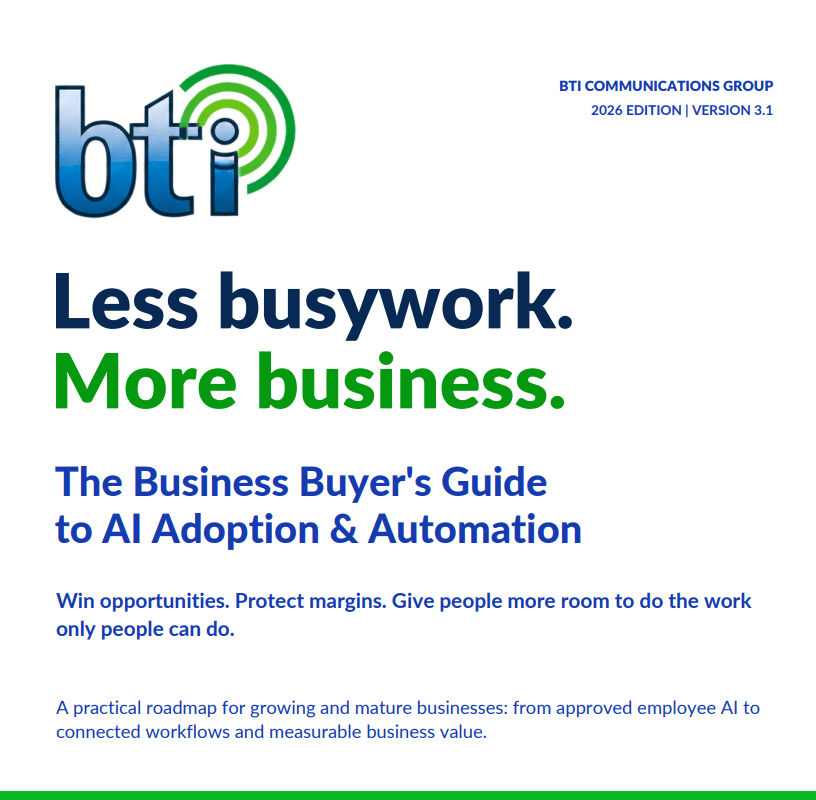
Free PDF · 50 pages · 1.2 MB
No email required. Save it and share it with your team.
Discuss your organization’s locations, remote and on-site requirements, and coordination with existing IT, communications, security, and application teams. BTI serves businesses across multiple regions with consistent delivery and local expertise.
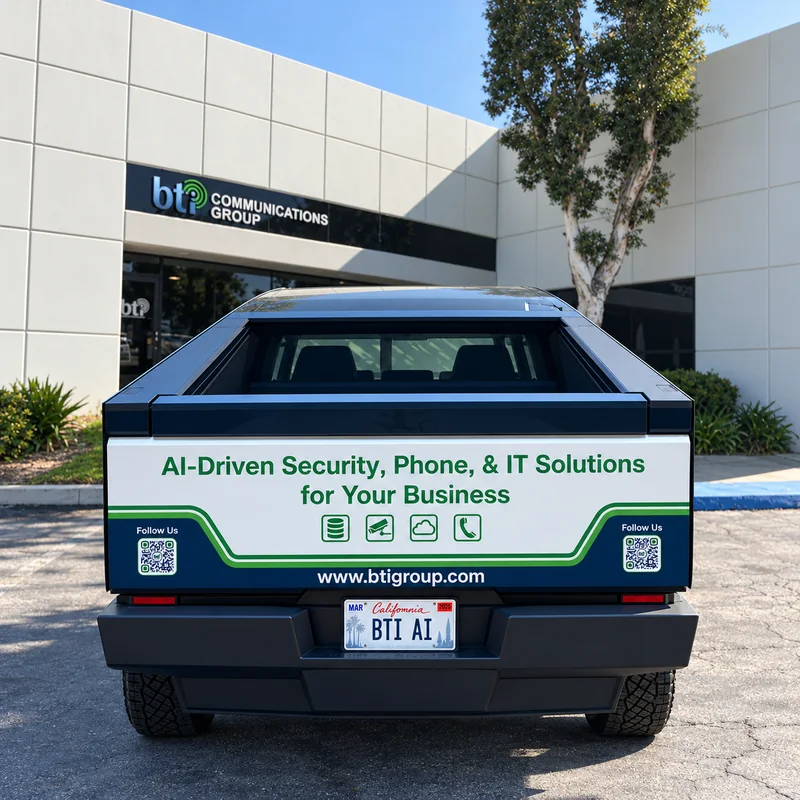
Primary headquarters and engineering operations serving the greater Southern California business community.
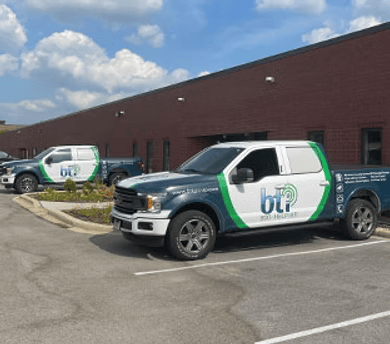
Midwest regional presence supporting local and multi-site business requirements across the greater Chicago area.

Southwest regional support for Arizona-based organizations and multi-site operations with Phoenix locations.
Multi-site delivery requirements are confirmed during scoping.
Governed, practical AI applied to the workflows that matter most in your industry.

Governed AI for patient access, documentation and front office workflows.
AI for healthcare providers →
Practical AI for public agencies, from resident service to records work.
AI for government agencies →
Safe AI for schools and colleges, with clear guardrails for staff and students.
AI for schools and colleges →
Governed AI for warehouse operations, dispatch and customer updates.
AI for logistics and warehouse operations →
GLBA-aligned AI for CPA, title and mortgage firms that keeps client data private.
AI for CPA, title and mortgage firms →
AI for water utilities, from customer calls to work order follow-up.
AI for water utilities →
Practical, governed AI for bids, project updates and back office work.
AI for construction companies →
Safe, governed AI that saves staff and volunteer time for churches and nonprofits.
AI for nonprofits and churches →
License plate analytics, crowd insight and AI guest service for parking and venues.
AI for parking and venues →Bring us the workflow you want to improve—or the AI project that has stopped moving. Tell us what you want to build, automate, simplify, or bring under control. BTI will review your request and recommend an appropriate starting point.
You do not need a technical specification to begin. Project scope, deliverables, responsibilities, and pricing are confirmed before work starts.
Your first step into AI does not have to be a complicated development project. It can start with something much more practical:…
Read guide →
McKinsey says some AI decisions can only be made by the CEO. Here’s what leaders must own, what to delegate, and how to keep AI…
Read guide →Add governed AI to the cameras, access control and alarms you already own. No rip-and-replace.
Read guide →