Over 40 Years in BusinessISO 27001 compliantPublic sector: GSA contract holder

LA 562-298-5000 · Chicagoland 312-432-5300 · Phoenix 602-733-6807 · Client Support

NATIONWIDE SUPPORT

Cisco Meraki MX Firewall & SD-WAN Installation

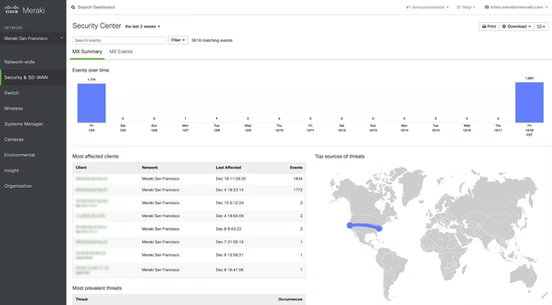
BTI designs, installs, licenses, and monitors Cisco Meraki MX security appliances so every location gets the same firewall, VPN, and failover policies, all managed from one cloud dashboard.

Thousands
Commercial deployments delivered
24/7

Cloud network monitoring

1-day

Engineer response, no call center

Cisco Partner
Cisco Meraki partner logo
Cisco Certified Specialist badge
Cisco Meraki authorized reseller logo
LERETA highly recommends BTI services, they are a great value added partner for us

Christopher C. Masten
Chief Information Officer | Information Technology Management | Enterprise Architecture
Talk to a specialist
Free Meraki Assessment

Get a Free Meraki MX Assessment

Tell us about your sites. A BTI engineer replies within 1 business day. Non-residential only.

PPC IT Services

Let's Start a Conversation

What's the best way for us to contact you?

● A Meraki engineer replies within 1 business day · Non-residential only.

cisco meraki
Cisco Select Partner · Cisco SMB Black Belt partner

3

Regional offices · CA · IL · AZ

24/7

Proactive monitoring

Certified Engineers

on staff · CCNP · CCDP · CCNA

SECURITY & SD-WAN LINEUP

Cisco Meraki MX Models We Install & Support

Every MX includes a stateful firewall, Auto VPN, SD-WAN, and cloud management in the Meraki dashboard. We size the appliance to your users, internet bandwidth, and security licensing, then deploy it ready to run.

SMALL BRANCH

MX67 / MX67W

Small offices, clinics, and retail locations

  • Per Cisco: up to 50 users
  • 700 Mbps firewall
  • 2 WAN / 4 LAN (W = built-in Wi-Fi)

SMALL BRANCH

MX68 / MX68W

Small sites that need more LAN ports

  • Per Cisco: up to 50 users
  • 700 Mbps firewall
  • 2 WAN / 10 LAN (W = Wi-Fi)

SMALL BRANCH

MX75

Busy branch offices

  • Per Cisco: up to 200 users
  • 1 Gbps firewall
  • 3 WAN / 10 LAN

SMALL–MEDIUM BRANCH

MX85

Growing branches with multiple ISPs

  • Per Cisco: up to 250 users
  • 1 Gbps firewall
  • 4 WAN / 10 LAN

MEDIUM–LARGE BRANCH

MX95

Larger offices and regional sites

  • Per Cisco: up to 500 users
  • 2 Gbps firewall
  • 4 WAN / 6 LAN

LARGE BRANCH

MX105

Large branches and headquarters

  • Per Cisco: up to 750 users
  • 3 Gbps firewall
  • 4 WAN / 6 LAN

CAMPUS & DATA CENTER

MX250 / MX450

Headquarters, campus, or VPN concentrator

  • Per Cisco: up to 2,000 / 10,000 users
  • 4 / 6 Gbps firewall
  • 24 LAN

CLOUD

vMX (Small / Medium / Large)

Extend Auto VPN into AWS, Azure, Google Cloud, or Alibaba Cloud

  • 200 Mbps / 500 Mbps / 1 Gbps VPN throughput
  • also Cisco NFVIS

REMOTE WORKERS

Z4 / Z4C Teleworker Gateway

Corporate network at home offices and executives’ homes

  • Up to 15 devices
  • Wi-Fi 6
  • 500 Mbps firewall / 250 Mbps VPN
  • Z4C adds LTE

WAN BACKUP

MG41 / MG52 Cellular Gateways

LTE/5G backup or primary internet for any MX

  • MG52: 5G SA/NSA, up to 2 Gbps down (passthrough)
  • dual SIM + eSIM
  • 2.5 GbE

Cisco 8000 Series Secure Routers for Meraki

Cisco’s newest secure routers run in the same Meraki dashboard as the MX, with the same SD-WAN and security, and add more throughput for larger sites.

SMALL BRANCH

8111-G2-MX

Small branches that need higher throughput

  • Per Cisco: up to 200 users
  • 2 Gbps firewall
  • 2 WAN / 4 LAN

SMALL BRANCH

8121-G2-MX

Small branches with more wired devices

  • Per Cisco: up to 200 users
  • 2 Gbps firewall
  • 2 WAN / 10 LAN

MEDIUM BRANCH

8235-G2-MX

Medium-size branches and regional offices

  • Per Cisco: up to 1,000 users
  • 6 Gbps firewall
  • 6 LAN

LARGE BRANCH

8355-G2-MX

Large branches and headquarters

  • Per Cisco: up to 2,500 users
  • 10 Gbps firewall
  • 6 LAN

CAMPUS / VPN HUB

8455-G2-MX

Campus edge or data center VPN concentrator

  • Per Cisco: up to 15,000 users
  • 20 Gbps firewall
  • 2 multi-WAN / 8 LAN

Running an older MX64, MX65, MX84, or MX100? Those models are past end-of-sale, so plan a replacement before support ends. Ask about an MX refresh →

Client stories

The Kind of Support Organizations Stay With

Dave Tourjé
Dave Tourjé
★★★★★
The entire team at BTI that I had the pleasure of working with exceeded my expectations. They took my company to the technology and security level I needed. They were always very attentive and responsive if we had any questions. Would highly recommend!
Rebecca Gadomski
Rebecca Gadomski
★★★★★
BTI has been exactly what our growing company has needed for so long! They provide friendly, professional service and have consistently been willing to go above and beyond to ensure our complete satisfaction. Would highly recommend and happy to talk with anyone who has questions and would like more feedback on their exceptional service.
Bob Bullock
Bob Bullock
★★★★★
BTI Communications Group does a solid job. From the proposal process straight through to job completion and subsequent support, everyone does exactly what they say they will. We had a solution installed at one location as a test of sorts. Based on the success of that, we are now getting ready to install at a third location.
 Jeff Valencia
Jeff Valencia
★★★★★
Very friendly staff! Jodi was able to provide us support by scheduling a tech out for a job walk the same day as requested. She has been proactive and responsive, which is greatly appreciated. Thanks Jodi!

 Jorge Fonseca
Jorge Fonseca
★★★★★
Great Company! Amazing service and friendly staff!
Michael Gadomski
Michael Gadomski
★★★★★
Dave and his BTI Team have been a great resource to help our growing business succeed. He continues to be responsive with providing the support that we need from initial setup to modifications of our current system in a timely manner. Dave has created a friendly and encouraging relationship which has been recognized by the Edgewood staff as well. His team has been an asset to Edgewood.
Andy Wieser
Andy Wieser
★★★★★
Very responsive and good at troubleshooting/problem solving.

FEATURES

SD-WAN and Next-Gen Security in One Appliance

Meraki MX combines routing, SD-WAN, and unified threat management, so a branch doesn’t need a separate firewall, VPN concentrator, and web filter.

Auto VPN site-to-site

Branches build encrypted tunnels to each other and to headquarters automatically from the dashboard, with sub-second VPN failover. Third-party IPsec peers are supported too.

SD-WAN path selection & traffic shaping

Send voice, video, and critical apps over the best-performing link, with sub-second dynamic path selection, policy-based routing, and Layer 7 traffic shaping.

Internet failover (wired + cellular)

Automatic WAN failover across dual ISPs and cellular, including MG cellular gateways, plus high availability with a warm-spare MX.

IDS/IPS powered by Snort

Detects or blocks attacks inline, using rulesets curated by Cisco Talos that the Meraki cloud keeps up to date. Advanced Security license.

Malware protection (Cisco AMP)

Inspects file downloads and blocks files Cisco’s threat cloud marks as malicious. Advanced Security license.

Content filtering by Talos

Category-based web filtering, YouTube restrictions, and safe search enforcement. Advanced Security license.

Cisco SASE with Secure Access

Extend MX Auto VPN into Cisco Secure Access for zero-trust access and cloud security for users on and off network.

Visibility with ThousandEyes & Meraki Insight

Secure SD-WAN Plus adds SaaS performance analytics plus ThousandEyes internet outage intelligence.

Meraki MX License Options

EnterpriseAdvanced SecuritySecure SD-WAN Plus
Firewall, Auto VPN, SD-WAN, WAN/cellular failover, HA, client VPN, 24×7 Meraki supportEverything in Enterprise + IDS/IPS, Talos content filtering, AMP malware protection, geo-IP firewall rules, Umbrella DNS & Secure Malware Analytics integrationEverything in Advanced Security + Meraki Insight analytics, Smart SaaS QoE, ThousandEyes internet intelligence

One MX license edition applies across a Meraki organization. Advanced Security and SD-WAN Plus are MX-only (not Z-series). Meraki also sells subscription tiers (Essential / Advantage). BTI will recommend the right model for you.

WHO IT FITS

Built for Multi-Site Businesses That Need Secure Branch Connectivity

  • Companies with several offices, clinics, stores, or branches that need the same security policy everywhere
  • Organizations replacing MPLS or adding internet failover at every site
  • IT teams that want cloud visibility without managing a box-by-box firewall estate
  • Businesses with remote and hybrid staff who need secure access to company apps
  • Regulated organizations (healthcare, financial services, education, government) that need segmentation, logging, and content controls

World-class support

Get the Help Your Meraki MX Environment Needs Now

Whether you’re troubleshooting an existing appliance, connecting new locations, replacing aging hardware, changing firewall rules, or planning an SD-WAN upgrade, BTI can step in at any stage to support your operations.

Existing Meraki MX Support

Resolve connectivity, VPN, routing, firewall, configuration, and appliance issues without having to start over with a new network provider.

MX Firewall Configuration & Security

Keep firewall policies aligned with your environment as users, applications, locations, and security requirements change.

Meraki SD-WAN & Auto VPN

Connect locations more consistently and simplify site-to-site networking with support for Meraki SD-WAN, Auto VPN, WAN failover, and distributed network configuration.

VPN & Remote Access Support

Get help configuring, troubleshooting, and maintaining remote-access and site-to-site VPN connectivity as your users and locations change.

Internet Failover & WAN Connectivity

Improve resilience by designing and supporting primary, secondary, and cellular WAN connectivity where appropriate for your environment.

Meraki Licensing, Renewals & Hardware

Keep your MX environment properly licensed and plan appliance upgrades before aging hardware or licensing becomes an operational problem. 

The BTI Difference

Why Businesses Choose BTI for Meraki MX

Your MX appliance sits at the intersection of internet connectivity, routing, VPNs, switching, Wi-Fi, cloud applications, cybersecurity, and every location that depends on them.

BTI supports those dependencies together, helping you resolve issues with fewer vendor handoffs and make network changes with a clearer understanding of their impact.

Find the Root Cause Faster

Resolve firewall and VPN issues faster with one team that can troubleshoot across your Meraki MX, network, connectivity, and cybersecurity environment.

Make Changes with the Whole Network in Mind

Make firewall, VPN, routing, and network changes with an understanding of the systems that depend on them, reducing the risk of outages, access problems, and configuration conflicts.

Support Internal IT Without Replacing It

Keep your internal IT team in control while BTI provides added Meraki MX expertise for troubleshooting, configuration, VPNs, SD-WAN, firewall changes, and upgrades.

Stay Supported as Your Environment Changes

BTI can continue supporting troubleshooting, configuration changes, licensing, upgrades, network expansion, monitoring, and managed network requirements after the initial deployment.

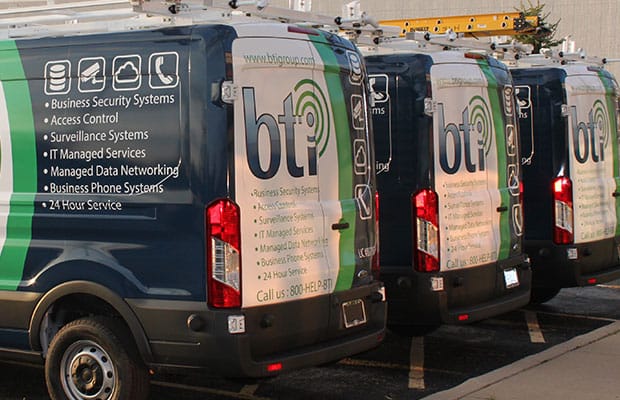
BTI Communications Group service vans

One Pane of Glass

Make Your Meraki MX Network Easier to Manage Across Every Location

BTI can help standardize MX appliances, VPNs, WAN connectivity, firewall policies, VLANs, and documentation across your locations, so your network is easier to troubleshoot, expand, and maintain as your business grows.

Keep configurations more consistent across sites

Plan failover and connectivity around each location’s needs

Add new locations without reinventing the network every time

Get centralized support for distributed environments

How It Works

Design, Installation, and 24/7 Monitoring From One Team

Step 01

Assess

We review your sites, users, ISPs, applications, and current firewall/VPN setup.

Step 02

Design

Right-sized MX models, license edition, VLANs, VPN topology, and failover plan.

Step 03

Install & configure

Staging, on-site installation, firewall and VPN policies, and testing before cutover.

Step 04

Monitor 24/7

Our 24/7 NOC/SOC partner backed by a SOC 2 audited operations center monitors your network around the clock.

Step 05

Support & grow

Changes, licensing renewals, firmware, and new sites added on your schedule.

FINANCING

Spread the Cost With 100% Financing

Upgrade aging firewalls or roll out MX across every location without a large upfront purchase. BTI’s 100% financing covers hardware, licensing, and labor.

Learn about vendor financing →

Local, On the Ground

Local Teams, Nationwide
Meraki MX Support
Near Your Sites

Get remote and coordinated on-site Cisco Meraki support across the U.S., with established BTI operations in Los Angeles, Chicago, and Phoenix.

Whether you’re supporting one office or a distributed network, BTI can help maintain consistent technical standards and centralized coordination instead of requiring you to find a different network provider every time you add a location.

BTI office serving Chicago, IL

Chicago, IL

Serving Illinois & the greater Chicagoland area.

BTI office serving Los Angeles, CA

Los Angeles, CA

Serving Southern California & the LA metro area.

BTI office serving Phoenix, AZ

Phoenix, AZ

Serving Arizona & the Phoenix metro.

Cover image for BTI Communications Group’s 2026 Cisco and Cisco Meraki Infrastructure Modernization Guide for healthcare, logistics, manufacturing, education, financial services, municipalities, and multi-site organizations.

Free Download

The 2026 Cisco & Meraki Infrastructure Modernization Guide.

A practical playbook for multi-site organizations planning a network refresh, budgeting, phasing, and avoiding the most common rollout mistakes.

Specialized Expertise

Support for Networks That Can't Afford Guesswork

BTI works especially well with organizations managing multiple locations, connected facilities, regulated environments, and infrastructure that directly affect day-to-day operations.

Government & public sector

BTI is a GSA Approved Contractor

GSA contract holder, contract 47QTCA21D00BA
CMAS, California Multiple Award Schedules (California public agencies only)
ISNetworld member contractor
TESMA

GSA contract (all states) for business phone and security systems. CMAS and TESMA for California public agencies only. ISNetworld member contractor.

Governance & assurance

Compliance Governance, Certifications & Partner Assurance

Certifications, attestations & compliance-aligned frameworks

ISO 27001 Compliant BTI
bti soc2 type II
bti soc3 compliant
bti hipaa compliant
bti pci dss compliant
bti ul certified
bti gdpr compliance
bti fedramp compliant
bti isnetworld compliant
bti fisma compliance
bti iso 14001 compliane
bti iso 50001 compliance

Certifications, attestations, and compliance programs shown may apply to BTI, BTI’s internal governance practices, or BTI’s third-party service providers depending on the specific platform, service, data center, processor, monitoring provider, or vendor used.

Meraki MX Frequently Asked Questions

A cloud-managed security and SD-WAN appliance. It combines a firewall, Auto VPN, SD-WAN, and (with Advanced Security licensing) IDS/IPS, malware protection, and content filtering, all managed from the Meraki dashboard.

It depends on users, internet bandwidth, WAN links, and the security features you’ll run. Per Cisco, MX67/MX68 suit sites up to about 50 users, MX75 and MX85 up to 200–250, MX95 and MX105 up to 500–750, and MX250/MX450 handle campus and data center scale. BTI sizes each site during a free assessment.

Enterprise covers firewall, Auto VPN, SD-WAN, and failover. Advanced Security adds Snort-based IDS/IPS, Cisco AMP malware protection, and Talos content filtering. Secure SD-WAN Plus adds Meraki Insight and ThousandEyes analytics for SaaS and internet performance. One edition applies across a Meraki organization.

Yes. MX appliances support automatic WAN failover between ISPs and to cellular, including Meraki MG cellular gateways for LTE or 5G backup.

Yes. We review your current configuration, licensing, and firmware, fix existing issues, and recommend a support or upgrade path. No rip-and-replace required.

Those models are past Cisco’s end-of-sale date and are heading to end of support. BTI can map them to current models and migrate your configuration with minimal downtime.

Yes. BTI offers 100% financing that covers hardware, licensing, and labor. Learn more.

Ready When You Are

Secure Every Location With Cisco Meraki MX

Tell us about your sites and a BTI engineer will recommend the right MX models, licensing, and failover plan, at no cost.

IT Services

Let's Start a Conversation

What's the best way for us to contact you?

Top quality brands, expert engineering, transparent cost, and measurable ROI.