
Outsourced IT
Southern California
Outsourced IT Support in Los Angeles
Your outsourced IT department for Los Angeles organizations: help desk, local on-site engineers, cybersecurity, and optional website, Google Business Profile and SEO management in one monthly plan.
Built for growing, multi-site and AI-ready organizations, typically 20 or more users.
Plans from $60 to $290 per user per month, based on support level and security. See what's included or see a 20-person bundle example
Or call IT sales: 323-510-8003
A local engineer replies within 1 business day.
Free IT assessment
No cost, no obligation. Business inquiries only. Urgent support? Call 562-298-5000.
- ✓Over 40 years in business
- ✓ISO 27001 compliant
- ✓SOC 2 NOC/SOC
- ✓ISNetworld member
- ✓GSA contract holder (47QTCA21D00BA) · CMAS and TESMA contract awardee (California)
Related: managed cybersecurity services.
3
Regional offices · CA · IL · AZ
24/7
NOC + SOC monitoring
Nationwide
Multi-site support
GSA
Approved government contractor
Trusted by industry leaders
Relied on across regulated & multi-site industries












What Outsourced IT Support in Los Angeles Should Include
In 80 seconds, Eric Brackett walks through what a Los Angeles business should expect from an outsourced IT partner, from round-the-clock support to local engineers who can be on site. He also explains how to choose between fully managed and co-managed IT. Press play.
- A help desk, proactive monitoring, cybersecurity, backup, and local engineers on site.
- Fully managed IT if you have no IT staff, or co-managed IT to back up your team, with response times by priority in your SLA.
- ISO 27001 compliant processes, a 24/7 NOC/SOC, and LA engineers working out of Santa Fe Springs.
Eric Brackett, Founder and President of BTI Communications Group, on what outsourced IT support should include. 1:20, captions available.
Read the video transcript
What should outsourced IT support include for a Los Angeles business? A help desk, 24/7 proactive monitoring, cybersecurity, backup, and local engineers on site.
I’m Eric Brackett, Founder and President of BTI Communications Group. I founded BTI in 1985. For over 40 years, we’ve kept business technology connected: IT, cybersecurity, cameras, door access, phones, and now secure AI, with one accountable partner.
Choose fully managed IT if you have no IT staff, or co-managed IT to back up your team, with response times by priority in your service level agreement.
We also partner with you on low-cost, well-scoped projects across IT, security, and communications that drive business outcomes. Most providers struggle there. We bring it home, as we did for a multi-site radiology group. Start where you are, and we’ll help you transform your business with confidence.
BTI is ISO 27001 compliant, with our 24/7 NOC/SOC monitoring. Our Los Angeles engineers work out of Santa Fe Springs.
Get your free IT assessment. Fill in the Let’s Start a Conversation form on this page, or call 323-510-8003.
Client stories
The kind of IT partner LA businesses stay with



Outsourced IT Support Services in Los Angeles: Local Guide for LA Businesses
What are Outsourced IT Support Services?
Outsourced IT services are the practice of hiring a third-party provider to implement, manage, support, and maintain IT systems and services instead of handling these functions internally with your own resources and personnel.
These external providers commonly market themselves as MSPs (Managed Service Providers). The main goals for outsourced IT services are to reduce costs, access specialized skills, focus on core business activities, increase efficiency, or scale operations quickly.
What Types of IT Services Can Be Outsourced?
In 2026, most companies outsource some or all their IT functions. The most outsourced IT support services in the Los Angeles area include:
Help Desk Support
On-site or remote IT support
AI automation, governance, development, and security
Cybersecurity management and compliance monitoring and GRC
Cloud computing and migration
Data backup and disaster recovery
Server and infrastructure management
IT consulting and technology planning
Network monitoring and management
Hardware, software, and licensing support
Types of Outsourced IT Service Models
There are four main outsourced IT support service models: fully managed IT support, co-managed IT support, break-fix IT support, and project-based IT outsourcing. The right model depends on your business size, internal IT resources, technical complexity, and how much responsibility you want to delegate to an external provider.
The table below compares how each outsourced IT support model works, who it is best for, and how it is typically priced.
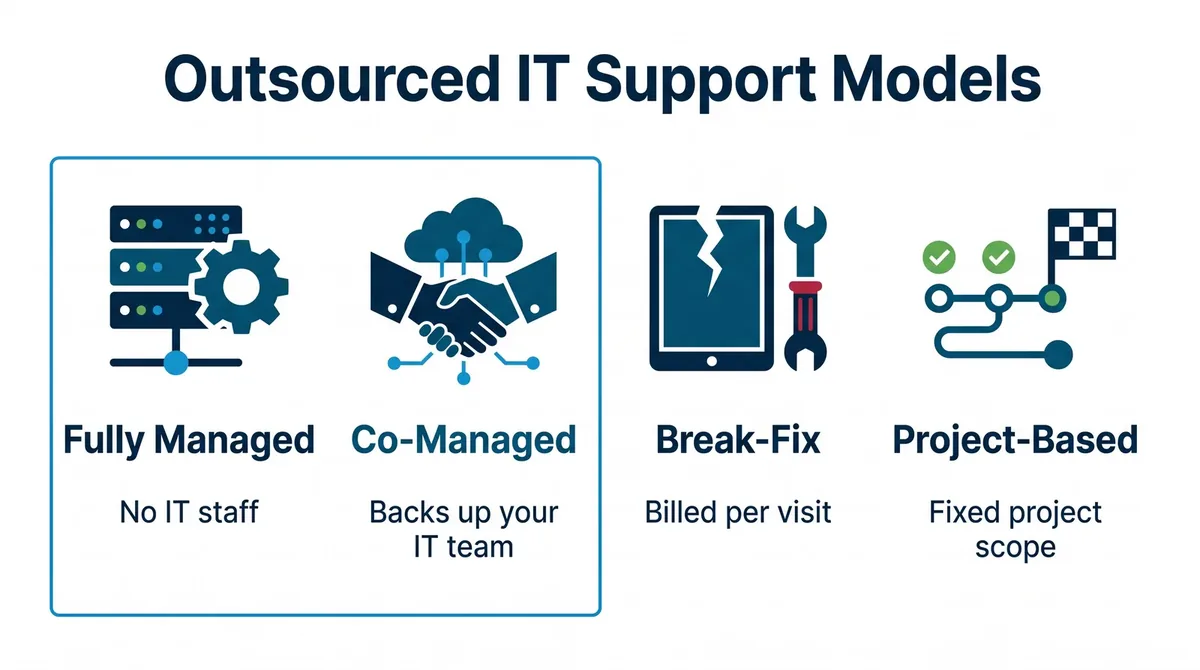
Outsourced IT Support Service Models Compared
| Outsourced IT Support Model | How It Works | Best For | Key Advantage | Typical Pricing Structure |
|---|---|---|---|---|
| Fully Managed IT Support | An outsourced IT provider procures, configures, and manages most of the company’s IT hardware, AI workspace management and security, software, and systems. Services include Microsoft 365 or Google Workspace setup and management, help desk support, monitoring, cybersecurity, backups, cloud tools, and infrastructure management. | Businesses without an internal IT team or companies wanting one provider to manage daily IT operations. | Provides broad IT coverage without building a full in-house IT department. | Usually billed as a recurring monthly service based on users, devices, locations, or scope. |
| Co-Managed IT Support | The provider works alongside an internal IT person or team to handle specialized functions, technologies, tickets, monitoring, cybersecurity, projects, after-hours support, and specialized technical needs. | Businesses with an internal IT person or IT team that need additional capacity or expertise. | Extends the internal team without requiring multiple full-time hires. | Usually billed monthly based on support scope, tools, users, or specific service responsibilities. |
| Break-Fix IT Support | The business contacts an IT technician only when something breaks or when a specific issue needs to be fixed. There is usually no ongoing monitoring or proactive management. | Very small businesses with simple IT environments and limited support needs. | Lower commitment, but usually less proactive than managed IT support. | Usually billed hourly or per service visit. |
| Project-Based IT Outsourcing | The provider is hired for a specific IT project, such as building and implementing secure AI solutions, a network upgrade, cloud migration, cybersecurity improvement, office move, or new system deployment. | Businesses that need temporary expertise for a defined project instead of ongoing support. | Gives access to specialized expertise for a specific initiative. | Usually quoted as a fixed project cost or based on project scope and labor. |
How to Choose the Right Outsourced IT Service Model
| Business Situation | Best Outsourced IT Model | Why It Fits |
|---|---|---|
| You have no internal IT team and need ongoing support | Fully Managed IT Support | Gives the business access to secure AI and automation, help desk support, monitoring, cybersecurity, backups, cloud support, and infrastructure management under one provider. |
| You have one IT person or a small internal team | Co-Managed IT Support | Extends the internal team with additional capacity, specialized expertise, after-hours coverage, or project support such as AI agent building and monitoring and management. |
| You only need help when something breaks | Break-Fix IT Support | Works for very small businesses with basic IT needs, but it is reactive and usually does not include proactive monitoring. |
| You need help with one specific initiative | Project-Based IT Outsourcing | Fits defined projects such as AI workspace, agent development and deployment, cloud migrations, network upgrades, cybersecurity assessments, or office moves. |
| You are growing quickly or opening new locations | Fully Managed or Co-Managed IT | Provides scalable support as the number of users, devices, automations, AI initiatives, applications, and locations increases. |
| You operate in a regulated industry | Managed IT or Co-Managed IT with Cybersecurity Support | Helps support cybersecurity, compliance, backup, access control, monitoring, and documentation needs. |
When Should a Business Outsource IT?
The right time to consider IT outsourcing services is when a business’s technology needs become too complex, time-consuming, or risky to manage internally. This often happens when the company loses a key employee, suffers a cyber breach, decides to adopt and implement automations such as AI, adds more employees, opens additional locations, adopts more cloud applications, or needs to meet tighter insurance or regulatory compliance requirements.
Common signs that it may be time to outsource IT include:
- IT failure or inability to deliver and secure transformational tools and projects like AI.
- Slow service response times to basic requests.
- Recurring technical issues.
- Limited cybersecurity visibility or repeated breaches.
- Overloaded internal staff.
- Inconsistent vendor management.
- Lack of long-term IT planning.
Outsourcing does not always mean replacing the internal team. In many cases, businesses outsource specific IT functions first, such as AI deployment and security, help desk support, cybersecurity monitoring, data backup, cloud management, or network support. As your IT needs to evolve, the relationship can expand into a broader managed IT services or co-managed IT model.
How Much Does Outsourced IT Cost in the Los Angeles area?
| Outsourced IT Model | Typical Pricing Structure | What Can Affect the Cost |
|---|---|---|
| Fully Managed IT Support | Monthly fees are based on business requirements, users, devices, and technologies managed by the provider. | The number of employees, desktops, laptops, infrastructure, servers, cloud application licenses, support subscriptions, hardware, software, and services provided. Services may range from basic help desk support during business hours to 24/7 network operations, cybersecurity incident response, business continuity, penetration testing, third-party vendor management, compliance support, and on-site support. |
| Co-Managed IT Support | Monthly fees are based on the systems managed, services provided, and level of shared responsibility between the internal IT department and the outsourced provider. | Whether the provider handles help desk overflow, after-hours support, monitoring, cybersecurity, projects, compliance, procurement, and specialized technical work. |
| Break-Fix IT Support | Usually billed hourly or per service visit. | Urgency, technician time, travel, hardware issues, downtime, and whether emergency support is required. |
| Project-Based IT Outsourcing | Usually quoted as a fixed project cost or based on estimated labor and materials. | Project complexity, project duration, required technologies, labor hours, hardware and software costs, number of locations, migration requirements, after-hours work, and the level of planning, testing, documentation, and training required. |
The break fix option is the best one if nothing ever goes wrong, and there are no security incidents or system failures or vulnerabilities that can affect the business. However, without proactive monitoring, strategic planning, cybersecurity management, business continuity alternatives, backup management, and preventive maintenance, the downtime caused by the break fix model will far exceed the cost savings.
For businesses that depend on reliable systems, predictable support, and stronger security, fully managed IT or co-managed IT is a better long-term model.
Example: 20-Person Law Firm in Carson
Here is what a full BTI bundle looks like for a 20-person law firm in Carson that wants zero IT employees, all-you-can-eat support, and a complete technology stack.
What is in the stack
- Cisco Meraki firewall and 3 Meraki access points
- 20 laptops with docking stations
- 20 GoodPhones with full mobility
- Microsoft Teams Room for the conference room
- Microsoft 365
- Proofpoint email protection
- Email and cloud backup
- SentinelOne endpoint protection
- SOC and SIEM monitoring
- Helpdesk and managed service labor
- Governed AI for attorneys and staff with zero data retention and fair-use access to leading models (Anthropic, ChatGPT, Grok, and Gemini), with no training on your data
- AI receptionist
- Hosted, optimized, and maintained website with Google Business Profile and SEO management, plus Cloudflare firewall
Hardware (Meraki gear, laptops, docks, phones, and the Teams Room) and QuickBooks sit outside the monthly per-user figures below.
Monthly cost per user
| Line item | Per user / month |
|---|---|
| Managed IT labor, helpdesk, NOC, SOC, SIEM, backups, business continuity, Microsoft 365 operations, phone system with full mobility, AI receptionist support, and managed website, Google Business Profile, and SEO | $170 |
| Licensing: Teams phone system, AI virtual assistants, AI receptionist, and governed compliant AI platform | $142 |
| Total IT, licensing, phone system, and AI | $312 |
For 20 users, that is $6,240 per month ($74,880 per year) for the full managed stack, plus QuickBooks and any hardware or financing.
With this package, the Carson law firm becomes the strongest local marketer online, the easiest firm for new clients to reach, and the most efficient at collaboration and quality legal work and documentation in its market, with zero IT employees and all-you-can-eat support plus advanced NOC, SOC, SIEM, backups, business continuity, and helpdesk.
Example: 20-Person Construction Firm (Office + Field)
Here is what a lighter BTI bundle looks like for a 20-person construction firm with office staff plus field supervisors and project managers. Same basic IT and phone system functionality, with less licensing, no governed AI, lighter cybersecurity, and no website or secure file sharing or access support.
What is in the stack
- Cisco Meraki firewall and 3 Meraki access points
- 20 laptops with docking stations (office and field supervisors / project managers)
- 20 GoodPhones with full mobility
- Microsoft Teams Room for the conference room
- Microsoft 365
- Proofpoint email protection
- Email and cloud backup
- Endpoint protection
- Helpdesk and managed service labor
- Phone system with full mobility
Not included in this lighter package: governed AI, advanced SOC/SIEM, website hosting and SEO, Google Business Profile management, or secure file sharing and access support. Hardware (Meraki gear, laptops, docks, phones, and the Teams Room) sits outside the monthly per-user figures below.
Monthly cost per user
| Line item | Per user / month |
|---|---|
| Managed IT labor, helpdesk, monitoring, backups, Microsoft 365 operations, and phone system with full mobility (lighter cybersecurity; no governed AI, website, or secure file sharing) | $127 |
| Licensing: Microsoft and phone system | $48 |
| Total IT, licensing, and phone system | $175 |
For 20 users, that is $3,500 per month ($42,000 per year) for this managed stack, plus any hardware or financing.
Scope your outsourced IT transition
Moving off an internal IT hire, a break-fix vendor or another MSP? Built for teams of around 20 or more users, multiple sites, or compliance and cyber insurance requirements. We scope the handoff, the support model and, if you want them, your website, Google Business Profile and SEO in the same plan.
Or call IT sales: 323-510-8003
A Los Angeles-area engineer replies within 1 business day.
Why Outsourced IT Costs Can Look Different in Los Angeles
What are the Benefits of Outsourcing IT Support in LA?
1. Cost-Effectiveness
One of the biggest benefits of outsourced IT services in Los Angeles is cost efficiency. Hiring separate full-time employees for each of those functions can quickly become expensive.
For Los Angeles businesses, this can be especially important because technical labor, travel time, and on-site support costs can add up. Outsourcing allows companies to use remote support, automation, monitoring tools, and cloud-managed technologies for many day-to-day IT needs, while reserving on-site support for issues that truly require hands-on assistance.
An outsourced IT provider gives businesses access to many of those capabilities under one support model. This does not mean outsourcing is always the cheapest option, but it can be more cost-effective for small and mid-sized businesses that need broad IT coverage without building a large internal department.
2. Access to a Broader Range of IT Expertise
Internal IT teams are often limited by time, headcount, and specialization. One person may be able to handle daily support tickets, but they may not have deep expertise in AI, cybersecurity, cloud infrastructure, compliance, network design, backup strategy, and business continuity.
Outsourcing gives businesses access to a wider technical team. This can be especially valuable when the company needs help with complex projects, security improvements, cloud migration, infrastructure upgrades, or support across multiple locations.
This is especially important for Los Angeles businesses. The region has a complex business environment shaped by traffic, high labor costs, remote and hybrid work, cybersecurity risks, compliance requirements, business continuity concerns, and the need for both remote and on-site support. These challenges make IT support more demanding, but they have also helped create a more mature and competitive IT services market.
3. Improved Response Times
As businesses grow, IT requests usually increase. An outsourced IT provider can help manage support tickets, prioritize urgent issues, provide remote troubleshooting, and escalate more complex problems when needed. With AI doing more of the work every day, the need for immediate response to connectivity, equipment, network, and application failures is more acute than ever. Add to that the fact that Los Angeles businesses have more remote workers, more hybrid teams, multiple locations, and generally greater volume due to the size of the market and this can make fast or immediate IT support an absolute requirement.
4. Outsourcing Strengthens Cybersecurity and Reduces Liability in California
Cybersecurity is one of the strongest reasons businesses outsource IT services. Modern security requires more than antivirus software. Companies need patch management, endpoint protection, firewall management, secure backups, email protection, information privacy policy adherence, AI security and privacy protections, user access controls, monitoring, incident response planning, and employee security awareness.
Outsourced IT providers can help businesses implement and manage all of these security layers. This is especially important for organizations that handle sensitive data, rely on AI or cloud applications, support remote workers, or meet compliance requirements.
For those organizations that handle personal information, medical information, or sensitive data, handling cybersecurity internally without provable and effective security measures 24/7 opens the business to fines and lawsuits. For these companies, keeping up with cyber insurance audits, customer and regulatory compliance demands, and actual cyber security controls and evidence at the same time is an onerous and expensive endeavor better left to the pros. While outsourcing cybersecurity doesn’t eliminate liability, a capable, compliant outsourced provider like BTI shields the business from liability by providing continuous protection and proof that the business complied with every reasonable requirement.
5. Outsourced IT Services Make Technology Easier to Scale
As your company grows, the number of devices, accounts, applications, support requests, cybersecurity risks, and vendors also grows. These days, sophisticated clients might have as more round the clock AI agents working for them than people, too! Outsourced IT services can scale with your business 24/7. A company may start by outsourcing AI, help desk support, or cybersecurity, then expand into cloud management, backup management, network support, or fully managed IT services as its needs become more complex.
6. Reduced Downtime and Improved Reliability
Technology problems can affect productivity, customer service, security, and revenue. When systems are only fixed after something breaks, businesses may experience longer disruptions and more unpredictable costs.
Outsourced IT services can include proactive monitoring, updates, maintenance, backup management, and support processes designed to reduce downtime. This helps businesses move away from a purely reactive break-fix model and toward a more stable IT environment.
7. Frees Internal Teams to Focus on Higher-Value Work
When business owners, operations managers, or internal employees are constantly dealing with IT issues, they lose time that could be spent on higher-value work understanding the business, delivering automation, cutting cost and overhead, and helping sales and marketing expand. Outsourcing routine IT support can help internal teams focus on customers, operations, sales, service delivery, and growth.
For companies that already have internal IT staff, outsourcing does not have to replace the team. A co-managed IT model can take routine tickets, monitoring, after-hours support, or specialized projects off their plate so they can focus on strategic initiatives.
What Should an Outsourced IT Support SLA Include?
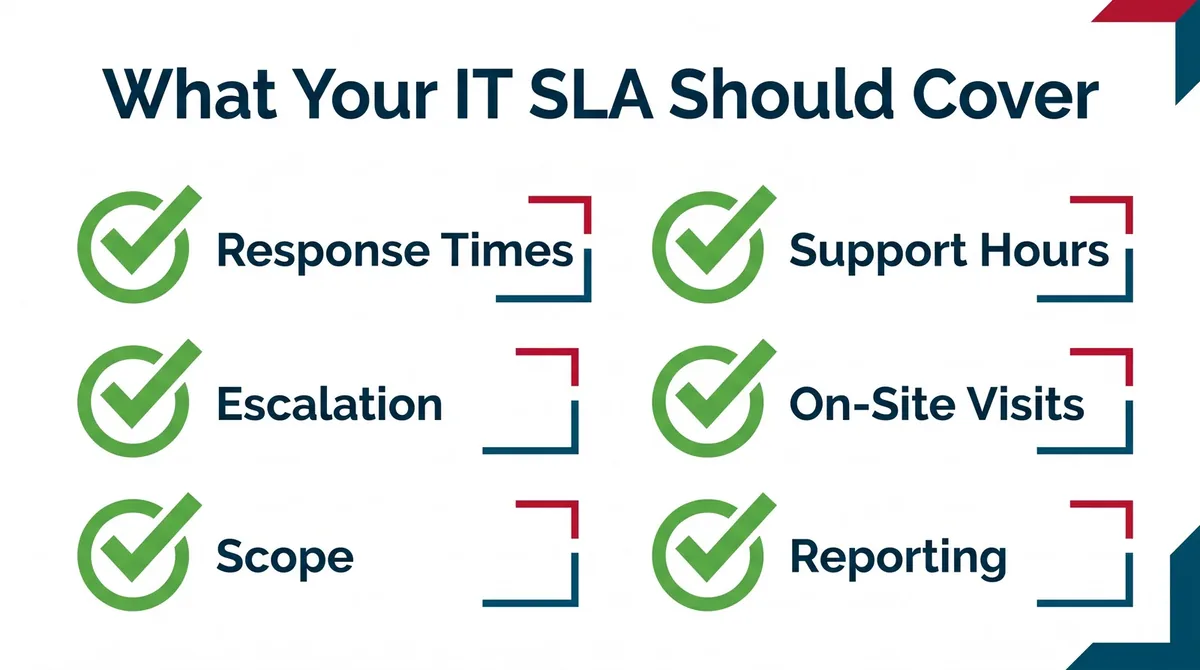
An outsourced IT support SLA, or service level agreement, should clearly define what the provider is responsible for, how support requests are handled, and what the business can expect from the relationship. A strong SLA helps prevent confusion around service scope, response times, escalation procedures, cybersecurity responsibilities, reporting, pricing, and accountability.
A comprehensive outsourced IT support SLA should include:
- Guaranteed response times by priority level,
- Resolution targets when applicable,
- Escalation procedures,
- Scope of included services,
- Support hours,
- On-site support expectations,
- Security and data handling requirements,
- Reporting metrics,
- Termination provisions, and
- Remedies for SLA violations.
If the provider is responsible for managing business-critical infrastructure, the SLA may also include uptime expectations or availability targets for covered systems.
| SLA Element | Why It Matters |
|---|---|
| Scope of Included Services | Defines which services are covered, such as help desk support, monitoring, cybersecurity, backups, cloud support, vendor management, or on-site support. |
| Priority Levels | Clarifies how issues are categorized, such as critical outages, high-priority user issues, standard support requests, or low-priority tasks. |
| Response Times | Explains how quickly the provider should acknowledge and begin working on a ticket based on its priority level. |
| Resolution Targets | Sets expectations for how quickly certain issues should be resolved when resolution timing can be estimated. |
| Escalation Procedures | Shows how urgent or complex issues are moved to higher-level engineers, managers, vendors, or emergency support. |
| Support Hours | Clarifies whether support is available during business hours, after hours, weekends, holidays, or 24/7 for critical issues. |
| On-Site Support Expectations | Defines when a technician can be dispatched, what types of issues require on-site support, and whether travel or emergency visits are billed separately. |
| Security and Data Handling Requirements | Explains how the provider protects credentials, manages administrator access, handles sensitive data, documents changes, and supports cybersecurity practices. |
| Uptime or Availability Targets | Applies when the provider is responsible for managing covered infrastructure, systems, networks, hosting, or cloud environments. |
| Reporting Metrics | Defines what reports the business receives, such as ticket volume, response times, recurring issues, system health, cybersecurity alerts, and recommendations. |
| Exclusions and Additional Costs | Identifies what is not included, such as major projects, hardware, licensing, after-hours work, emergency visits, or advanced cybersecurity tools. |
| Termination Provisions | Explains contract length, cancellation terms, offboarding responsibilities, documentation handoff, and access transfer. |
| Remedies for SLA Violations | Defines what happens if the provider repeatedly fails to meet agreed service levels, such as service credits, escalation reviews, or contract remedies. |
The Risk of Outsourcing IT Services
Outsourcing IT services can improve support, reduce internal workload, and give businesses access to specialized expertise. However, the wrong provider or unclear service agreement can create problems such as slow response times, hidden costs, weak cybersecurity coverage, poor documentation, or limited on-site support.
Most risks of outsourcing IT services can be reduced with a clear agreement, transparent communication, documented processes, strong cybersecurity standards, and regular reporting. The goal is not to find the cheapest provider, but to choose an IT partner that can support the business consistently, protect critical systems, and scale as technology needs to grow.
In-House IT vs. Outsourced IT Services
The main difference between in-house IT and outsourced IT services is how technology support is managed.
| IT Support Model | How It Works | Best For | Main Consideration |
|---|---|---|---|
| In-House IT | The business hires internal IT employees to manage support, systems, cybersecurity, vendors, and technology planning. Internal personnel determine which subscriptions, infrastructure, cybersecurity software, business continuity solutions, and related technologies should be purchased and supported. | Larger organizations or companies with internal systems, IT governance policies, or highly customized ERP software developed in-house that cannot be managed by an external provider in a cost-effective manner. | Provides direct internal control but requires higher payroll, training, software, and technology-stack tooling costs. Management, human resources, and ongoing training expenses also play a factor. |
| Outsourced IT Services | An external IT provider manages specific IT functions or the full IT environment, depending on the service agreement. | Small and mid-sized businesses that need broad IT expertise without building a large internal department. | Can provide access to a wider range of skills and greater support coverage, but the business must choose a provider that offers transparency and clear documentation of performance and controls. |
| Co-Managed IT | Internal IT staff and an outsourced IT provider work together. The provider may handle ticket overflow, cybersecurity, monitoring, projects, or after-hours support. | Growing businesses that already have internal IT staff but need additional capacity or specialized expertise. | Works best when roles, escalation paths, responsibilities, and ownership are clearly defined. |
The best model is the one that gives the business the right balance of control, expertise, response time, cybersecurity, and cost efficiency.
What BTI is seeing in 2026 is that growing companies leveraging AI are opting for more co-managed IT and co-managed cyber security services than ever before. It helps enormously with AI projects when a business has an internal IT resource that is freed up to focus entirely on the business and its processes while the outsourced co-managed provider supplies the rock-solid execution, infrastructure, development, and management of the technology that AI processes need to function properly and continuously.
Clients are reporting massive gains in productivity and cost savings at the same time with this co-managed IT and AI automation approach.
How to Choose an Outsourced IT Support Provider in Los Angeles
Choosing the right outsourced IT provider is just as important as choosing the right service model. A provider should not only fix technical issues, but also understand your business, protect your systems, document your environment, and help you profitably grow your business. In the age of AI, your outsourced IT team should not be just another IT team or member of the team. Instead, they should be strategic, thought leading, business enablers driving automation, consistent uptime, productivity, and expense reduction. It these components aren’t on the table in each meeting, call BTI and get your free assessment today.
Step 1: Conduct an IT Assessment to Uncover Your Needs
Before choosing a provider, start with an IT assessment to understand your current operation and how your IT environment supports or detracts from your needs. This helps you identify which IT support model is right for you, or if you need a more specialized service.
Step 2: Evaluate Which IT Support Model fits your Specific Needs
Compare the available outsourced IT support models based on how much responsibility you want the provider to handle. A business without internal IT may need fully managed IT support as well as a proxy IT business leader for AI and automation initiatives. A small company with a single IT person that knows the business well will usually benefit from co-managed IT services where the provider effectively upskills and uplifts the internal person with tools and expertise they may not yet have.
Step 3: Verify Your Vendors Industry Expertise
Talk about the compliance and expertise needs specific to LA organizations.
Your outsourced IT provider should understand the technical, operational, and compliance needs of your industry. This is especially important for Los Angeles organizations in healthcare, finance, legal, entertainment, logistics, manufacturing, aerospace, and professional services, where cybersecurity, business continuity, access control, data protection, and regulatory requirements can vary significantly.
Step 4: Ensure Proper Communication and Reporting
A strong outsourced IT provider should communicate clearly, document support activity, and provide regular reporting. This is especially important in the AI technology era so that businesses can take advantage of the terrific gains AI can bring without risking tragic loss due to security incidents and data leaks. Without consistent communication, businesses may lose visibility into their IT environment and struggle to understand whether the provider is improving support.
Step 5: Ensure Transparent Pricing and Contract Terms
Before signing an agreement, review what is included, what is excluded, and what may require a separate project quote. Transparent pricing should explain support coverage, on-site service, after-hours work, cybersecurity tools, hardware costs, cloud services, contract length, cancellation terms, and any additional fees that could affect the total cost of outsourced IT services.
Is Outsourcing IT Support Safe?
Outsourced IT support in Los Angeles should be safe if your provider has strong cybersecurity, access control, documentation, and accountability practices. In many cases, working with an experienced outsourced IT provider can improve security because the business gains access to better monitoring, patch management, backup protection, endpoint security, user access controls, and incident response processes.
A reliable provider should be able to explain how they protect your environment, not just how they fix technical problems.
Perhaps the least safe thing to do in the AI era is to wing it alone and hope it all works out well learning as you go. Instead work with an outsourced provider like BTI who can provide you with security baselines across IT, cyber, cloud, email, and AI all for one low monthly fee. There are tremendous gains to be had, more than at any time in history. Now is the time to get your free assessment.
Frequently Asked Questions
Outsourced IT support for a Los Angeles business may include help desk support, remote troubleshooting, on-site support, Microsoft 365 support, secure AI workspaces, cybersecurity, backup management, network monitoring, cloud support, vendor management, and IT planning. The exact scope should be defined before signing an agreement so the business understands what is included, what is excluded, and what may require a separate project quote.
Remote IT support is enough for many common issues, such as password resets, software problems, cloud application support, email troubleshooting, endpoint management, and basic help desk requests. However, remote support may not be enough when the issue involves physical equipment, network hardware, office connectivity, cabling, or local infrastructure. For many LA businesses, the strongest model combines remote support with local field service when needed.
Response times should be defined by priority level in the service agreement. A critical outage should receive a faster response than a routine support request. Before choosing a provider, Los Angeles businesses should ask how tickets are prioritized, what response times are included, whether emergency support is available, and how quickly an on-site technician can be dispatched when remote support is not enough.
Yes. Outsourced IT support can help Los Angeles businesses strengthen cybersecurity through patch management, endpoint protection, firewall support, email security, access controls, backup protection, monitoring, and incident response planning. Businesses should confirm which cybersecurity services are included because not every outsourced IT agreement includes the same level of security coverage.
Yes. Outsourced IT services can support remote and hybrid teams by helping manage cloud applications, secure remote access, endpoint devices, Microsoft 365, VPNs, identity management, collaboration tools, cybersecurity policies, and remote help desk requests. This is especially useful for Los Angeles businesses with employees working across multiple offices, home offices, or client sites.
Before switching IT providers, a Los Angeles business should ask how the new provider will protect proprietary and confidential information across systems, cloud, and AI. Other concerns include documenting the environment, transfering access, reviewing cybersecurity, managing backups, supporting users, handling third party vendors, and avoid disruption during the transition. The business should also ask about response times, local on-site support, pricing transparency, reporting, and what happens if the current provider has incomplete documentation.
Table of Contents
Not sure which model fits your facility?
Outsourced IT That Controls SaaS and AI Costs
Almost every app Los Angeles businesses pay for now sells AI as an extra. Zylo's 2026 SaaS Management Index found organizations leave an average of 36% of their SaaS licenses unused, measured against recommended utilization (Zylo). Add per-seat AI, credits and renewal increases, and the software bill grows faster than the value.
Through its outsourced IT services, BTI makes both kinds of AI work inside your real workflows, then does three things with them: optimizes what you spend, converts expensive AI consumption into low-cost governed workflow automations, and governs the tools, the usage and the systems they touch.
The AI you see
Microsoft Copilot, ChatGPT, Claude and Gemini, chat tools and voice agents your staff use directly, in a company-controlled workspace with access controls and logging.
The AI you don't see
AI features embedded in the SaaS apps you already pay for, background automations and agents, and AI analytics in security and monitoring, like our 24/7 NOC/SOC's automated alert triage (10,000+ alerts handled, zero missed).
- Optimize AI consumption and cost: right-size Microsoft Copilot, ChatGPT, Claude and Gemini seats, tokens and credits; audit licenses; consolidate overlapping tools; and catch AI features switched on at renewal
- Convert expensive consumption into low-cost workflow automations: repetitive AI usage that runs up per-seat add-ons, tokens and credits becomes governed workflow automations you own, running on BTI's AI consumption management and workflow automation platforms, with no royalties or license fees to SaaS providers for what BTI builds
- Govern the tools, the usage and the connected systems: AI use policies, access controls, logging and data boundaries for the AI tools and for the Microsoft 365, CRM, ERP, ticketing and phone systems they connect to
- Itemized usage, only where it pays back: model usage, tokens and secure workspaces quoted as line items
- Guided Automation advisory included in every BTI managed IT plan
Managed IT typically runs $60 to $290 per user per month, itemized, with no surprise fees. → See managed IT pricing
Ready to Outsource IT Without Losing Control?
Local IT Support Services Across Los Angeles
BTI Communications Group is located near major Los Angeles and Orange County freeways, allowing us to provide responsive remote and on-site IT support throughout the Los Angeles metro area
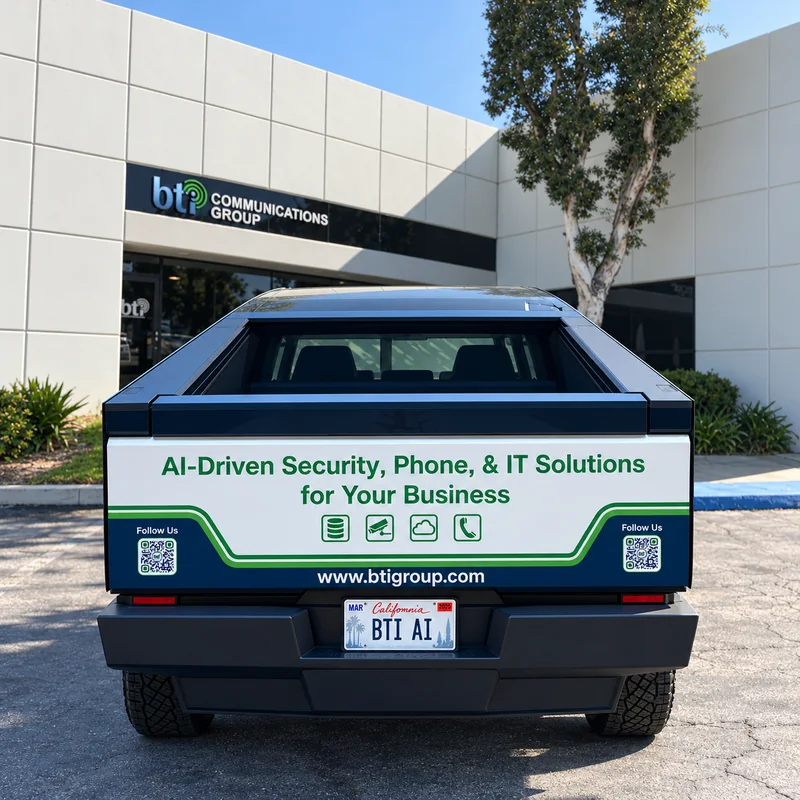
Local Headquarters
Our office is located in Santa Fe Springs, CA.
Local Engineers
Our team lives and works in Southern California.
Fast Response Times
On-site support available throughout Los Angeles.
Remote + On-Site
Comprehensive IT support where you need it.
BTI Communications Group
- 12155 Mora Drive, Suites #1 & #2 Santa Fe Springs, CA 90670.
- (562) 298-5000
- info@btigroup.com
- btigroup.com
We Serve Businesses Across Greater Los Angeles
- Downtown Los Angeles
- Pasadena
- Burbank
- Glendale
- West Los Angeles
- Santa Monica
- Culver City
- Beverly Hills
- Long Beach
- Torrance
- El Segundo
- Santa Fe Springs
- Commerce
- Downey
- San Gabriel Valley
- Orange County
- Inland Empire
- And surrounding communities
If your business is in or around Los Angeles, our team is ready to help.
Government & public sector
BTI is a GSA Approved Contractor



Featured press: BTI in the news









Government & industrial credentials
Contracts and Industry Memberships
Federal Contract Vehicle
General Services Administration (GSA)
BTI is a GSA contract holder (47QTCA21D00BA), so federal agencies and other eligible buyers can purchase through our GSA Schedule.
State & Local
California Multiple Award Schedules (CMAS)
CMAS contract awardee (California), serving state and local government entities, educational institutions and other eligible California public organizations.
LA County Agreement
Telecommunications Equipment & Services (TESMA)
A TESMA contract awardee under the Los Angeles County Telecommunications Equipment & Services Master Agreement, available to Los Angeles County agencies and other eligible public organizations.
Contractor Compliance
ISNetworld Membership
Governance & assurance
Compliance Governance, Certifications & Partner Assurance
BTI Governance & Verified Qualifications
Partner Certifications, Audits & Compliance-Aligned Platforms
BTI works with compliance-aligned data centers, cloud platforms, monitoring providers, payment processors, and cybersecurity vendors that maintain independent certifications and audits such as UL, PCI, SOC 2, SOC 3, GDPR support, and other framework-specific controls.
Certifications, attestations & compliance-aligned frameworks










Managed IT by Industry
Managed IT, networks and help desk support built for how your industry actually works.
-

Healthcare
HIPAA-aligned IT for Los Angeles and Orange County medical groups, PACE programs, pharmacies and dental groups.
Healthcare IT services in Los Angeles and Orange County → -
Government & Public Sector
Managed IT and help desk support for public agencies with lean IT teams.
Government IT services → -
Education
Network, device and help desk support for K-12 districts, charter schools and colleges.
School and college IT services → -
Manufacturing & Logistics
Warehouse Wi-Fi, ERP uptime and network support across every shift.
Logistics and manufacturing IT services → -
Financial Services
GLBA-ready managed IT for CPA, tax, title and mortgage firms.
Managed IT for CPA, title and mortgage firms → -
Utilities & Critical Infrastructure
IT support for water utilities and special districts, with office IT kept apart from plant systems.
IT services for water utilities → -
Construction
Job trailer networks, mobile device support and tenant improvement cabling.
IT support for construction companies → -
Nonprofits & Faith-Based
Practical managed IT for churches, ministries and nonprofit offices.
IT services for nonprofits and churches → -
Parking & Entertainment Venues
Venue Wi-Fi, point of sale networks and managed IT for parking operators and venues.
Venue and parking IT services →









Your IT person is leaving. Your IT does not have to.
When the one person who knows your systems retires or moves on, BTI documents what you have while they are still here, then takes over in a planned cutover.
Next steps
Let's start with a free IT assessment
Ready to scope your outsourced IT transition?
Or call IT sales: 323-510-8003
Want to keep your in-house IT team? See managed and co-managed IT in Los Angeles.
No spam · Free · No commitment
Related insights

Too Much on Your IT Team’s Plate? Co-Managed IT Services Can Help
Boost your IT team’s efficiency with Co-Managed IT Services. learn how co-managed IT reduces burnout, improves security, and…
Read guide →
How Co-Managed IT Reduces Internal IT Burnout Without Replacing Your Team
Key Takeaways ✔ Co-managed IT reduces internal IT burnout by shifting operational execution to a specialized partner while…
Read guide →
Operational Reliability in Co-Managed IT: Why Execution Models Matter More Than Tools
When organizations experience outages, security incidents, or audit failures, the root cause is rarely a missing tool. It is…
Read guide →