What an apartment intercom system does today
“Intercom” covers several kinds of systems, and most older buildings have one of the first two:
- Audio call box or door buzzer. A visitor finds a name or unit code, the box rings the resident, and the resident presses a key on a handset or phone to release the door. Many older boxes dial out over a phone line.
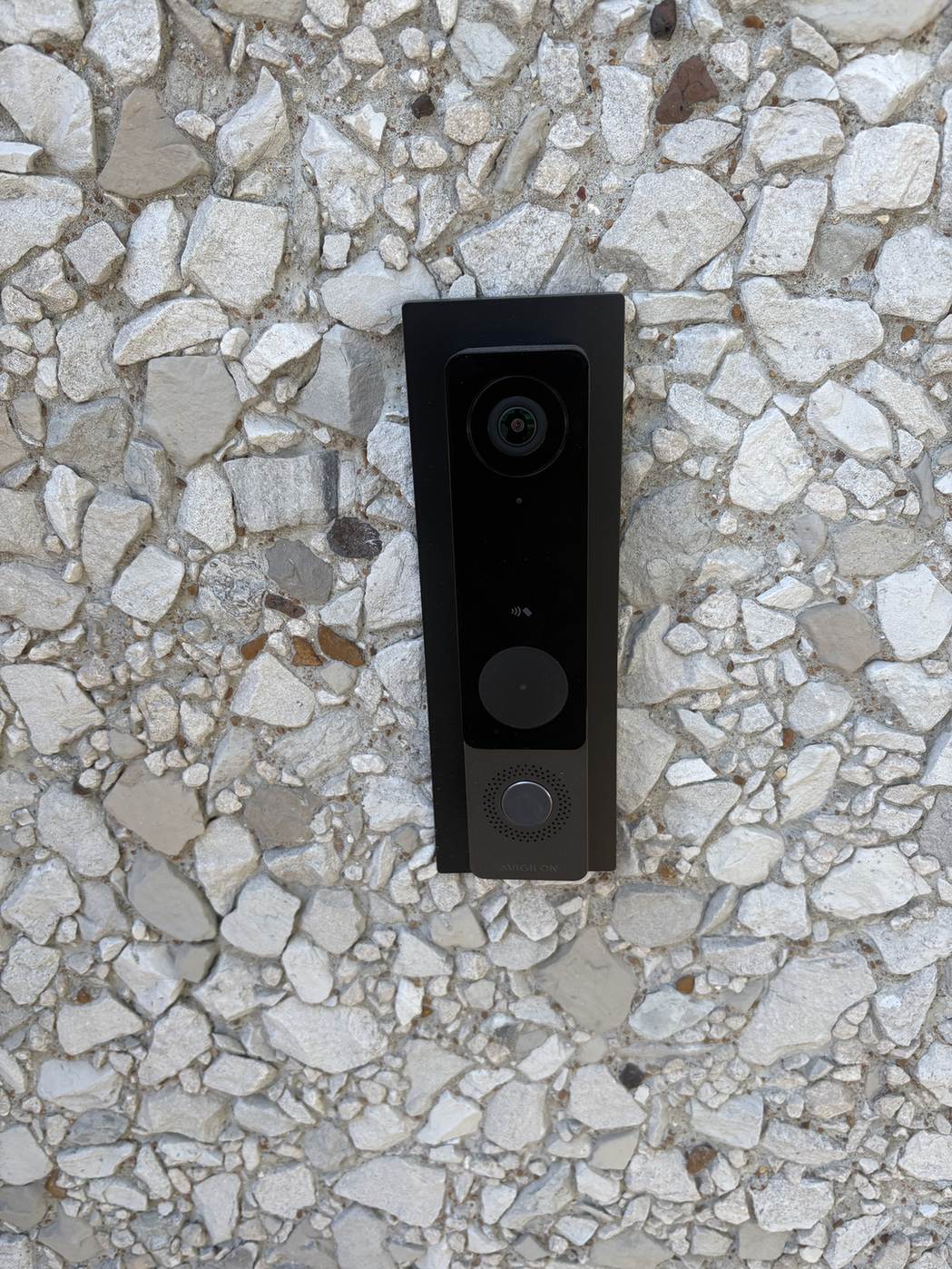
- Video intercom. The same idea with a camera, so the resident sees who is at the door before opening it.
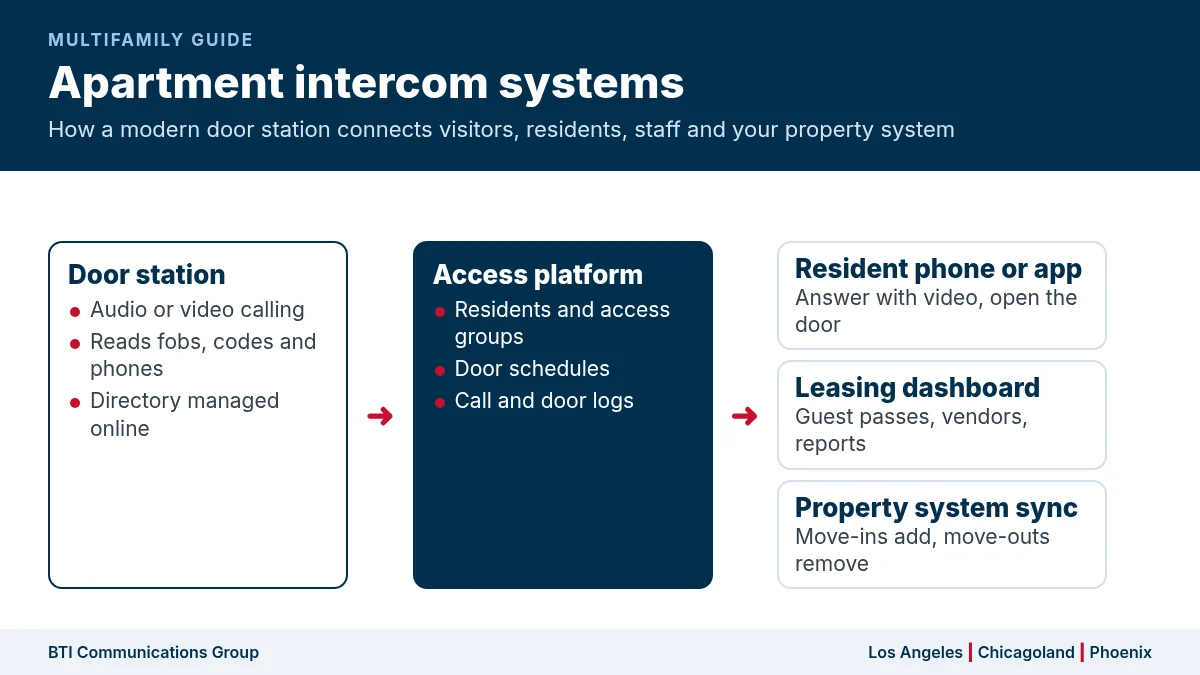
- Cloud door station. A networked door station managed from a web dashboard. Residents answer in an app or by phone, staff update the directory online, and every call and door release is logged.
- Intercom combined with access control. The door station is also a credential reader, so residents use a fob, code or phone at the same panel visitors use to call.
The difference that matters most to an operator is management. With an older call box, the directory, the phone numbers and the door codes often live in the box itself or with a phone line vendor. With a cloud managed apartment intercom system, the leasing team manages residents in one place and the door follows.
Signs your call box is due for replacement
- Residents say they cannot hear visitors, or visitors cannot hear them.
- The phone line the box dials out on is unreliable, being retired or costing more each year.
- Directory changes require a service call or a trip to the box.
- Parts are discontinued, or the last repair took weeks.
- Doors get propped open because guests and carriers have no other way in.
- Staff cannot see who was let in, when, or by whom.
- Residents keep asking to open the door from their phones.
One of these is a nuisance. Three or four usually means the call box is costing more in staff time and resident frustration than a planned replacement would.
What to keep and what to replace
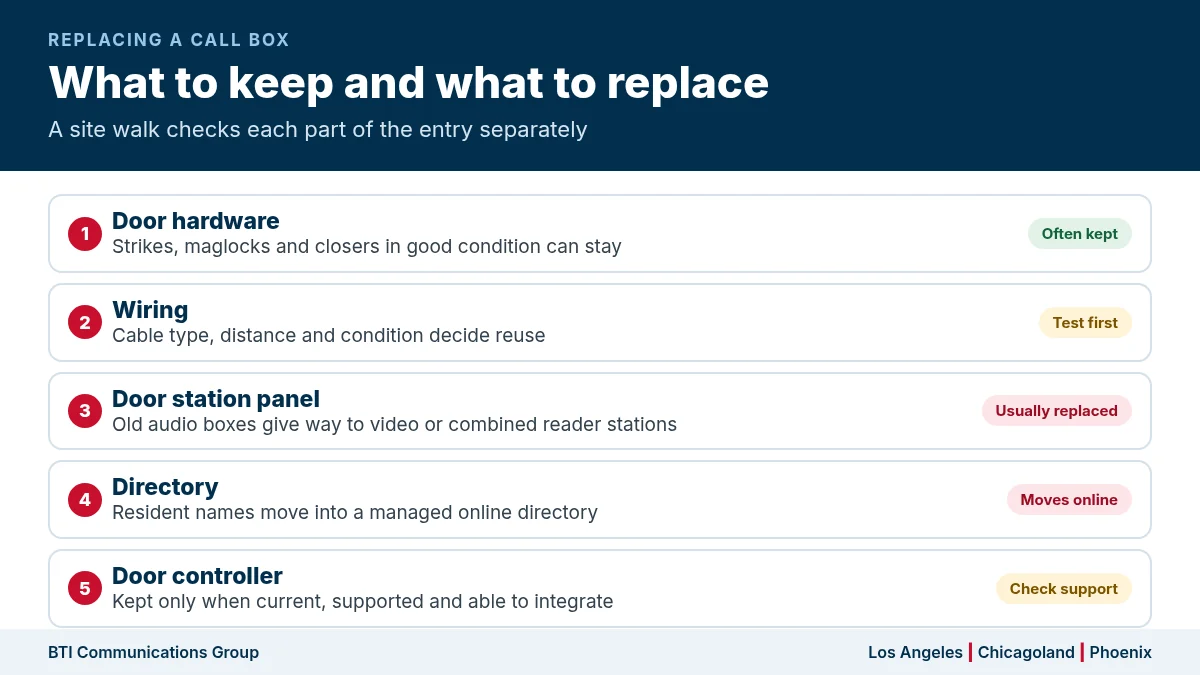
A replacement does not have to be a rebuild. During a site walk, an integrator should look at each part of the entry separately.
| Part of the entry | Often kept when | Often replaced when |
|---|---|---|
| Door hardware (strikes, maglocks, closers) | It is in good condition and works with the new controller | It is worn, unreliable or no longer suits the opening |
| Wiring | Testing shows the cable type, length and condition suit the new equipment | Old phone or multi conductor cable cannot carry the power or data the new station needs |
| Door station panel | Rarely kept | Replaced with an audio or video station, or a combined reader and intercom |
| Directory | Resident data moves to the new system | Printed or keypad directories give way to a managed online directory |
| Door controller | It is current, supported and able to integrate | It is end of life or cannot connect to the new platform |
Whether existing wiring can be reused is a survey question, not a promise. Cable type, distance and condition decide it, and a good integrator tests before quoting.
How the intercom ties to access control, resident phones and the property management system
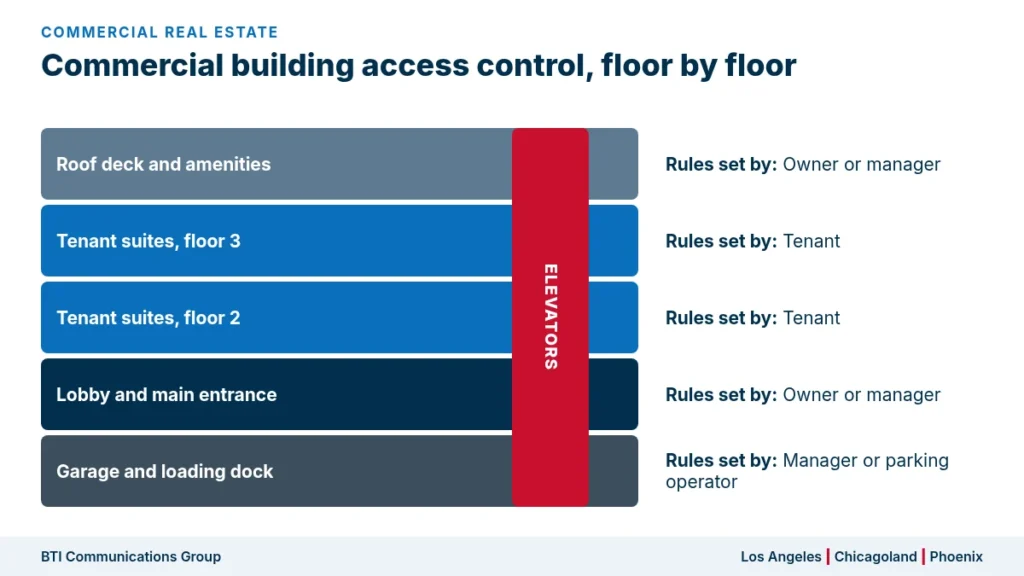
The intercom is only one part of the entry. It works best when it is designed together with your apartment access control systems.
- Access control. The door controller decides who gets in. When the intercom and access control share a platform, a resident’s fob, code or mobile credential works at the same door station visitors use to call, and every door event lands in one log.
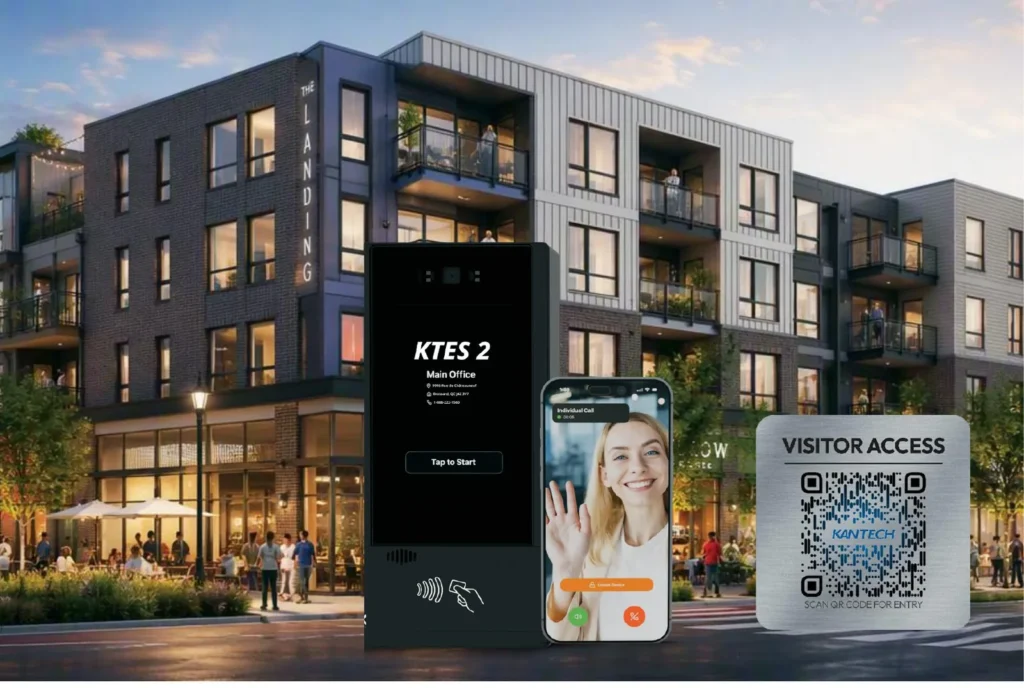
- Resident phones. Residents answer a visitor in an app, often with video, or by a regular phone call, and release the door from there. Most platforms also let residents share temporary guest passes.
- Property management system. Some platforms sync resident data with property management software, so a move-in adds the resident to the directory and access list and a move-out removes them. Supported systems depend on the platform, and the details are confirmed during design.
That last point saves the most staff time. Instead of keying names into a call box and a separate access system, the leasing team updates one record.

Guests, carriers and vendors: how they get in without staff
Most entry problems at apartment communities are not caused by residents. They come from the people who visit residents.
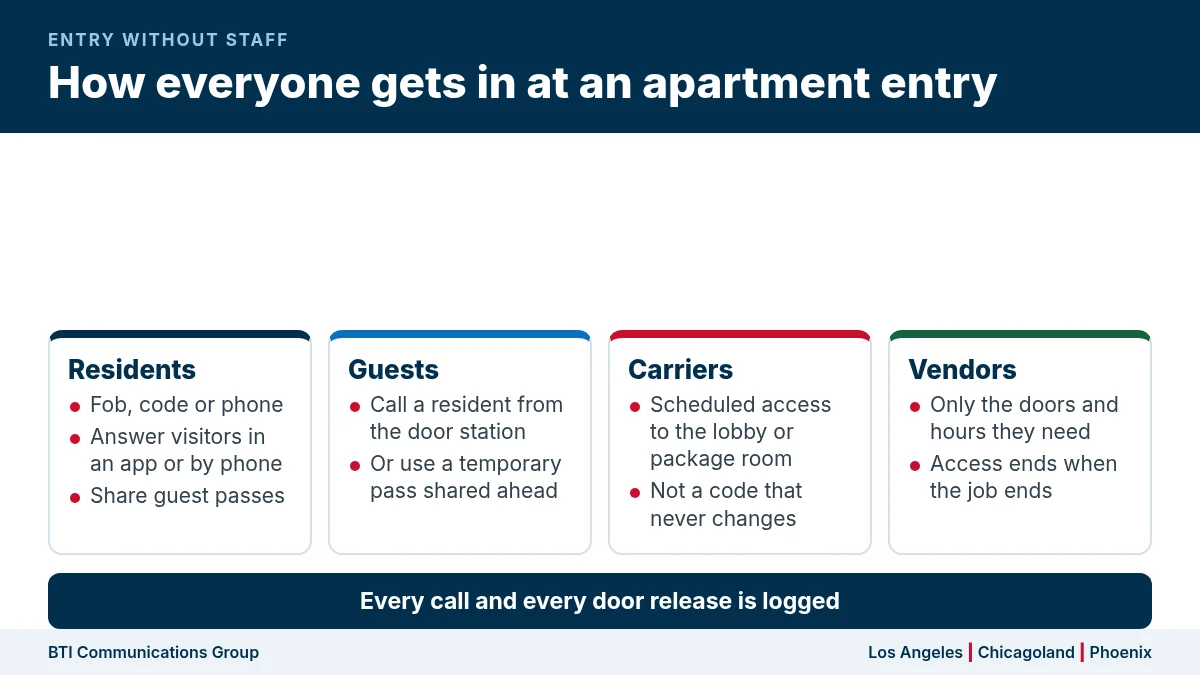
- Guests call a resident from the door station, or use a temporary pass the resident shares ahead of time.
- Delivery drivers and carriers can get scheduled access to a lobby or a package room door, rather than a code that never changes. Pairing the entry with package room security keeps parcels out of the lobby.
- Vendors and maintenance contractors get credentials or codes limited to the doors and hours they need, removed when the job ends.
- Prospective residents on self guided tours can get time limited access on platforms that support it.
Each of these leaves a record: who called, who opened the door and when. That record helps staff answer resident questions and settle disputes.
Choosing a platform and what drives the cost
There is no single best apartment intercom system. The right platform depends on your buildings, your property management software and how your team works. BTI designs and installs several, and each has its own page:
- Brivo: cloud access control and video, with the Brivo Door Station video intercom, mobile credentials and property system integrations.
- Avigilon Alta: cloud access control with video intercoms, plus package and guest tools. See Avigilon Alta for multifamily access control.
- Kantech: EntraPass access control with touchscreen tenant entry for larger mixed-use and multifamily buildings. See Kantech KTES2 tenant entry.
Whichever platform fits, the cost of replacing an apartment intercom comes down to a handful of drivers:
- The number of entries: main doors, gates, garages and secondary doors.
- The condition of existing wiring and door hardware.
- Audio or video, and whether the door station also reads credentials.
- Network and power at each door.
- Ongoing software subscriptions, which vary by platform.
- Integration with your property management system.
BTI quotes after a site walk, so the number reflects your doors, not a generic package.
A replacement plan for one property or a whole portfolio
For a single property:
- Walk every entry, gate and garage door, and test the existing wiring and hardware.
- Decide on audio or video, and on which credentials residents will use.
- Confirm the property management integration and how resident data will move.
- Schedule the cutover so the old box stays live until the new station is tested.
- Tell residents what is changing, and set up app access before the switch.
- Train leasing and maintenance staff on the directory, guest passes and logs.
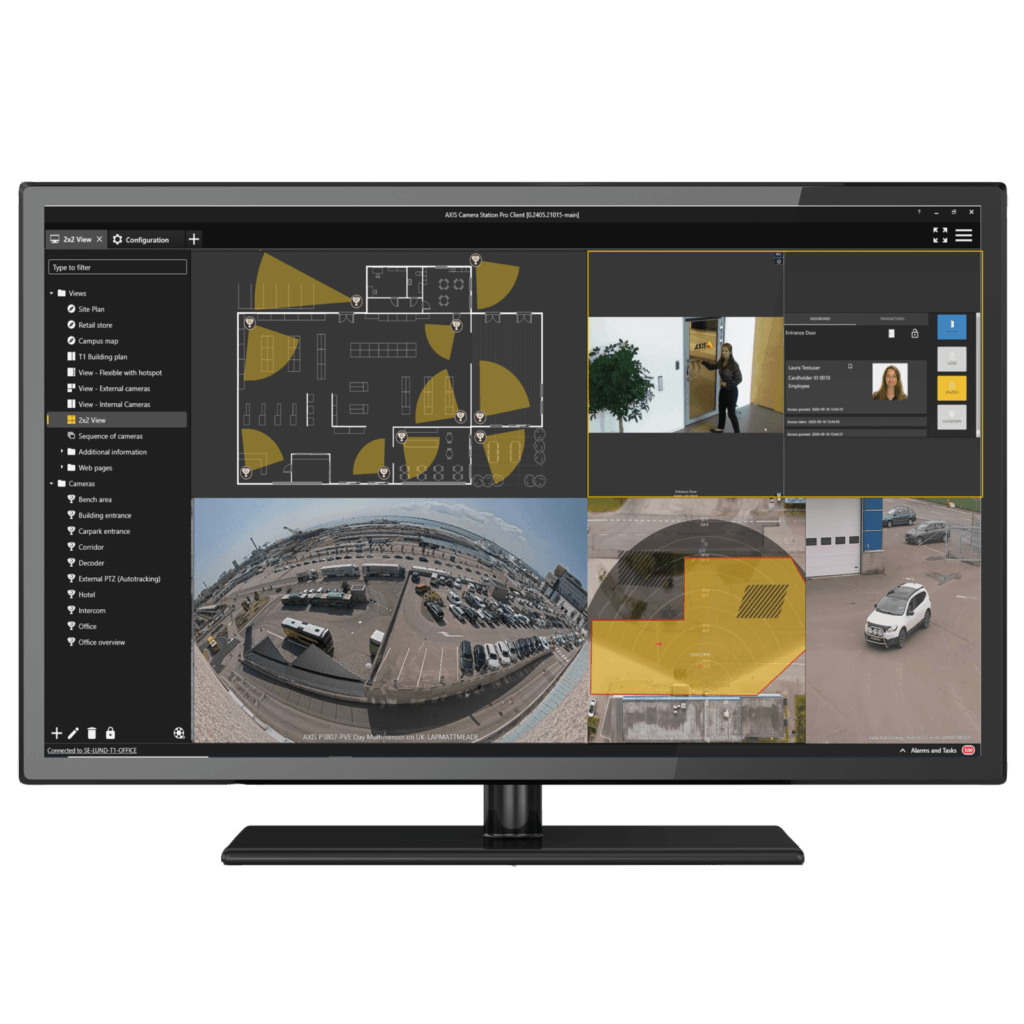
For a portfolio: standardize on one platform where it fits, so staff learn one dashboard and residents get the same experience at every property. Start with the buildings that have the most failures, then roll the design forward property by property. Keep the camera plan in view as you go. A door station camera is not a substitute for common area security for apartment communities that covers the lobby, garage and mail room.
Local notes for Los Angeles, Chicagoland and Phoenix
- Los Angeles: mid-rise and podium buildings with street level retail often see heavy guest and delivery traffic at one main entry, and many older buildings still run aging call boxes.
- Chicagoland: older courtyard and mid-rise buildings often rely on a vestibule door and an intercom that has been patched for years. Outdoor door stations face winter weather, so ask for each station’s rated operating range.
- Phoenix: garden style communities usually have vehicle and pedestrian gates spread across the property. Outdoor stations face strong sun and heat, so ask for the manufacturer’s operating temperature range for every station.
Questions to ask an integrator before you sign
- Will you test our existing wiring and door hardware before quoting?
- Which property management systems does this platform sync with, and what syncs automatically?
- What happens at the door if the internet connection drops?
- How do residents without a smartphone get in and answer visitors?
- What are the ongoing software fees, and what do they cover?
- Who supports the system after installation, and how quickly?
- Can we manage all of our properties from one dashboard?
How BTI designs, installs and supports apartment intercoms
BTI Communications Group has over 40 years in business, with offices in Chicagoland, Los Angeles and Phoenix. We design apartment intercom systems together with access control, cameras and the building network, so the door station, the readers and the network behind them work as one system. 24/7 system health and alert monitoring is available, along with a 24/7 converged security NOC/SOC.
Start with a site walk. We will look at every entry, tell you what can stay and give you a written quote. Explore our apartment access control systems and the full range of multifamily security systems we install, or call the security line for your region:
- Southern California: 562-298-5070
- Chicagoland: 630-343-1322
- Phoenix and Tucson area: 480-291-8374
Get a site walk and a written quote for your apartment intercom system.