By Tony Dvorzsak, Director of Converged Security and Technologies, BTI Communications Group, an Axis Gold Partner
For years, many organizations have run video surveillance and access control as two separate systems: separate software, separate servers, often separate vendors and separate teams. When something happens at a door, an operator sees an alarm in one application and then goes hunting for the matching footage in another. That gap costs time during an incident and creates administrative work long after it.
Axis has been steadily closing that gap. AXIS Camera Station Pro (ACS Pro), Axis’s server-based video management software, now includes access control as a built-in capability through AXIS Camera Station Secure Entry. If your organization already runs Axis cameras, or is planning a refresh, it is worth understanding what this unified approach offers, where it fits best, and what to plan for before you commit. For the full product landing page, see Axis Access Control on BTI’s Axis Gold Partner hub.
One interface for doors and video
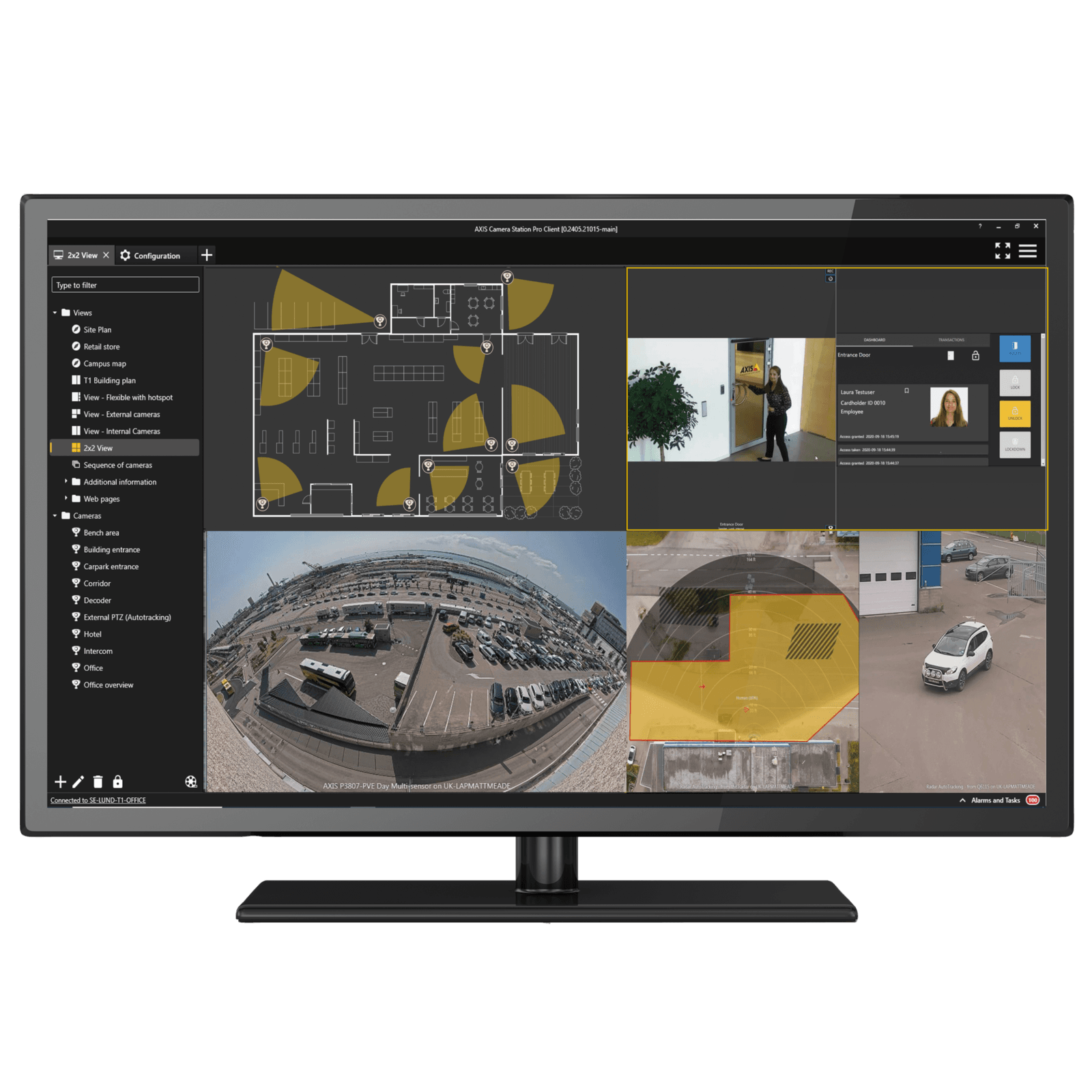
Secure Entry lives as a tab inside the ACS Pro client. Axis describes it as one workflow for access control and video management: the same operator can monitor cameras, manage cardholders and doors, receive alarms and trigger automated actions from a single interface. Doors can be linked to cameras, so access events arrive with video attached, and operators can cross-verify a cardholder’s photo against live or recorded video at any entry point.
In practice, that changes how investigations start. Instead of exporting a door log and scrubbing timelines, an operator begins with the event itself. The ACS Pro datasheet lists access control events linked to video recordings, automatic access control bookmarks, and a shared schedule configuration for both recording and access functions, which means fewer places to keep in sync.
Scale, and the hardware behind it
Axis states that Secure Entry can manage up to 1,000 doors and 50,000 cardholders per server, and that a multi-server setup lets one interface control up to 64 servers. Those are maximums that depend on server hardware, and Axis’s own sizing guidelines scale server specifications by door count. Axis is also candid that Secure Entry is particularly well suited to small and medium-sized installations; for very large systems or highly complex access rules, Axis points to enterprise software from its partners. We think that honesty is useful when you are choosing a platform.
On the door side, Axis offers a family of network door controllers that run access decisions at the edge:
- AXIS A1210: a compact, PoE-powered controller for one door with two reader connections and a plenum rating.
- AXIS A1610: a two-door controller with four reader connections, six configurable auxiliary I/O ports and an operating range of -40 °C to 70 °C.
- AXIS A1710-B and A1810-B: barebone multi-door controllers for centralized installation, covering up to four and up to eight doors respectively, with onboard lock power.
- AXIS A1214 Kit: four A1210-B units in a vandal-resistant cabinet for four doors.
Each controller can store up to 250,000 credentials and 250,000 event logs locally and, according to Axis, continues to handle door access even if the network goes down. Readers come in two styles: OSDP readers (AXIS A4030-E, A4130-E and the A4131-E with keypad) and PoE network readers (AXIS A4610, A4611 with keypad, and the A4612 Bluetooth reader), which connect to the nearest switch and manage the whole door, including lock, request-to-exit and door position sensor.
Credentials that match how people actually work
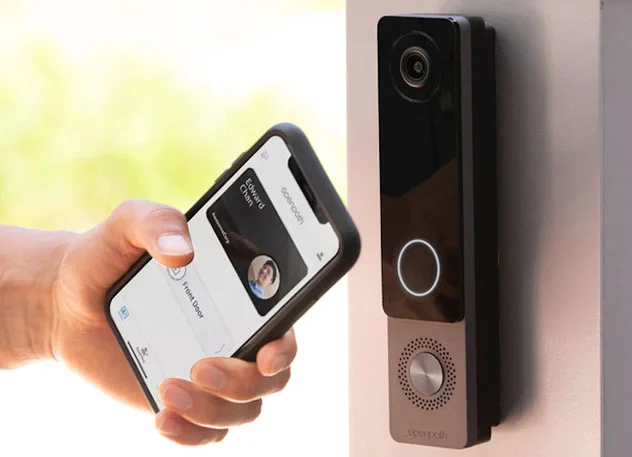
ACS Pro supports multiple credential types: cards and key fobs, PINs, dynamic QR codes, and license plates through AXIS License Plate Verifier. With AXIS Camera Station Secure Entry, mobile access is an included feature and the AXIS Mobile Credential app is free to download, so staff and visitors can tap their phone on the AXIS A4612 Network Bluetooth Reader to enter over Bluetooth. Axis notes that dynamic QR codes cannot be reused from a screenshot or photocopy, and that multi-factor options such as card or QR code plus PIN are available. Cardholders can be imported from a CSV file or synchronized with Active Directory.
Beyond the basics, Secure Entry includes features we are frequently asked about: anti-passback, two-person rule, duress PIN, lockdown of doors or zones (including from the mobile app), tailgating detection using people counting, first-person-in unlock, roll call and mustering reports, badge design and printing, elevator floor control, and ASSA ABLOY Aperio wireless locks.
Open standards and cybersecurity
Access control hardware sits on your network, so it needs the same scrutiny as any other IT asset. Axis door controllers are OSDP Verified, and its OSDP readers are OSDP Secure Profile verified with Secure Channel encryption. Transparent mode keeps the encryption key on the controller rather than the reader, so a tampered reader does not give up the key. Axis Edge Vault protects device identity, and several controllers and readers store cryptographic keys in EAL6+ certified hardware. Wiegand readers remain supported where needed (via the AXIS TA1101-B converter on the multi-door controllers), which helps with phased migrations, although Axis’s own white paper makes the case for OSDP as the long-term choice.
On the software side, ACS Pro is developed under the Axis Security Development Model, supports HTTPS and signed video, and Axis states that Secure Entry uses end-to-end encrypted communication.
A licensing model you can explain to finance
Secure Entry is preloaded on Axis recorders and available with standalone licenses. Under Axis’s license table, a network door controller takes one device license, the same as a camera. On Axis S-series recorders, licenses are preloaded and valid for the life of the recorder; on your own servers or virtual machines, you choose 1-year or 5-year Core Device subscriptions. Aperio wireless locks require an additional AXIS Door Controller Extension license on the controller. Axis also offers a free, full 90-day trial of ACS Pro. Your actual cost depends on door count, readers, server choice and term, so we build it line by line rather than quoting a rule of thumb.
What to plan for
- Right-size the server. The 1,000-door figure is a ceiling, not a default. Sizing should account for cameras, analytics and doors together.
- Check your existing cards. Axis reader datasheets list 13.56 MHz technologies such as MIFARE DESFire EV1 to EV3. If your site uses older low-frequency proximity cards, plan a credential transition or confirm compatibility during design.
- Confirm integrations early. If you need HR, time-and-attendance or other third-party integrations, verify current options with us before you commit. Axis published materials describe these differently in different documents; this post does not claim a public access-control API.
- Mind the version notes. Axis currently advises customers using Cloud Storage, multi-server viewing or multi-server Smart Search not to update to ACS Pro 6.19 or later yet.
- Life safety still rules. Locking hardware, egress and fire-alarm interfaces must meet local codes, regardless of software platform.
The bottom line
Unified video and access control is not about adding another feature; it is about removing friction between the people, doors and evidence your security team already manages. For many small and mid-sized organizations, ACS Pro with Secure Entry offers a practical way to get there on a single, Axis-validated platform.
BTI Communications Group is an Axis Gold Partner with offices in California, Illinois and Arizona. Our team can assess your doors, readers and cameras, design a right-sized ACS Pro system, handle licensing, installation and ongoing support, and tell you honestly when another platform is the better fit.
Explore Axis Access Control, learn more about AXIS Camera Station, or visit the Axis Gold Partner hub. Contact BTI to schedule an access control assessment.
Sources (official Axis product pages)
- AXIS Camera Station Pro
- AXIS Camera Station Secure Entry
- Axis access control overview
- ACS Pro installation and migration guide (licenses, hardware guidelines, version notes)