What commercial building access control covers
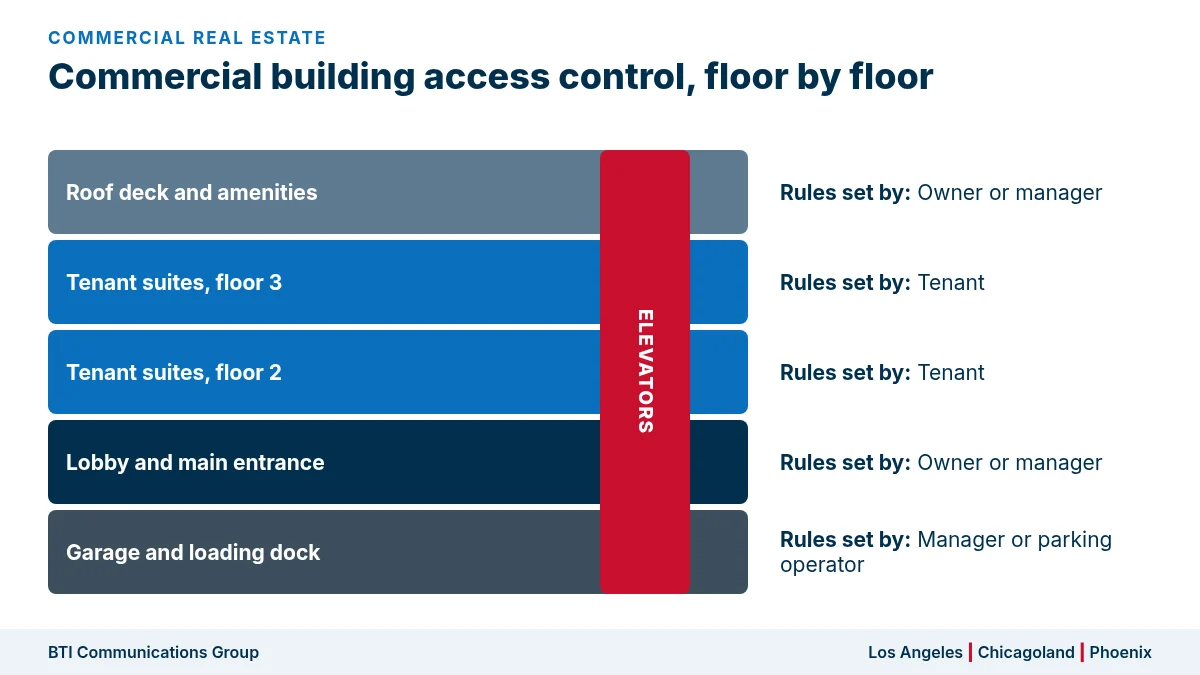
Access control decides who can open which door, and when. In a commercial building it usually covers:
- The lobby and main entrances, with schedules for business hours and after hours.
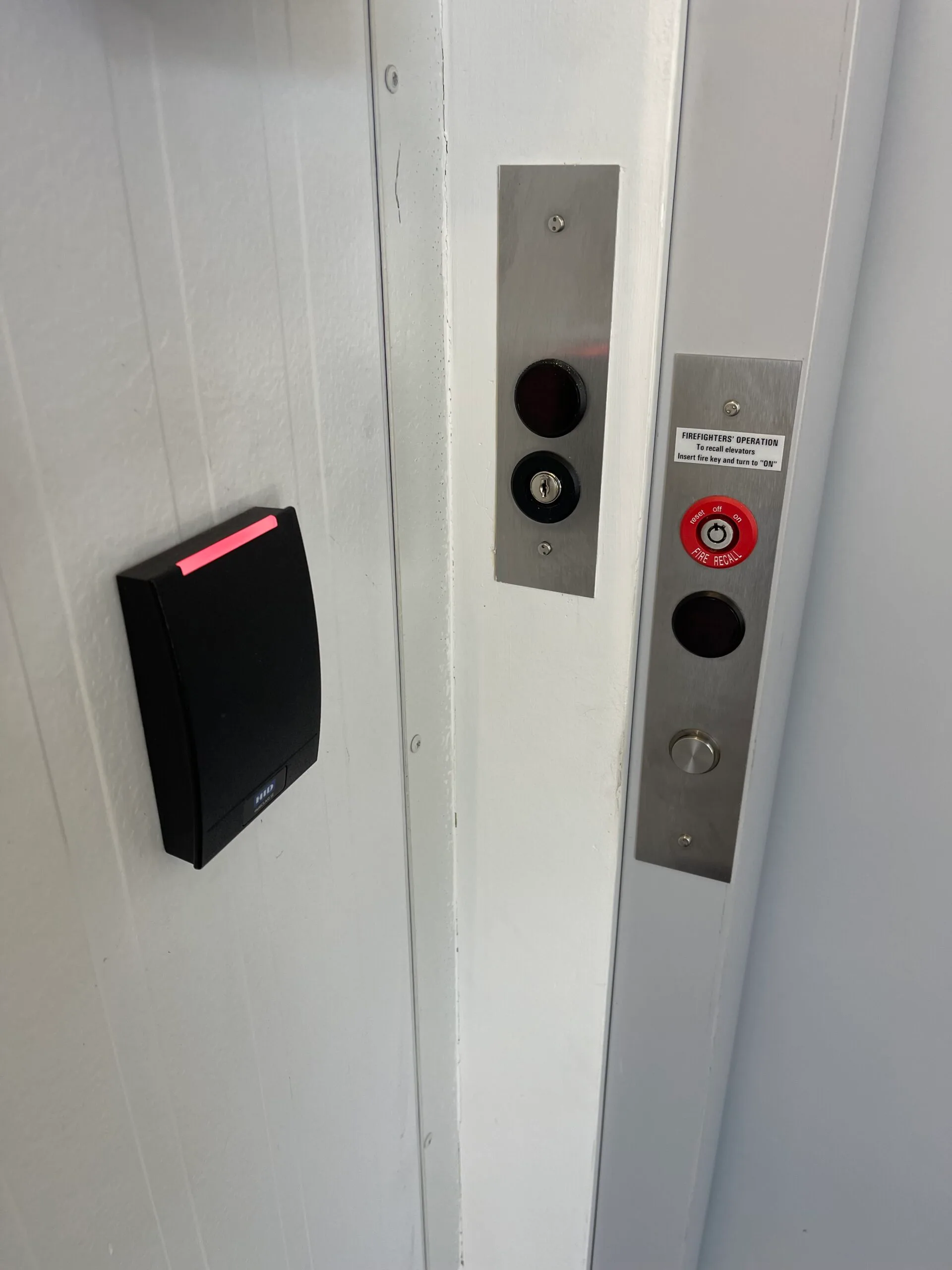
- Elevators, limiting which floors each credential can reach.
- Tenant suite doors.
- Parking garages and gates.
- Loading docks, service corridors and freight elevators.
- Shared spaces such as fitness centers, conference rooms and roof decks.
- Back-of-house rooms such as electrical, telecom and mechanical rooms.
Commercial property access control works best when all of these areas run on one system with clear rules. See commercial access control for office buildings for how BTI designs lobby, suite and garage access.
The building areas and who controls each
| Area | Who usually sets the rules | Common practice |
|---|---|---|
| Lobby, elevators and shared amenities | Building owner or property manager | Building wide schedules, with tenant access groups for their floors |
| Garage and loading dock | Property manager, sometimes a parking operator | Separate credentials or schedules for parkers, carriers and vendors |
| Tenant suites | The tenant, within building standards | Tenants manage their own staff, or the manager does it for them |
| Back-of-house rooms | Property manager and building engineering | Restricted to staff and approved vendors |
The design question is how much control each party gets. Many buildings let larger tenants manage their own staff on their suite doors while the property manager keeps control of the lobby, elevators and garage. Our page on multi-tenant commercial buildings covers these setups.
Tenant move-in: issuing credentials and setting schedules
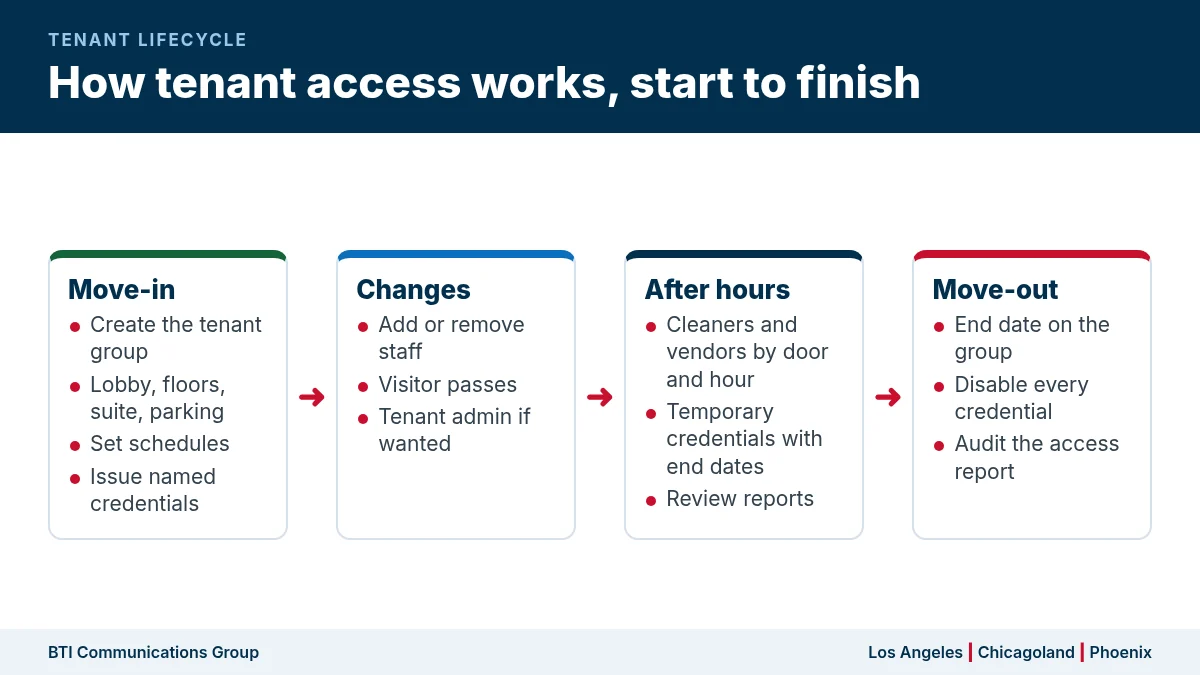
- Create the tenant as a company or group in the access system.
- Assign access: the lobby, the right elevator floors, the suite and parking if it is included.
- Set schedules for business hours and any after-hours access the lease provides.
- Issue credentials, such as mobile credentials, cards or fobs, with a named holder for each one.
- Agree who on the tenant side can request changes, and how.
- Test every door and floor with the tenant before move-in day.
Learn more about office building access control.
Tenant move-out: removing access fast
Move-outs are where access control most often goes wrong. Badges are not returned, credentials stay active for months, and former employees of a departed tenant can still reach the lobby or the garage. A good process looks like this:
- Set an end date on the tenant’s access group so credentials stop working on the lease end date.
- Disable every credential in the system instead of relying on returned badges.
- Check the access report for any credential still used after the end date.
- Reset the suite door schedule before the next tenant’s buildout begins.
A pile of returned badges in a drawer is a risk, not a record. What matters is whether each credential has been disabled in the system.
Credential choices: cards, fobs, mobile, codes and visitor passes
- Cards and fobs are familiar and inexpensive. Most use radio frequency technology, commonly 125 kHz proximity or 13.56 MHz smart card formats. Encrypted smart card formats are much harder to copy than older proximity cards, so new installations usually use them.
- Mobile credentials live on a smartphone and can be issued and revoked remotely, which suits move-ins and move-outs well. Many work over Bluetooth or NFC, and some support phone wallets.
- PIN codes are useful as a second factor or for a few service doors, but shared codes are hard to control.
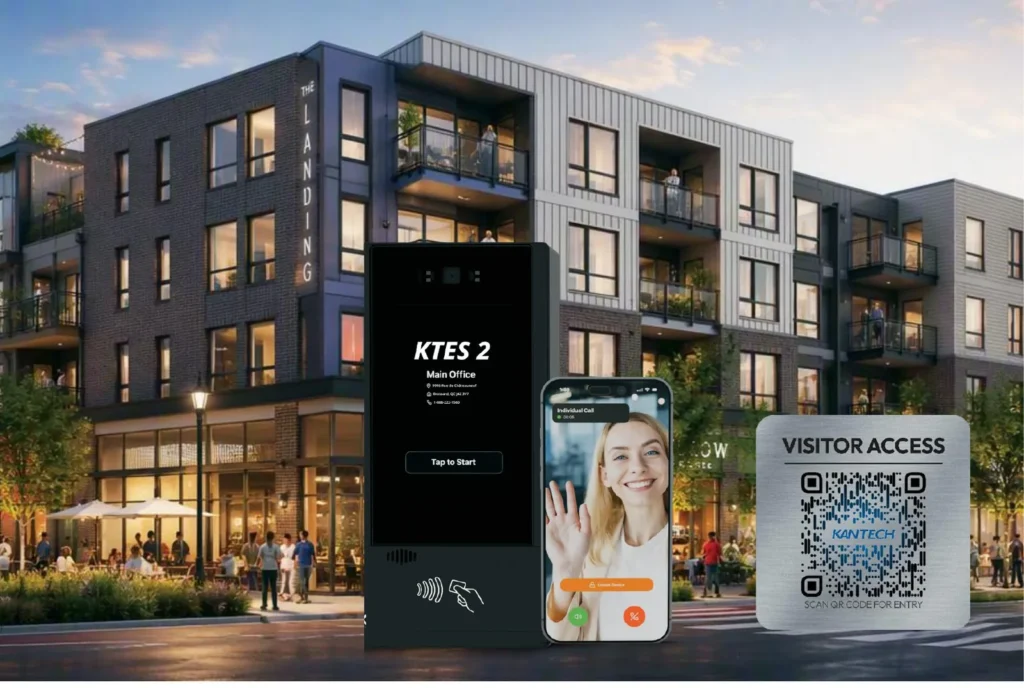
- Visitor passes give guests time limited access, often by QR code or a mobile pass sent before the visit.
Most buildings use a mix: mobile credentials for tenants who want them, cards or fobs for everyone else and visitor passes for guests.
After-hours entry, vendors and cleaners
- Give cleaning crews and vendors credentials limited to the doors and hours they need.
- Use temporary credentials with an automatic end date for one-time contractors.
- Lock the lobby on a schedule after hours, with credential access for tenants who need it.
- Link after-hours door events to cameras so staff can verify who entered.
- Review after-hours access reports regularly.
24/7 system health and alert monitoring is available, along with a 24/7 converged security NOC/SOC.
Taking over an existing system versus replacing it
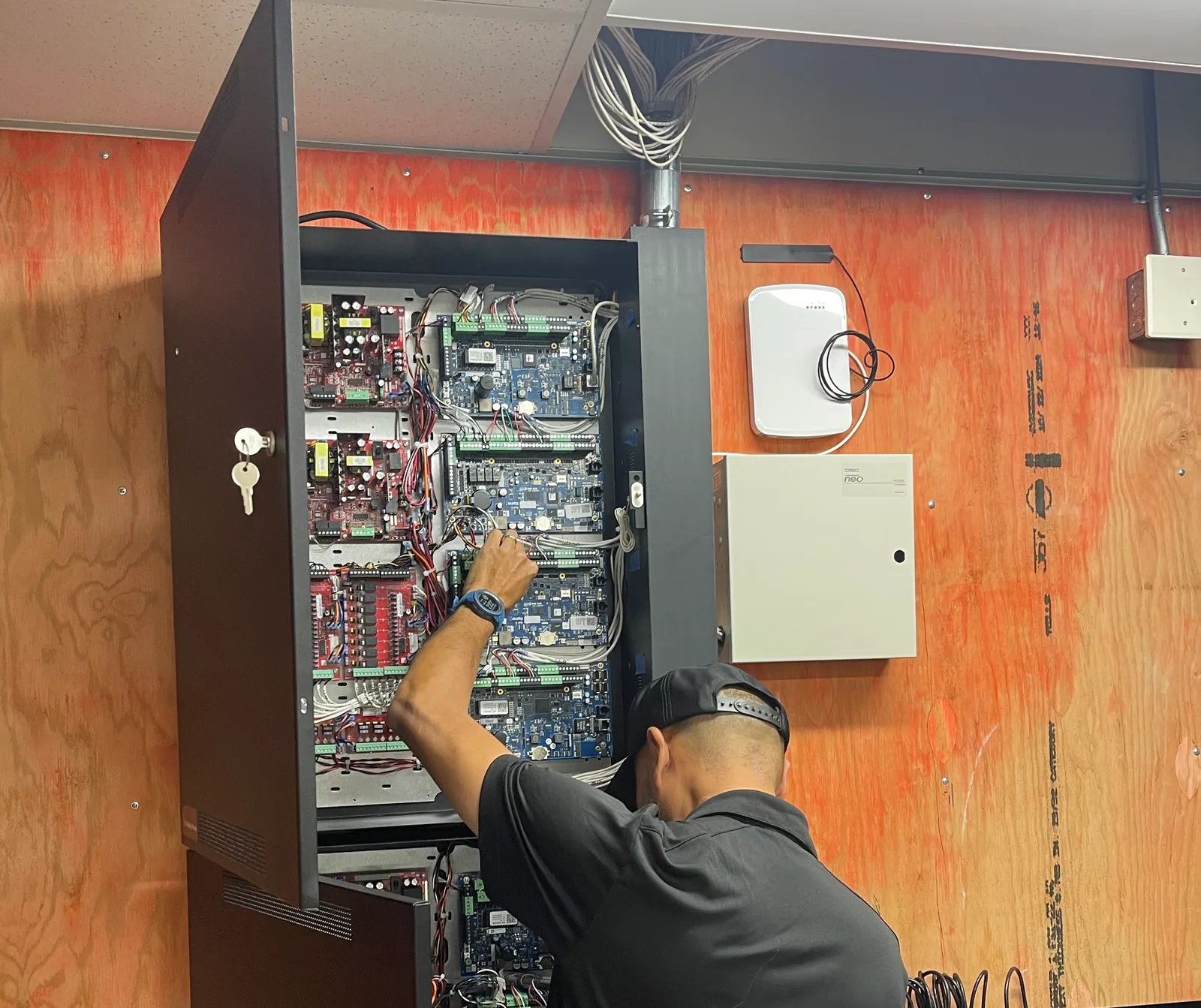
Many buildings already have an access control system installed by someone else. It can often be taken over rather than ripped out. A takeover usually means verifying the controllers, readers and door hardware, getting administrator access transferred, updating firmware and documenting what is in place. BTI takes over existing Brivo accounts, among other platforms, and will tell you plainly whether a system is worth keeping.
Replacement makes more sense when the controllers are end of life, the software is no longer supported, the credentials are easy to copy or the system cannot handle the tenant and schedule structure the building needs.
What it costs and what changes the number
Typical installed cost ranges, including hardware, licensing and installation:
| Item | Typical installed range |
|---|---|
| New access control door | $1,500 to $4,500 per new door |
| Takeover of an existing door | $1,000 to $1,500 per takeover door |
| New camera | $2,000 to $5,000 per new camera |
| Camera on existing cabling | $1,000 to $1,500 per camera on existing cabling |
The final number depends on door type, wiring, readers and locks, elevator integration, licensing and whether existing hardware can be reused. These are planning ranges, not a quote. BTI gives a written quote after a site walk.
Linking access control with cameras, visitor management and the building network
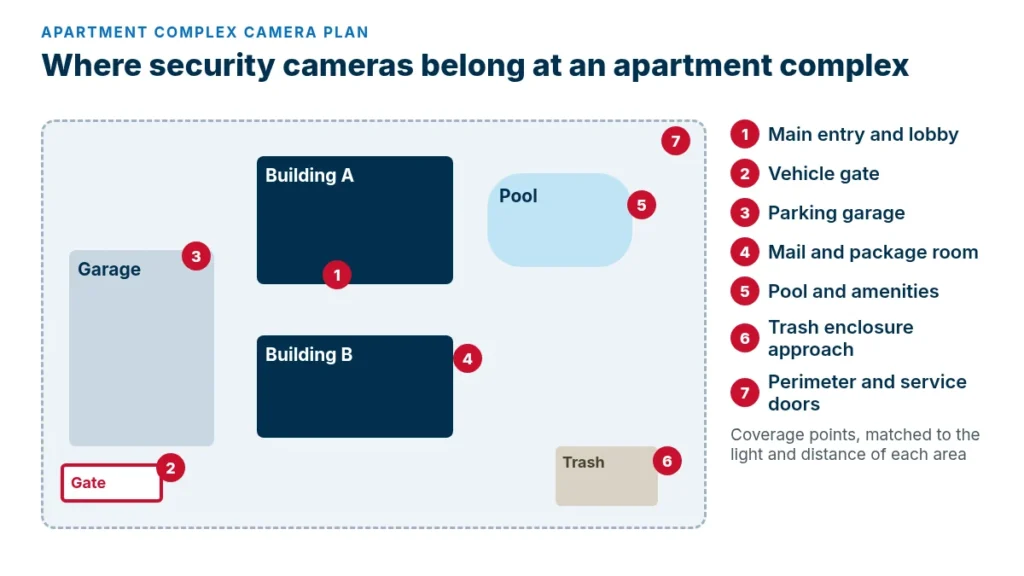
Access control works best as part of a building system. Cameras tied to door events let staff verify forced doors and after-hours entries. Visitor management issues guest passes and records who visited whom. All of it depends on the building network, because readers, controllers and cameras need reliable, secured network connections and power. BTI also provides IT support for commercial real estate, so the network behind the doors is designed and supported by the same team.
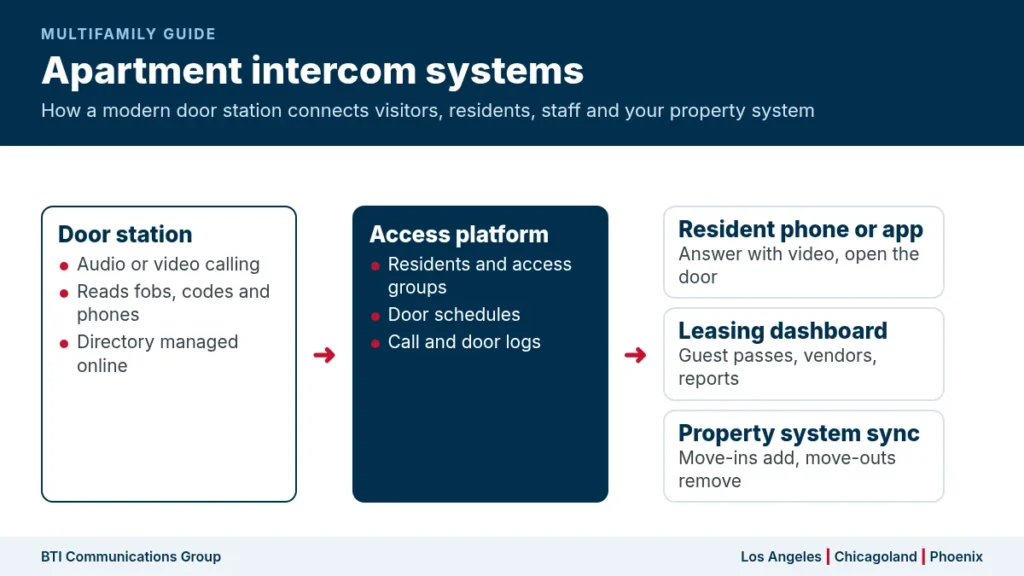
Mixed-use buildings with residential floors have their own needs, from resident move-ins to package rooms. See apartment access control systems for that side of the building.
Local notes for Los Angeles, Chicagoland and Phoenix
- Los Angeles: multi-tenant office buildings and mixed-use towers across Los Angeles and Orange County. See access control in Los Angeles.
- Chicagoland: older downtown and suburban office buildings with steady tenant turnover. See access control in Chicagoland.
- Phoenix: suburban office parks and mixed-use buildings across the valley. See access control in Phoenix, and call the Phoenix security line to schedule a site walk.
How BTI designs and supports access control for owners and managers
BTI Communications Group has over 40 years in business, with offices in Chicagoland, Los Angeles and Phoenix. We work with building owners, third-party property managers and on-site teams to design, install and support access control for lobbies, elevators, suites, garages and docks, along with cameras and the network behind them. Start with a site walk and a written quote, and see commercial access control for office buildings for more. Call the security line for your region:
- Southern California: 562-298-5070
- Chicagoland: 630-343-1322
- Phoenix and Tucson area: 480-291-8374
Get a site walk and a written quote for your building.