Over 40 Years in BusinessISO 27001 compliantPublic sector: GSA contract holder

Phoenix 602-733-6807 · Also in Los Angeles & Chicagoland · Nationwide multi-site support · Client Support
Phoenix and Tucson, served from our Phoenix office

Managed AI Automation Services in Phoenix and Tucson

Phoenix and Tucson organizations get managed AI automation from BTI, planned and supported from its Phoenix office, with remote and contractor-supported service in Tucson. AI automation is useful when a real workflow gets faster and the business still knows who is accountable. BTI helps select, build and operate governed automations with the surrounding IT, permissions and connectivity in view. Start with one measurable process, keep consequential decisions with authorized people and expand only when the evidence supports it.

For Arizona businesses with a repetitive workflow to automate and a person accountable for the result.
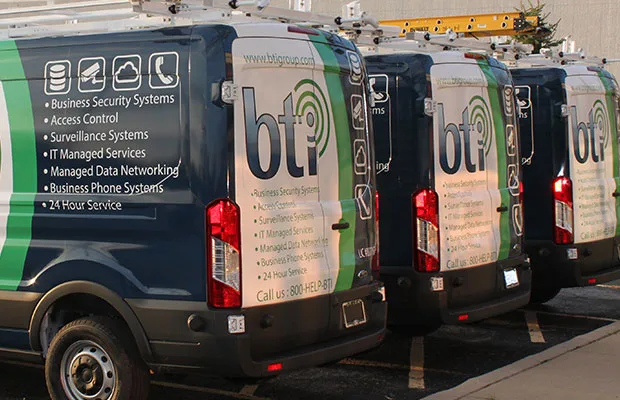
BTI Communications Group service vans

What happens after you send this

  1. Your request goes to the BTI Phoenix team that handles this service.
  2. We confirm the site, the decision you need to make and who owns the current system.
  3. If a walk is needed, we schedule it around your hours and access rules.
  4. You receive a written, itemized scope you can compare line by line.

Sales inquiries get a reply from a BTI engineer within one business day. Managed support clients reach the team in real time by phone, and client emails get a reply within 15 minutes. Never send passwords, alarm codes, license keys or other credentials through the public form.

Prefer to talk? Call 480-272-8728.

  • Over 40 years
  • ISO 27001 compliant
  • SOC 2 NOC/SOC
ISO 27001 compliant
ISO 27001 compliant
ISNetworld member
ISNetworld member
GSA contract holder (47QTCA21D00BA)

GSA contract holder (47QTCA21D00BA). ISNetworld member. ISO 27001 compliant governance, independently reviewed through the TAG ISO 27001 Compliance Program.

Real BTI clients

One accountable team, from the proposal through support

These are BTI client reviews, not claims of projects in this service area.

BTI consistently solves IT challenges that our staff doesn't have the skill or time for. Their installation team is excellent and their support always makes sure all of our issues are solved.
Jonathon Huff
The Moody Church
BTI has been exactly what our growing company has needed for so long! They provide friendly, professional service and have consistently been willing to go above and beyond to ensure our complete satisfaction.
Rebecca Gadomski
Edgewood Clinical
The entire team at BTI has exceeded my expectations. They took my company to the technology and security level I needed.
Dave Tourje
Alpha Structural, Inc.

One team for design, installation and continuing support

BTI Communications Group, LTD. assesses, designs, builds, monitors and supports AI automations for real business workflows. BTI starts with one measurable process, documents the data it touches and who approves the output, then pilots it with your team before it goes live. After launch, the same team manages the automation, reviews exceptions and changes it as the work changes, with a 24/7 NOC/SOC covering the systems underneath.
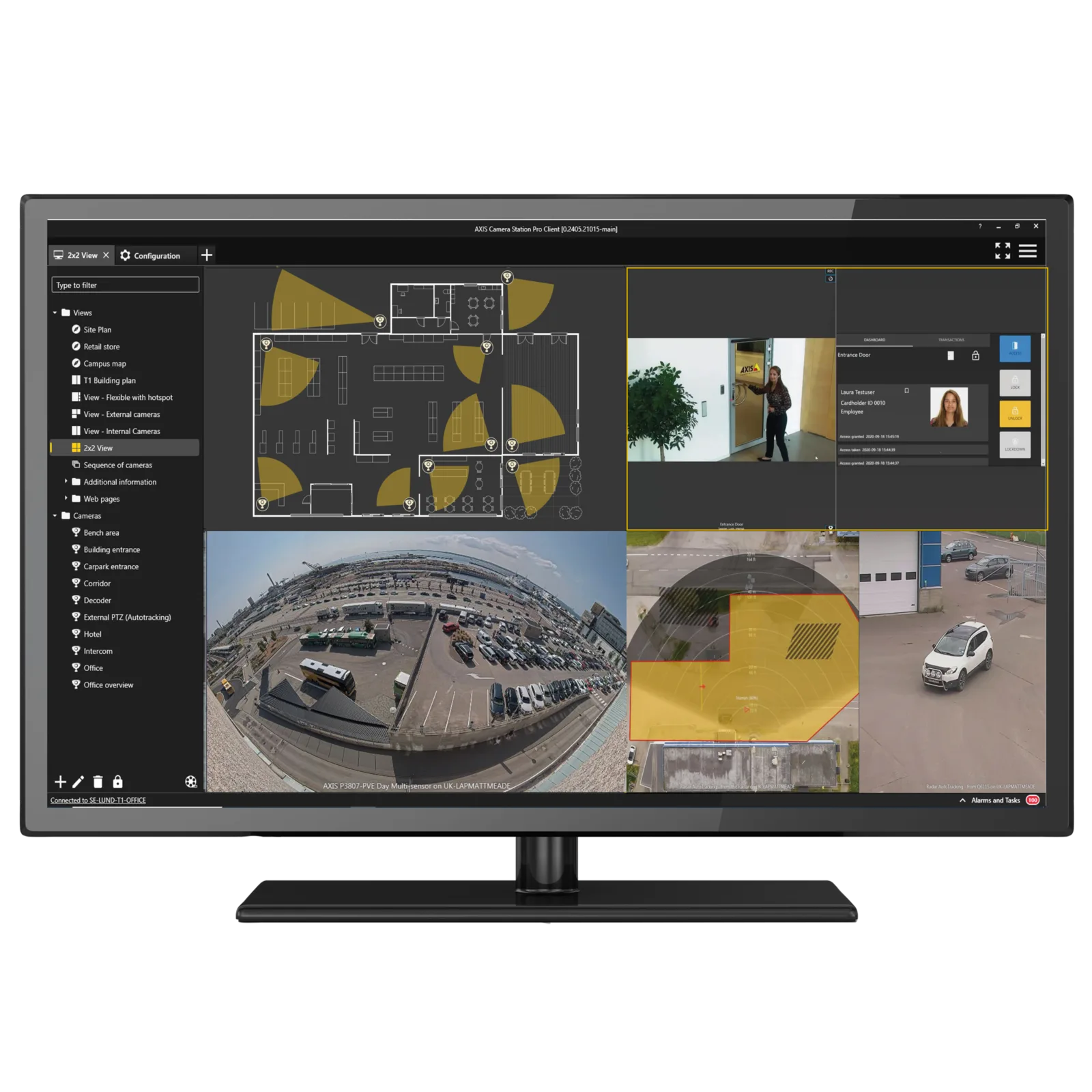
The short answer

A chatbot subscription supplies a tool. A managed automation service connects selected tools, business systems and operating responsibilities into a workflow that can be reviewed and maintained. That may mean sorting incoming requests, preparing drafts, gathering information or routing an exception for human approval. Each BTI AI client gets its own hosted Azure tenant. Isolation is a foundation, not a blanket guarantee that every integration, permission or business decision is safe. Those details must still be designed and tested.

Explore the Phoenix and Tucson technology and security hub and national Managed AI Automation Services services for the wider scope.

From engineering to continuing service

Know what will be delivered and who owns the result

Documented design

Define the operating requirements, infrastructure and acceptance checks before choosing the equipment or licenses.

Itemized proposal

Review equipment, labor, licensing, assumptions and exclusions together. Compare the complete scope rather than a headline price.

Commissioning and support

Test the agreed workflows, train your operators and document the configuration and escalation route.

Choose the right Managed AI Automation Services scope

The services below are selected and itemized after discovery. Product access, implementation and continuing operation are separate decisions.

Opportunity assessment

Identify repetitive work, existing systems and the cost of delay. Establish a baseline with your own records before projecting savings. Choose a bounded first workflow and a business owner.

Workflow automation

Connect approved sources and actions, with validation and exception handling. An automation that prepares a draft is a different risk from one that changes a business record or communicates externally.

Governance and security

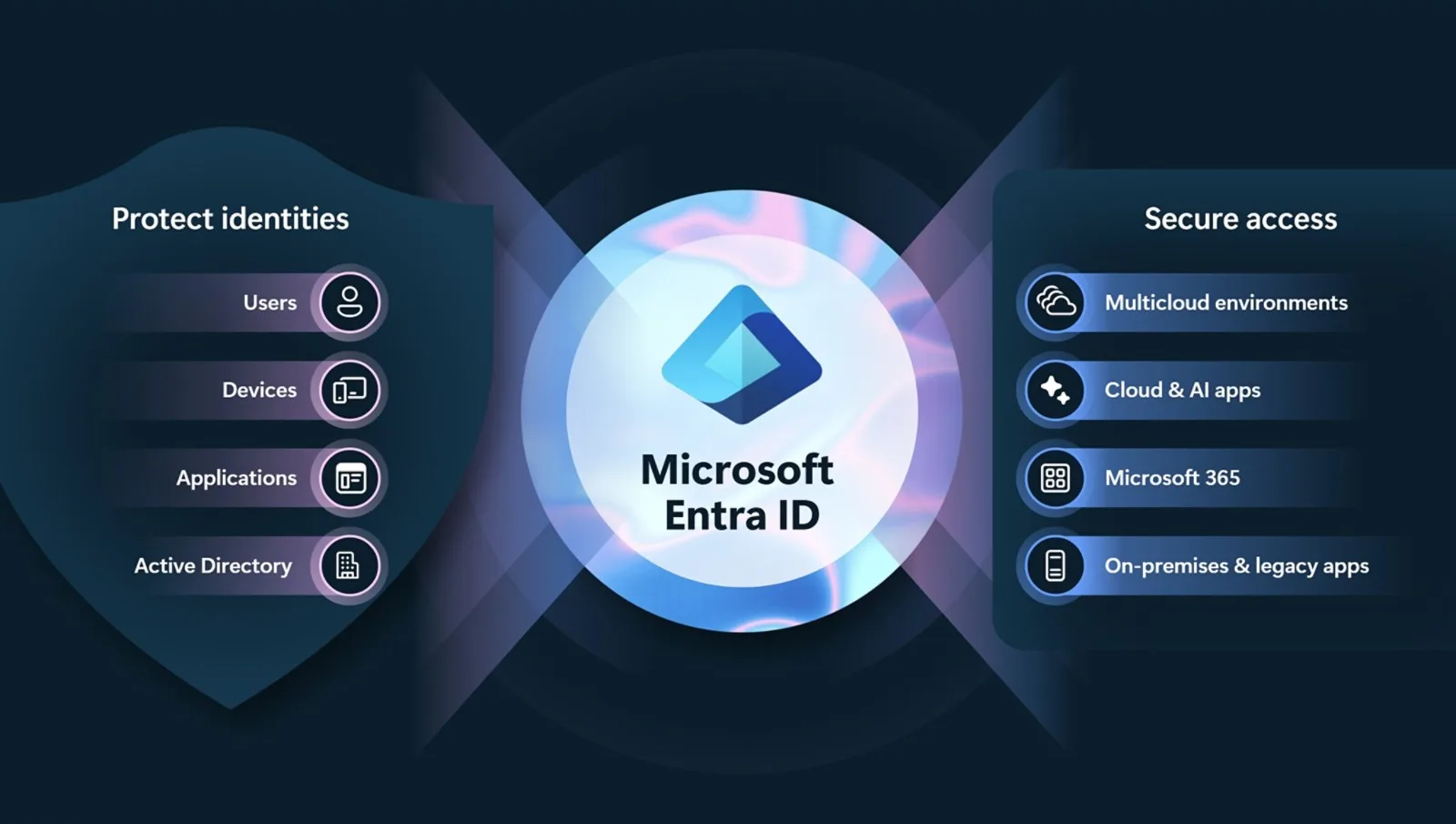
Define roles, permitted data, retention, logs and approval boundaries. Review connectors and service accounts rather than assuming a platform permission is suitable for every process.

Co-managed environment

Work with internal IT and process owners on identity, devices, network and application dependencies. The service scope defines who maintains each component and who can authorize changes.

Measurement and managed improvement

Track completed work, exceptions, quality and operating costs against the baseline. Keep human review where required and revise the workflow when applications or business rules change.

A six-step buyer journey for Phoenix and Tucson organizations

Start with a business outcome and finish with tested operation, documentation and an accountable support owner.

1. Discover and baseline

Observe a real process with its owner. Count work and exceptions using actual records, identify sensitive inputs and describe an acceptable result. Do not start with a promised percentage saving or a general instruction to automate everything.

2. Design responsibility and guardrails

Map source systems, data access and proposed actions. Decide where a person must approve, how failures are handled and who can stop the automation. Separate the client's Azure environment and document integration boundaries.

3. Stabilize and connect

Confirm identity, network and application readiness before adding automation. Grant only the access required and test the permitted data paths. Document dependencies that could fail independently of the AI, such as an unavailable source application.

4. Build and test a bounded pilot

Use representative examples, edge cases and deliberately incomplete inputs. Check factual accuracy and permission boundaries, not just fluent output. Keep production actions constrained until the process owner accepts the result and operating controls.

5. Launch with people in control

Train the users who review work and handle exceptions. Introduce the workflow under agreed permissions, keep a fallback route and make it clear when a person must intervene. Record the acceptance decision and the first review date.

6. Measure, govern and expand

Review throughput, errors, escalations and actual operating cost. Adjust approved rules through change control. Expand to another workflow only after the first is useful, supportable and understood by the people accountable for its results.

Managed AI Automation Services installation, service and support in Phoenix and Tucson

Choose the work needed now and the responsibilities that should continue afterward. A proposal should not use a broad service label to hide missing tasks.

AI automation implementation and installation in Phoenix and Tucson

For AI, implementation means a functioning workflow and governed connections, not a device installed on a desk. Confirm the source of truth, access scope, acceptance tests and human approval points. Infrastructure work may be needed before a reliable automation can be launched; it should be itemized rather than hidden in an AI subscription.

AI automation service and optimization in Phoenix and Tucson

When a workflow produces a wrong answer or stalls, investigate the input, connector, permissions and business rule as well as the model output. Keep examples of the failure through an approved secure route. Changes should be tested against representative cases so fixing one exception does not silently break another.

AI automation maintenance in Phoenix and Tucson

Applications, APIs, source documents and business policies change. Maintenance can include connector checks, permission review, test-case updates and operating-cost review as contracted. A workflow that passed its launch test still needs an owner when the source system changes a field or staff adopt a different process.

AI automation support in Phoenix and Tucson

Users need to know how to report an incorrect result, paused job or unexpected action. The support scope identifies the workflow and surrounding components BTI maintains. Business exceptions may still require the client process owner, and a technical response target is not a promise that every business decision can be resolved immediately.

AI automation upgrades in Phoenix and Tucson

A new model or connector is not automatically an improvement for your process. Compare output quality, permission requirements and total cost with the accepted baseline. Use regression tests and an approval step before replacing a production component or allowing a wider set of actions.

AI automation takeover and switching providers in Phoenix and Tucson

Inventory workflow definitions, tenant ownership, connectors, service accounts, logs and source permissions. Confirm that your organization has rights to the material being transferred. Assess whether each automation is supportable before agreeing a takeover, then phase access changes with a working fallback.

AI automation monitoring in Phoenix and Tucson

Monitoring should surface failed runs, unusual access, missing inputs and exceptions that need a person. A fluent answer is not evidence of a correct result. Decide which conditions stop the workflow, who reviews them and what record supports the review. Human approval remains distinct from automated alert triage.

AI automation management in Phoenix and Tucson

Managed AI connects the operating owner, technical owner and budget owner. Agree a review cadence for results, exceptions, access and change requests. Avoid uncontrolled expansion of permissions simply to keep a workflow running; a changed business process may need a new design rather than another prompt.

How client alerts are handled

Client alerts are triaged in real time by best-in-class, enterprise-grade AI agents, then escalated to human engineers in our 24/7 NOC/SOC.

This describes client alert triage. It does not grant a workflow permission to send communications, change records or make consequential business decisions.

A minimum operating record for a production automation

Document the workflow owner, approved inputs, source of truth, permitted actions, human approvals, exception path and stop procedure. Keep a representative test set that includes incomplete or conflicting inputs. The record should explain what the automation is not allowed to do as clearly as what it can do.

Track access to connectors and service accounts separately from ordinary user access. A workflow that can read a document does not necessarily need permission to change records, send a message or release a transaction. Changes to those permissions should have an authorized reviewer and a test before production use.

At review, compare completed work with rejected or escalated results, maintenance effort and actual operating cost. A time-saving claim is not credible if it ignores the staff effort spent checking or repairing outputs. Scaling should follow the measured result and the business owner's approval, not the availability of another connector.

An illustrative AI workflow, step by step

Illustrative example with sample data. It is not a client case study.

StepWhat happensWho controls it
InputA new service request email arrives in a shared mailboxYour existing mailbox and permissions
PermissionsThe workflow reads only that mailbox and the customer list it was grantedAccess set in your own hosted Azure tenant
Draft outputIt drafts a reply and a ticket summary with the customer and site filled inThe AI agent, within its instructions
Human approvalA coordinator approves, edits or rejects the draft before anything is sentYour named approver
Action logEvery draft, edit and approval is recorded with time and userReviewable by you and BTI
ExceptionsAnything unclear is routed to a person instead of guessedA defined exception queue
OwnerOne business owner is accountable for the workflow and its rulesYour team, supported by BTI

Compare the available approaches

Use a point AI tool for individual assistance when its data and approval boundaries fit. Use a workflow project for a defined automation with a clear handoff. Use managed AI when the organization wants continuing governance, maintenance and improvement across the process and its technical environment. None of these replaces the business owner's responsibility for a consequential decision.

Cost, scope and financing for Phoenix and Tucson

Cost depends on workflows, users, connectors, data preparation, implementation work, hosting, usage and ongoing service. Ask which charges vary with volume and who approves a budget change. Establish a baseline before discussing return on investment.

Ask about 3.99% financing and the terms that apply to your proposal. Request an itemized scope so equipment, implementation and ongoing services can be compared clearly.

BTI offers 100% financing for parts, labor and licensing at 3.99% for five years.

Watch and prepare for your assessment

BTI demonstrates customer experience automation, one possible pilot area within a wider governed AI program. The workflow intake and pilot scorecard above cover the broader adoption and governance decision.

Use the workflow intake and pilot scorecard above to prepare questions and scope before your assessment.

Published BTI educational material. Product availability, service terms and your written proposal govern the selected scope.

Download the business AI adoption and automation buyer's guide (PDF)

Managed AI products BTI designs, installs and supports

AXIS Camera Station Pro monitor showing unified video and access control

Converged AI and video

AI analytics can connect cameras and operations data when a workflow needs it. Scope is confirmed in discovery.
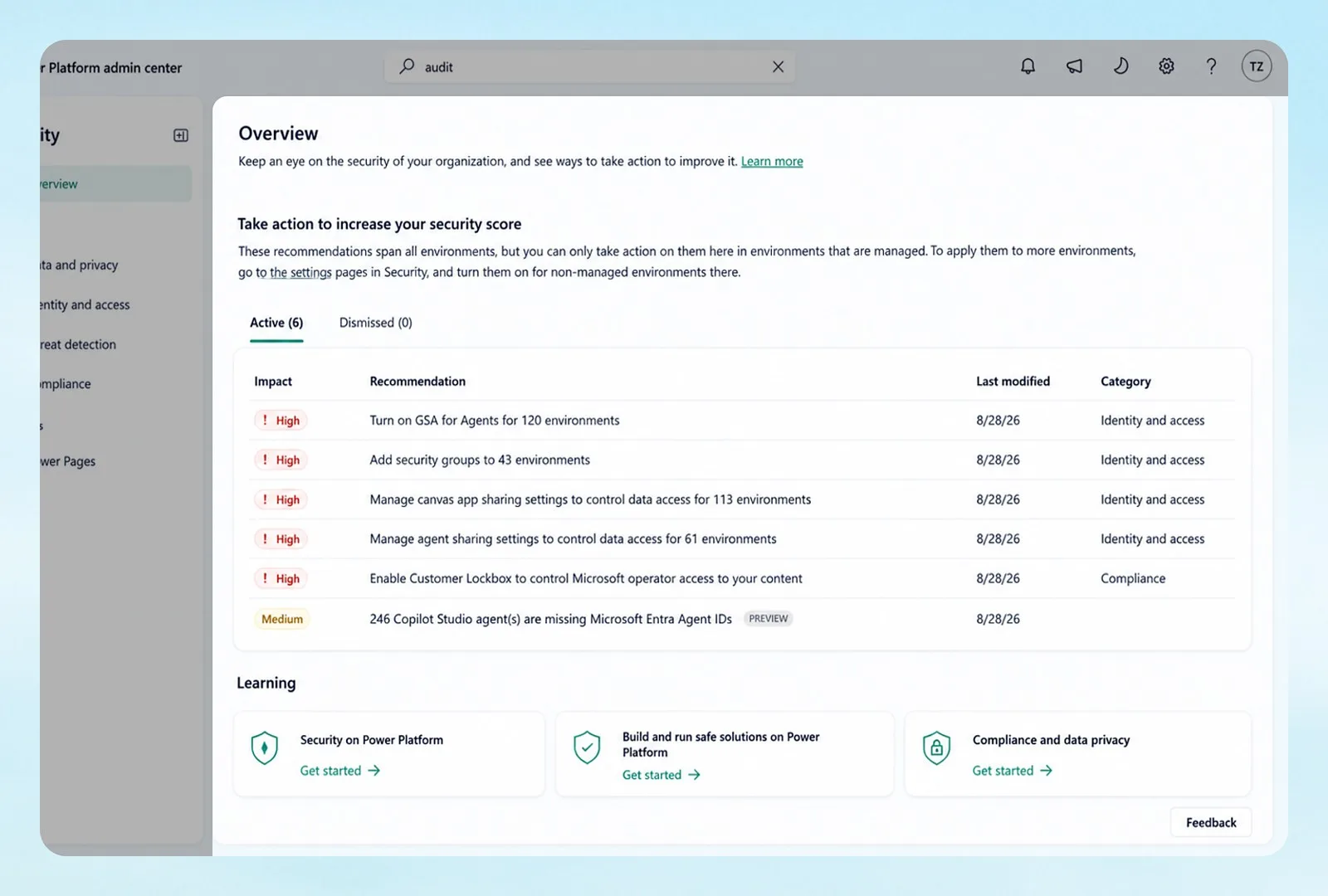
Product images are manufacturer or BTI field photos. The exact models are itemized in your proposal.

Local operating needs in Phoenix and Tucson

Consider a Phoenix property management company whose staff read maintenance requests from email and a web portal, decide urgency, assign a vendor and reply to the resident. During summer, cooling failures arrive in waves and urgent requests can be buried under routine ones. A first workflow could sort each request, propose an urgency level and prepare the vendor assignment and resident reply for a coordinator. We describe this only to show the approach; it is not a BTI client story or a measured result.

The workflow sees the maintenance inbox, the portal fields and the approved vendor list, and nothing else. Every proposal explains its urgency reasoning in plain language and calls out gaps, for example a request with no unit number or a vendor who is not approved for that property. Coordinators accept, change or discard each proposal, and no resident message or vendor dispatch goes out on its own.

Run the pilot on a real high-volume week, duplicates and vague messages included. Track minutes from request to assignment, how often coordinators rewrite the proposal and what each request costs in usage. Each BTI AI client runs in a dedicated Azure tenant; even so, what the workflow can touch is set by its granted permissions, the connectors switched on and the approval steps. Review the first month with the property managers before adding other request types.
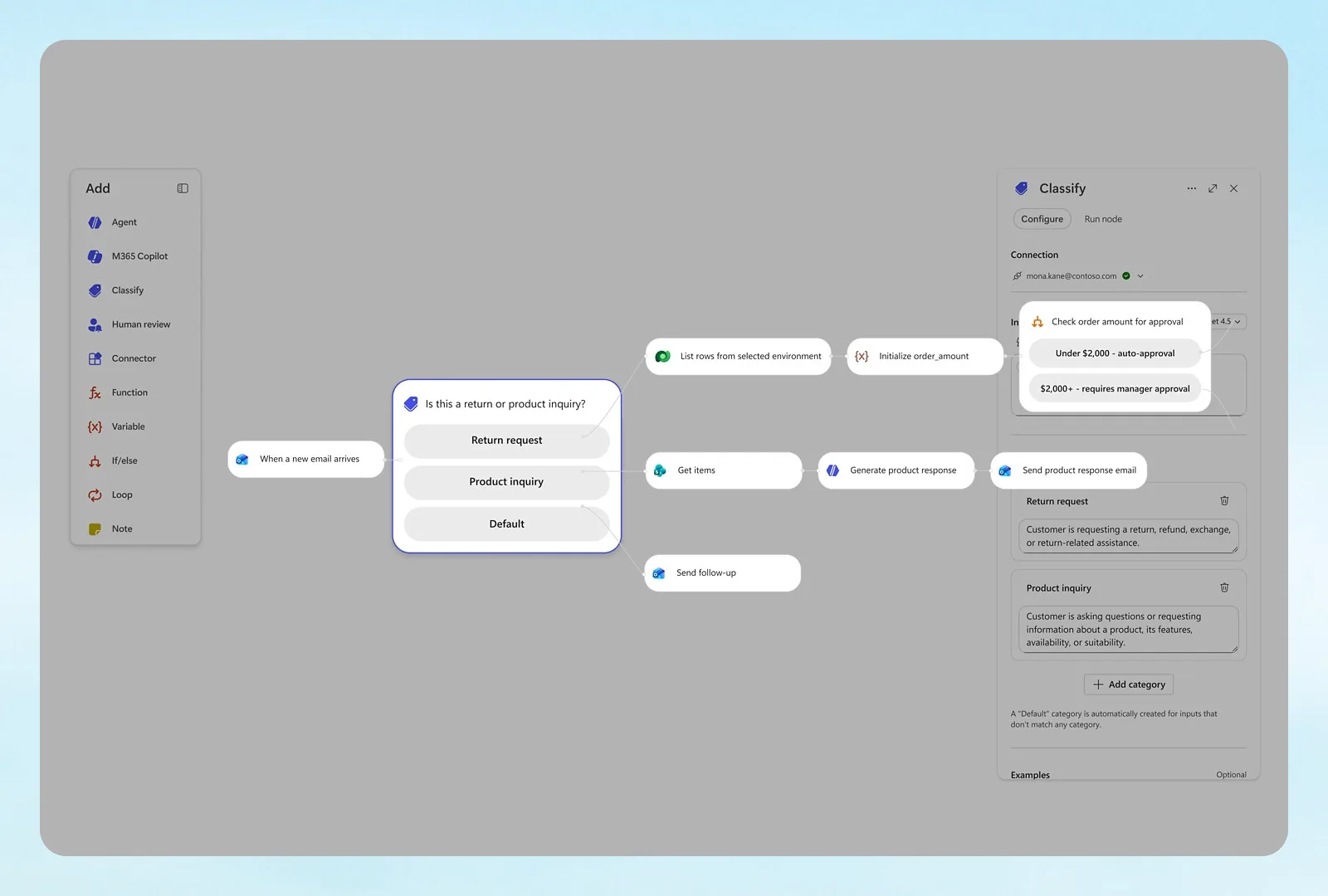
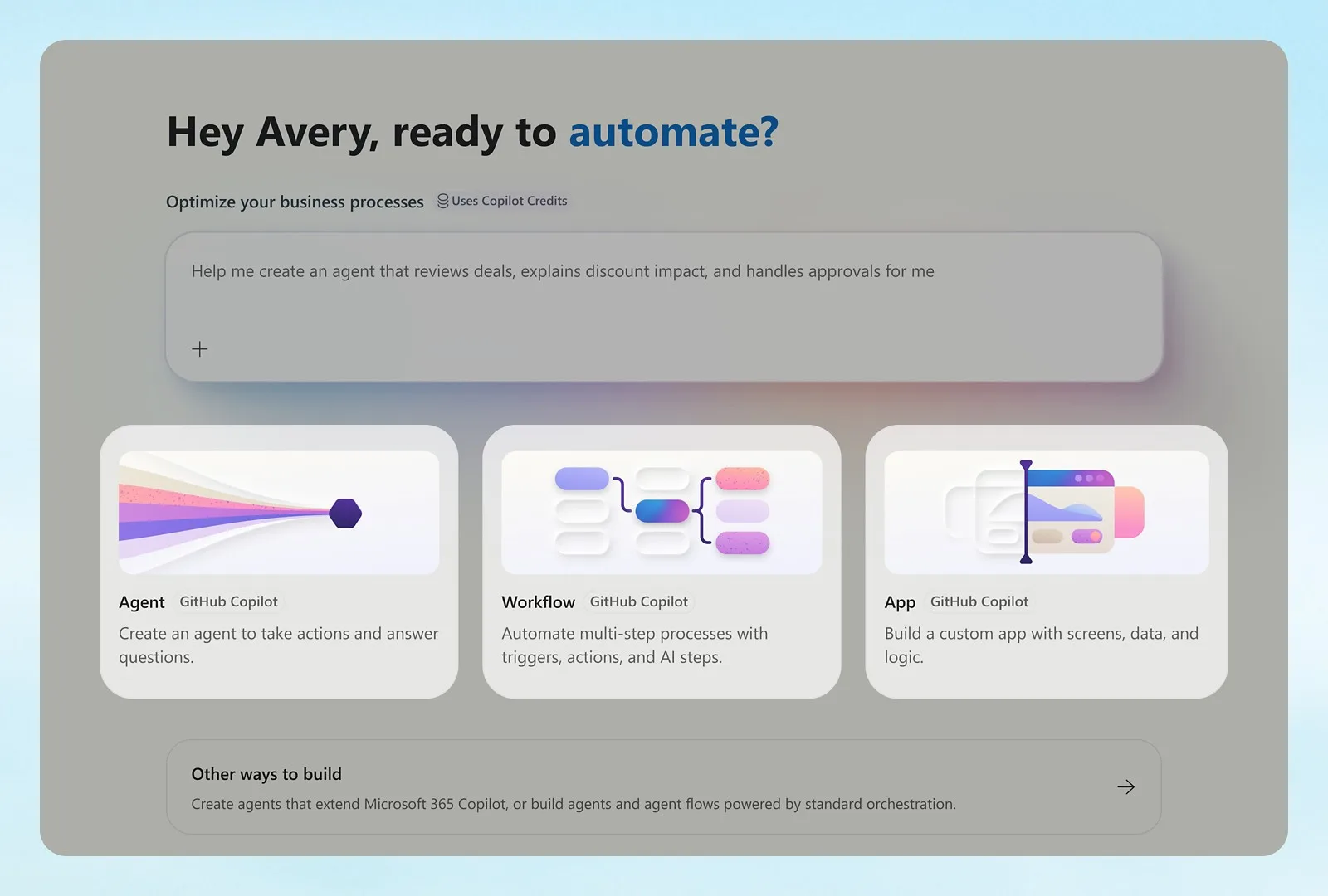
Microsoft Copilot Studio workflow builder routing incoming requests for approval
Image courtesy of Microsoft.
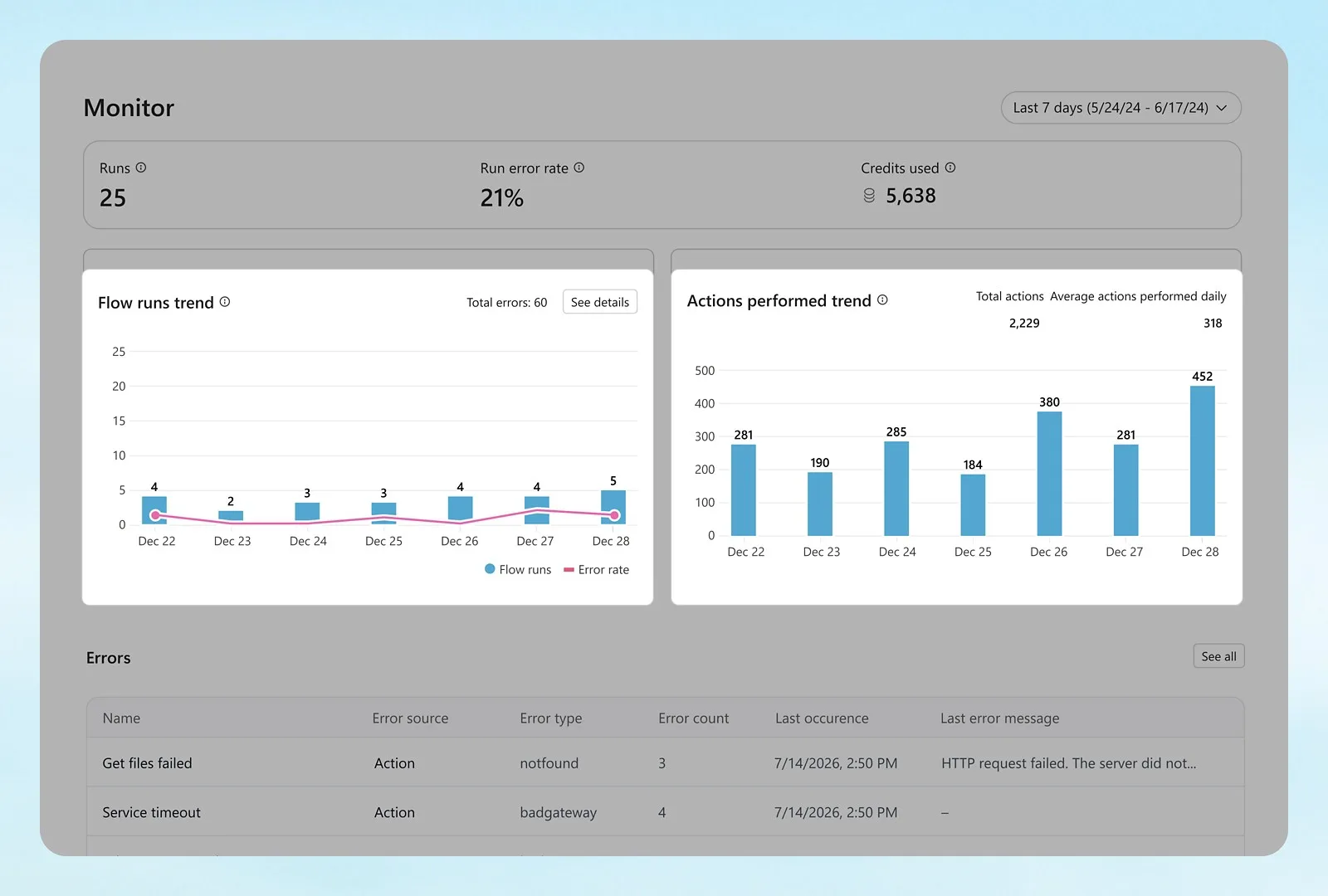
Microsoft Copilot Studio monitoring dashboard tracking AI agent results
Image courtesy of Microsoft.

The decision Phoenix and Tucson buyers need to make

Compare a governed workflow with a promise of fast automation. Those figures describe other providers, not BTI, and the real timeline depends on data, integrations and testing.

Write the permission map down before anything is switched on: what the workflow may look at, what it may change, whether it may contact anyone outside the company and which manager can stop it. Arizona's data breach notification law is one reason to know exactly what personal information a workflow touches and where it is stored. Companies handling export-controlled technical data should leave it out of a pilot unless their compliance owner has signed off. BTI does not give legal advice.

Stress the pilot with odd inputs, repeated requests and a portal that is temporarily offline, and repeat those tests whenever the model, instructions or integrations change. Ask for one-time setup, per-use charges, hosting and the monthly review service as separate lines so the recurring total is visible.

Phoenix and Tucson industries and operating requirements

Property management and real estate firms suit request intake and draft replies with approval. Manufacturers and aerospace suppliers can use controlled assistance for supplier documents and quality records while sensitive technical data stays out. Construction companies may start with submittal or RFI summaries. Medical and dental offices might begin with front office paperwork, keeping patient details tightly limited. Logistics companies may start with shipment exception summaries. Tucson organizations follow the same remote delivery model, with workflows hosted and supported centrally.

Related industry services: - Medical groups and medical offices - Distribution and logistics - Manufacturing security requirements

Related industry security: Medical-office security, Manufacturing security and Logistics security. These links describe connected physical-security considerations, not services automatically bundled into this proposal.
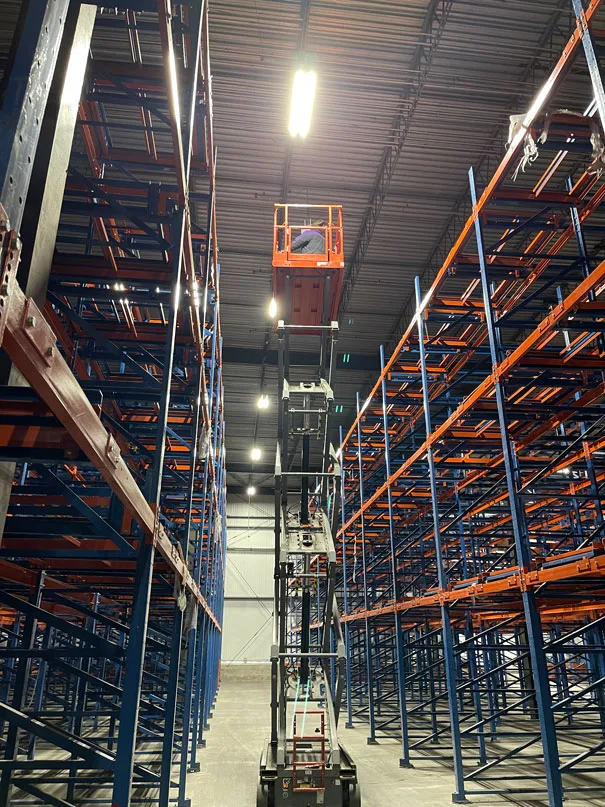
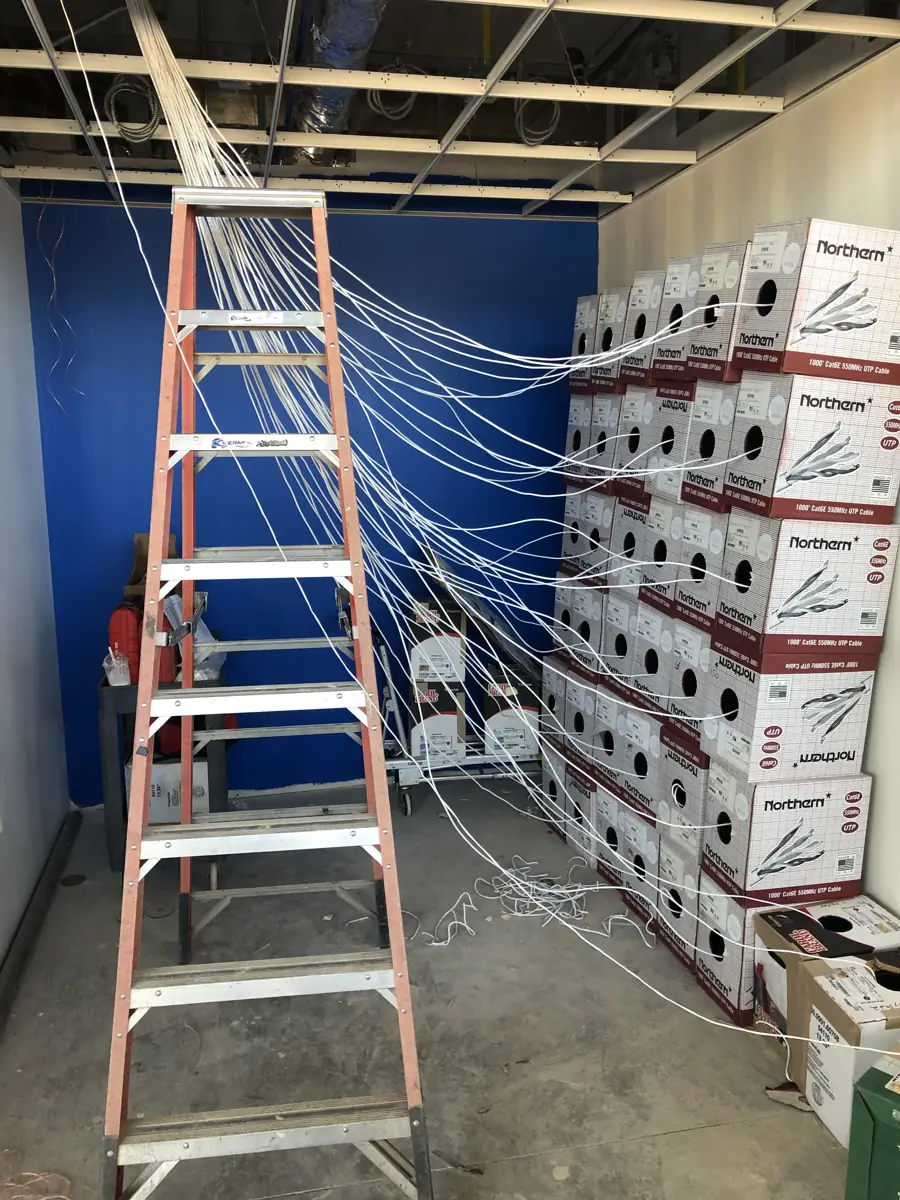
Network cabling being pulled during a BTI installation at a new commercial site

Construction

Job sites, trailers and changing crews need workflows that move with the project.
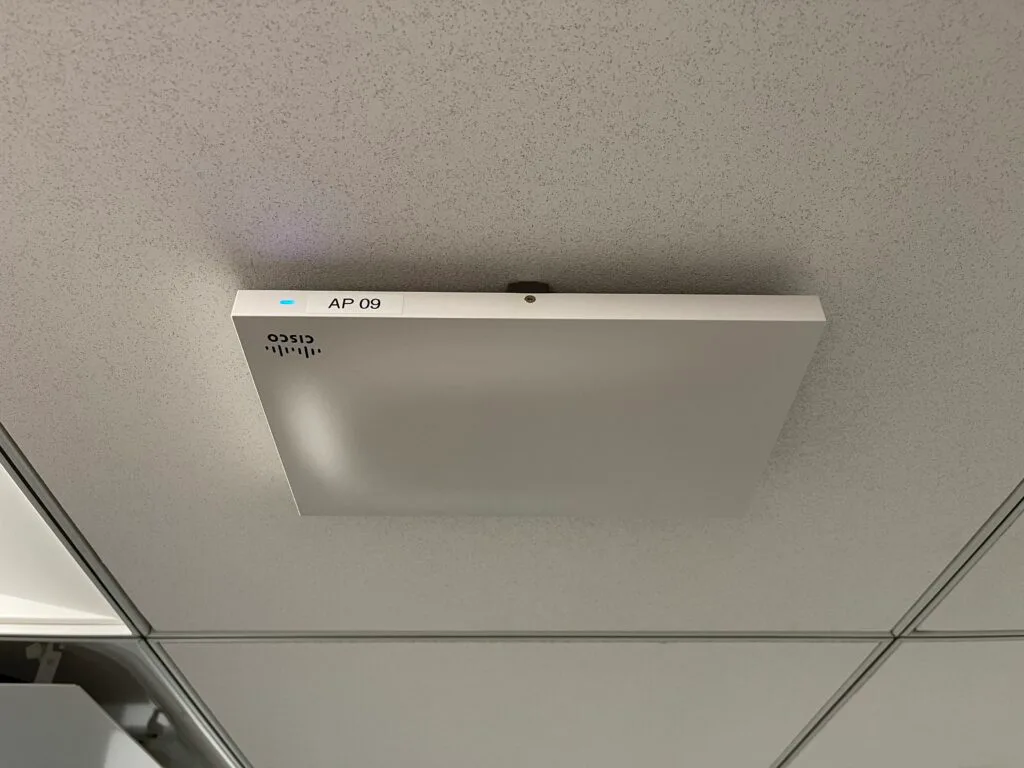
Managed AI Automation Services coverage across Phoenix and Tucson

BTI's Arizona team works from an office colocated inside the Iron Mountain data center at 615 N 48th St, Suite 1048, in Phoenix, near Sky Harbor. Service planning includes central Phoenix, Tempe, Scottsdale, Mesa, Chandler, Gilbert, Glendale, Peoria and the West Valley. Tucson clients are served through BTI-managed contractors, with no BTI staff based in Tucson, and Phoenix engineers travel for projects. Most support is remote. Bring every site address and operating window so the proposal can separate remote work, planned visits and carrier or specialist responsibilities. No universal arrival-time guarantee is implied.

Support should have a clear owner

Calls are taken in real time. Client emails get a response within 15 minutes. Sales inquiries receive a response within one business day. These are response standards, not a promise of immediate repair, carrier restoration or engineer arrival at every site.

The service agreement defines the covered systems, escalation authority and work selected. For a project, agree cutover coverage and post-handoff responsibilities. For ongoing service, identify who handles users, configuration changes and outside vendors. Keep support requests on the established client route; the consultation form is for the next sales conversation.

BTI Communications Group, LTD., Phoenix

615 N 48th St, Suite 1048, Phoenix, AZ 85008

Managed AI line: 480-272-8728

Call to schedule; most work is delivered at your site or remotely.

Phoenix and Tucson service areas

Communities in the Phoenix metro and Tucson where BTI plans projects and support:

  • Phoenix
  • Tempe
  • Scottsdale
  • Mesa
  • Chandler
  • Gilbert
  • Glendale
  • Peoria
  • West Valley
  • Tucson

All BTI services in Phoenix and Tucson

Questions Phoenix and Tucson businesses ask

The answers below describe planning and scope. Your site assessment and written proposal determine the work selected.

How is this different from buying an AI subscription?

A subscription supplies product access. A managed engagement can also define the workflow, connect approved systems, maintain the environment and review results. The proposal should separate those responsibilities so the business can compare like-for-like scope.

Does each client have a separate Azure tenant?

Yes. Each BTI AI client gets its own hosted Azure tenant. The engagement still needs appropriate identity, permissions, connector governance and data-handling rules. Tenant separation is not a claim that every possible workflow is automatically safe.

Can AI send messages or change records without approval?

Only actions explicitly authorized in the approved workflow should be enabled. Consequential or external actions may need a person to review and approve. Discovery identifies those boundaries instead of granting broad access merely to make a demonstration work.

What is a good first automation?

Choose a repetitive process with clear inputs, a measurable result, manageable exceptions and an accountable owner. Draft preparation or request classification may be more suitable than an autonomous financial or legal decision. The first pilot should be useful and bounded.

Can you guarantee the AI will never make a mistake?

No. Use validation, representative testing, limited permissions and human review appropriate to the risk. The operating plan needs a way to stop the workflow and handle exceptions when the output or source data is wrong.

Do we need to replace our IT provider?

Not automatically. A co-managed scope can work with internal IT or another provider. Establish responsibility for identity, networks, applications and workflow changes so an issue is not passed between teams without an owner.

What financing and support options are available?

BTI offers 100% financing for parts, labor and licensing at 3.99% for five years. Project-only, co-managed or fully managed scopes are evaluated for the actual system, and the proposal identifies ongoing responsibilities. Managed support calls are taken in real time, and client emails get a reply within 15 minutes.

How quickly will BTI respond to a sales inquiry?

Sales inquiries get a reply from a BTI engineer within one business day. Your first conversation confirms the site, the decision you need to make and whether a walk is needed.

Your next step

Get a scoped plan for your managed AI automation project

Bring your current inventory, site plans and the problem you want solved. Review the design, itemized proposal, installation and support scope with BTI Communications Group, LTD.

100% financing for parts, labor and licensing at 3.99% for five years.

Prefer a detailed request? Tell us about your managed AI automation needs

Use this form for a detailed scope. A BTI engineer replies within one business day.

IT Quote (IT pages only)

Get a fixed monthly IT quote

A local engineer replies within 1 business day.

Business inquiries only. No spam.

Phoenix and Arizona service areas

BTI Communications Group, LTD. has served Phoenix since 2006. Pick your area for local IT, network and security services.

Over 40 years of IT, security and communications work. Call 480-291-8374 for security or 480-272-8728 for IT, or book a free consultation.

Get a free consultation
IT Services

Let's Start a Conversation

What's the best way for us to contact you?

Top quality brands, expert engineering, transparent cost, and measurable ROI.