
Hot Standby Disaster Recovery for Azure, VMware and Data Center Environments
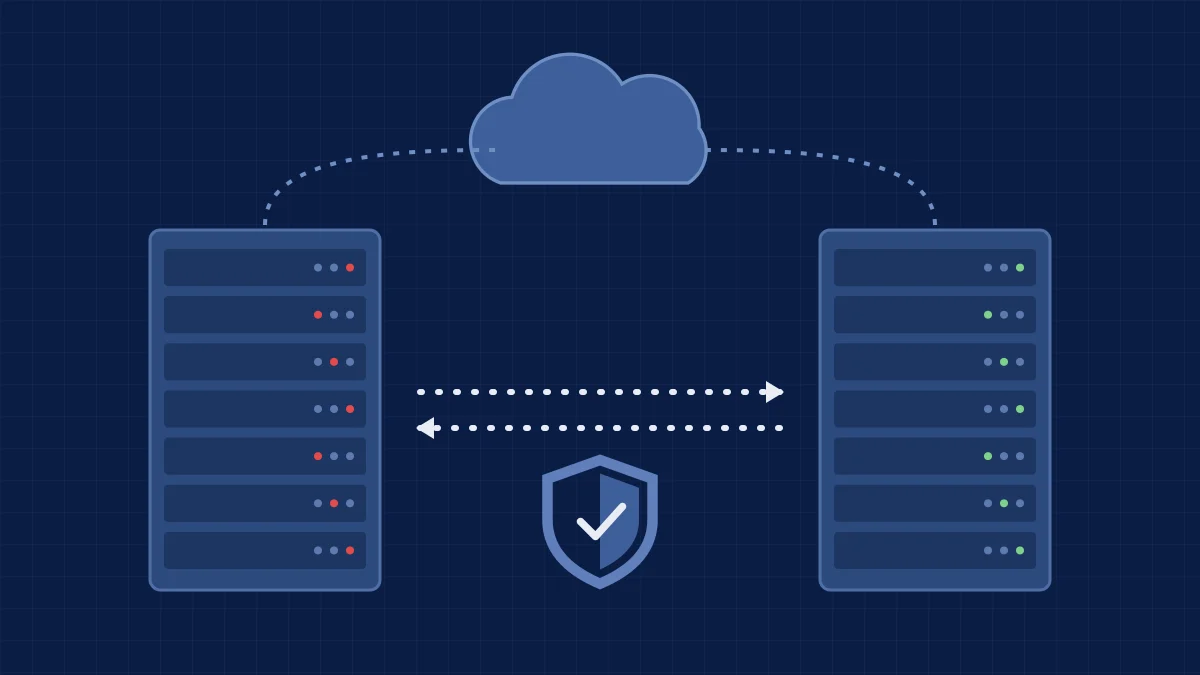
When a site, a host or a whole region goes down, a restore from last night's backup is not fast enough for every system. BTI's hot standby disaster recovery keeps a live, replicated copy of your critical servers and applications ready in a second location, then runs the failover, the network cutover and the failback with your team. We design it, monitor it around the clock, test it and put engineers' hands on the hardware wherever it lives.
- Managed replication for Azure, VMware and Hyper-V workloads
- Near-instant failover to a standby site, with tested runbooks
- Smart hands in the data center, so your staff never has to travel
- Your hardware in your own data centers, a colocation facility or BTI's Phoenix data center
- Co-managed support for applications, monitoring, failover and WAN configuration
Start with a free consultation. We review which systems truly need hot standby and which are well served by backup.
Call BTI at 800-435-7284.
- ✓Over 40 years in business
- ✓24/7 NOC/SOC
- ✓ISO 27001 compliant
- ✓GSA contract holder (47QTCA21D00BA)
What hot standby means
Hot standby disaster recovery is a second site that is already running
In a hot standby design, your critical servers and data are replicated continuously to a second location, where standby systems are powered, patched and ready. If the primary site fails, the standby takes over in minutes instead of the hours or days a rebuild from backup can take. It is the high end of disaster recovery, and it is worth it for the systems your business cannot run without.
| Approach | How it works | Often fits |
|---|---|---|
| Backup and restore | Copies are kept on site and in the cloud, and systems are restored or virtualized after a failure. | Most servers, files and Microsoft 365. See backup and disaster recovery. |
| Warm standby | A second site holds recent copies and some infrastructure, but systems need to be started and checked before users return. | Important systems that can tolerate a longer outage. |
| Hot standby | Continuous replication to standby systems that are already running, with network failover planned in advance. | Line-of-business applications, databases, call handling and anything customers or the public depend on in real time. |
Downtime costs too much
Every hour offline stops orders, payments, service calls or operations.
One site is a single point of failure
Earthquakes, storms, fire, power loss and fiber cuts can take a whole building offline.
Ransomware hits production
A clean, isolated copy and a practiced failover plan shorten the road back.
Customers and auditors ask
Contracts, insurers and regulators want a continuity plan that has actually been tested.
Environments
Disaster recovery for Azure, VMware and data center environments
It does not matter where your hardware lives. BTI designs replication and failover around the platforms you already run, and around where you want the standby copy to sit.
| Environment | What BTI does | Related |
|---|---|---|
| Microsoft Azure | Replicates on-premises servers to Azure as a standby target, or protects Azure workloads across regions with native Azure replication such as Azure Site Recovery. BTI sizes the standby, builds the network and identity pieces failover depends on, and tests it. | Server and cloud migration |
| VMware | Protects VMware virtual machines with replication to a second VMware cluster, to Hyper-V or to Azure. If you plan to move off VMware, the standby site can be built on the platform you are moving to. | VMware migration |
| Hyper-V and Windows Server | Hyper-V replication and failover clustering between your own sites or to a colocation facility, managed with tools your team may already use. | Managed infrastructure |
| Your own data centers | Synchronizes redundant equipment between two or more client-owned data centers, with monitoring and a documented failover order. | Data center and server room |
| Colocation facilities | Runs the standby site in a hardened colocation facility, including BTI's Phoenix data center, with smart hands on site. | Managed data center hosting in Phoenix |
| Backup-based standby | For systems that do not need a live copy, Datto standby images keep a bootable virtual machine ready in Hyper-V, VMware ESXi or Azure. | Backup and disaster recovery |
What we do
Managed replication, failover and business continuity services
Hot standby only works if someone watches the replication every day and practices the failover before it is needed. That is the part BTI runs.
Managed replication
- Replication designed system by system, with the right method for each
- Replication health watched by BTI's 24/7 NOC/SOC
- Alerts acted on, not just logged
Near-instant failover
- Written runbooks with the failover order and owners
- Scheduled failover tests, with results you can show
- Planned failback once the primary site is healthy
Smart hands
- BTI engineers power-cycle, swap, cable and install equipment on site
- Hardware staged and racked before go-live
- No travel for your staff during an emergency
WAN and network failover
- Site-to-site links, SD-WAN and firewall failover
- DNS, IP addressing and remote access planned for cutover
- Network security and SASE that works at both sites
Application support
- Line-of-business applications and databases tested after every failover
- Vendor coordination for the applications you run
- Changes at the primary site mirrored to the standby
Hardened data center capacity
- Standby capacity in a hardened colocation facility, including BTI's Phoenix data center
- Out of region from Southern California and the Midwest
- Your hardware or hardware bought through BTI
How it works
How a hot standby project with BTI works
- AssessWe list your systems and dependencies and agree with you which ones need hot standby, warm standby or backup.
- DesignWe choose the standby location, the replication method for each system and the network failover path.
- BuildHardware is staged and racked, replication is seeded and the standby is brought up alongside production.
- Test failoverWe run a planned failover with your team, check every application and document the results.
- OperateBTI monitors replication around the clock, keeps both sites patched and repeats the tests on a schedule.
- Fail backAfter a real event, we move production back to the primary site in a planned window.
Recovery targets are set system by system during design, based on what each system costs the business when it is down. BTI does not quote one number for every workload.
Wherever your hardware lives
Client data centers, colocation or BTI's Phoenix data center
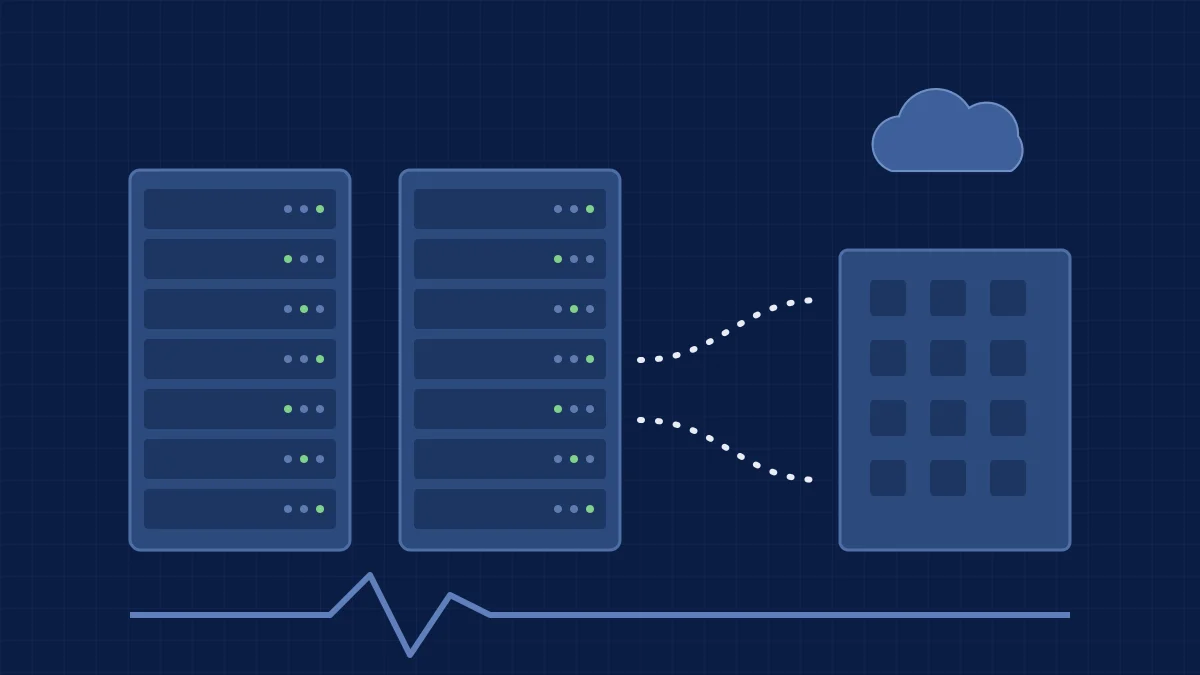
Some clients keep both sites in buildings they own. Others put the standby in a colocation facility, or ask BTI to host it. Either way, BTI offers co-managed support for the applications, monitoring, failover and WAN configuration.
Your own data centers
BTI keeps redundant equipment in sync between your sites, monitors it and runs the failover tests.
A colocation facility you choose
BTI configures and supports standby systems in the facility you already use, with engineers on site when hands are needed.
BTI's Phoenix data center
Host standby equipment in the hardened Phoenix colocation facility where BTI's Phoenix office is located, with smart hands, co-managed monitoring and DR failover. Many larger Los Angeles clients keep systems in Phoenix for continuity against earthquakes and other Southern California disasters.
Proof
How BTI clients use hot standby and managed replication
Client names are kept private. These are real configurations BTI supports.
Water district, two owned data centers
A Southern California water district syncs redundant equipment between its own data centers, with BTI supporting the replication, monitoring and failover.
Financial services, three sites
A national financial services firm replicates between three sites, including a colocation facility, so no single building takes its systems down.
Financial client, out of region
A financial client fails over between a Los Angeles area office and a Phoenix colocation site, keeping critical systems far from Southern California earthquake risk.
Hospitality brand, colocation standby
A national hospitality brand runs hot standby out of a colocation facility with BTI co-managed support for monitoring, failover and the network.
Where hot standby fits
Hot standby, backup and data center hosting
Related services that do different jobs. Many clients use more than one.
| Service | What it covers | Best for |
|---|---|---|
| Backup, continuity and disaster recovery | Managed Datto and Cove backup, tested restores, Microsoft 365 backup and a DR site for critical systems. | Every organization. Backup is the foundation even when hot standby is added. |
| Hot standby disaster recovery (this page) | Continuous replication to running standby systems, failover runbooks and tests, WAN failover and smart hands. | Systems where hours of downtime are not acceptable. |
| Data center and server room | Server room design, data center moves and managed hosting in Phoenix. | Building, moving or hosting the hardware itself. |
| Co-managed IT support | BTI engineers working alongside your internal IT team. | Teams that own the environment and want backup on monitoring, failover and projects. |
| 24/7 MDR and incident response | Detection and response that decides when to isolate, fail over or restore. | Ransomware readiness alongside DR. |
Your cybersecurity roadmap
Six Steps From First Test to a Program You Can Prove
Most clients start at step 1 with the free assessment and pen test. The findings tell you which of the next steps deserve your budget first, so you are not buying tools on a hunch.
Assess
Know where you stand with a tested baseline.
Prevent
Close the common ways in.
Detect and respond
Someone watching, day and night.
Govern and prove
Policies, evidence and leadership reporting.
Recover
Get back to work after an incident.
Run it with your team
Pick the support model that fits.
See the full program on the BTI cybersecurity services page.
Who uses it
Organizations that rely on hot standby
Financial services
Firms that cannot stop processing, with replication across offices and colocation sites.
Public agencies and utilities
Water districts and agencies that keep critical operations running from a second site.
Hospitality and multi-site brands
Reservation, property and payment systems that guests and locations depend on all day.
Manufacturing and distribution
ERP, warehouse and shipping systems where downtime stops the line or the trucks.
Professional services
Document, billing and practice systems that client deadlines depend on.
Contact centers
Call handling and customer systems that need to keep answering during an outage.
Why BTI
Why choose BTI for hot standby disaster recovery
- Over 40years in business
- 24/7NOC/SOC
- 3metro offices: Los Angeles, Chicago, Phoenix
Expert at the configuration
Replication, failover order, WAN and firewall failover and application testing are designed together, not bolted on.
Hands in the data center
BTI engineers do the on-site work in the data center, so your staff stays where it is needed.
Watched around the clock
BTI's 24/7 NOC/SOC monitors replication and the systems on both sides.
Co-managed or fully managed
Work alongside your IT team through co-managed IT, or let BTI run it through managed IT services.
Security built in
BTI is ISO 27001 compliant and has delivered cybersecurity services since the 2010s, so the standby site is protected like production.
Onsite when it matters
4-hour onsite emergency response under BTI support agreements.
Local teams
Disaster recovery engineers near you
Design, monitoring and failover testing can be run remotely. Local engineers and smart hands handle the on-site work at your sites and in the data center.
Los Angeles and Southern California
The Santa Fe Springs team covers Los Angeles County, Orange County and the rest of Southern California, including out-of-region standby in Phoenix.
Call 323-510-8003
Chicago and Chicagoland
The Downers Grove team covers Chicago, DuPage County and the surrounding suburbs, including out-of-region standby sites.
Call 312-492-2613
Phoenix and Tucson
The Phoenix team runs smart hands and hosting in BTI's Phoenix data center and covers the Phoenix metro area and Tucson.
Call 480-272-8728
Anywhere else in the U.S., call 800-435-7284. BTI coordinates on-site help through partners outside its metros.
Questions
Hot standby disaster recovery FAQs
What is hot standby disaster recovery?
Hot standby disaster recovery keeps a continuously replicated copy of your critical servers and data running at a second location. If the primary site fails, the standby systems take over in minutes, instead of waiting for systems to be rebuilt or restored from backup.
How is hot standby different from backup or DRaaS?
Backup keeps copies of your data so systems can be restored after a failure. Disaster recovery as a service (DRaaS) usually means a provider can start your systems in its cloud from those copies. Hot standby goes further: the standby systems are already running and replication is continuous, so failover is close to immediate. Most organizations use backup for everything and hot standby for the systems they cannot run without.
Can BTI provide disaster recovery for Microsoft Azure?
Yes. BTI can replicate on-premises servers to Azure as a standby target, or protect Azure workloads across regions with native Azure replication such as Azure Site Recovery. BTI also builds the network, identity and DNS pieces that failover depends on, and tests the failover with your team.
Do you support VMware disaster recovery if we plan to move off VMware?
Yes. BTI protects VMware virtual machines with replication to a second VMware cluster, to Hyper-V or to Azure. If you are planning a VMware migration, the standby site can be built on the platform you are moving to, so the DR work is not wasted.
What are smart hands?
Smart hands are BTI engineers working on site in the data center. They power-cycle, swap, cable, rack and install equipment, so your staff does not have to travel, including during an emergency.
Does our hardware have to be in BTI's data center?
No. It does not matter where your hardware is. BTI supports standby systems in your own data centers, in a colocation facility you choose, or in BTI's Phoenix data center, using your hardware or hardware bought through BTI.
What does co-managed disaster recovery support include?
BTI works alongside your IT team on the applications, monitoring, replication, failover runbooks and tests, and WAN and firewall configuration. Your team keeps the control it wants, and BTI covers the hours and specialist skills.
What do RTO and RPO mean?
The recovery time objective (RTO) is how long a system can be down before the business is seriously hurt. The recovery point objective (RPO) is how much recent data you can afford to lose. BTI sets them system by system during design, and they decide whether a system needs hot standby, warm standby or backup.
How often is failover tested?
Failover is tested before go-live and then on a schedule agreed with you during design, plus after major changes at either site. Each test is documented, so you can show the results to leadership, auditors and insurers.
Does hot standby protect against ransomware?
It helps, but it is not enough on its own, because replication can copy encrypted data to the standby. BTI pairs hot standby with isolated, immutable backups and 24/7 detection and response, so you can fail over to a clean point or restore from a protected copy.
How much does hot standby disaster recovery cost?
It depends on how many systems need a live standby, where the standby runs and how much bandwidth replication needs. BTI starts with a free consultation and recommends hot standby only for the systems that justify it.
Which areas does BTI serve?
BTI has local teams in Los Angeles and Southern California, Chicago and Chicagoland, and Phoenix and Tucson, plus smart hands in BTI's Phoenix data center. Design, monitoring and testing can be run remotely for clients elsewhere in the U.S., with on-site help coordinated through partners.
More on planning in our guide to business continuity and disaster recovery plans.
Find out which systems need a hot standby
Book a free consultation with a BTI disaster recovery engineer. We will look at your Azure, VMware and data center systems, where your hardware lives and which systems need hot standby, warm standby or backup.
Call BTI at 800-435-7284, or your local IT team: Los Angeles 323-510-8003 · Chicago 312-492-2613 · Phoenix 480-272-8728
Already a BTI client? Use the dedicated support number assigned to your organization.
Talk to a DR engineer
Tell us where to reach you and a BTI engineer will follow up within business hours.
Business inquiries only. No cost and no obligation for the consultation.