
Video transcript
Can you name every AI tool your team used this week? I’m Eric Brackett, Founder and President of BTI Communications Group.
Shadow AI is any AI tool or agent your people use without IT knowing or approving it. Free chat apps, browser extensions, meeting note takers, even AI features switched on inside software you already pay for.
IBM’s 2025 Cost of a Data Breach Report found one in five organizations had a breach tied to shadow AI, and most breached organizations had no AI governance policy in place.
You can’t govern what you can’t see, so we start with an inventory. Which tools are in use, who uses them, what data they touch, and what each one is allowed to read or change.
Then we set an acceptable use policy, move the useful work onto governed AI, with each BTI AI client on its own hosted Azure tenant, and keep a person in the loop for decisions that matter.
Start with a Shadow AI and data governance assessment. Visit btigroup.com, or call 800-435-7284.
Key points from the video
- Shadow AI is any AI tool or agent used without IT knowing or approving it, including AI features switched on inside software you already pay for.
- IBM’s 2025 Cost of a Data Breach Report found one in five organizations had a breach tied to shadow AI.
- Governance starts with an inventory: tools, users, data touched and permissions.
- Then set an acceptable use policy, move useful work onto governed AI on a dedicated hosted Azure tenant, and keep a person in the loop.
Video chapters
- 0:00 What shadow AI is
- 0:24 What IBM found in 2025
- 0:39 Start with an inventory
- 0:50 Policy, governed AI and a person in the loop
- 1:04 Start with an assessment
What is shadow AI?
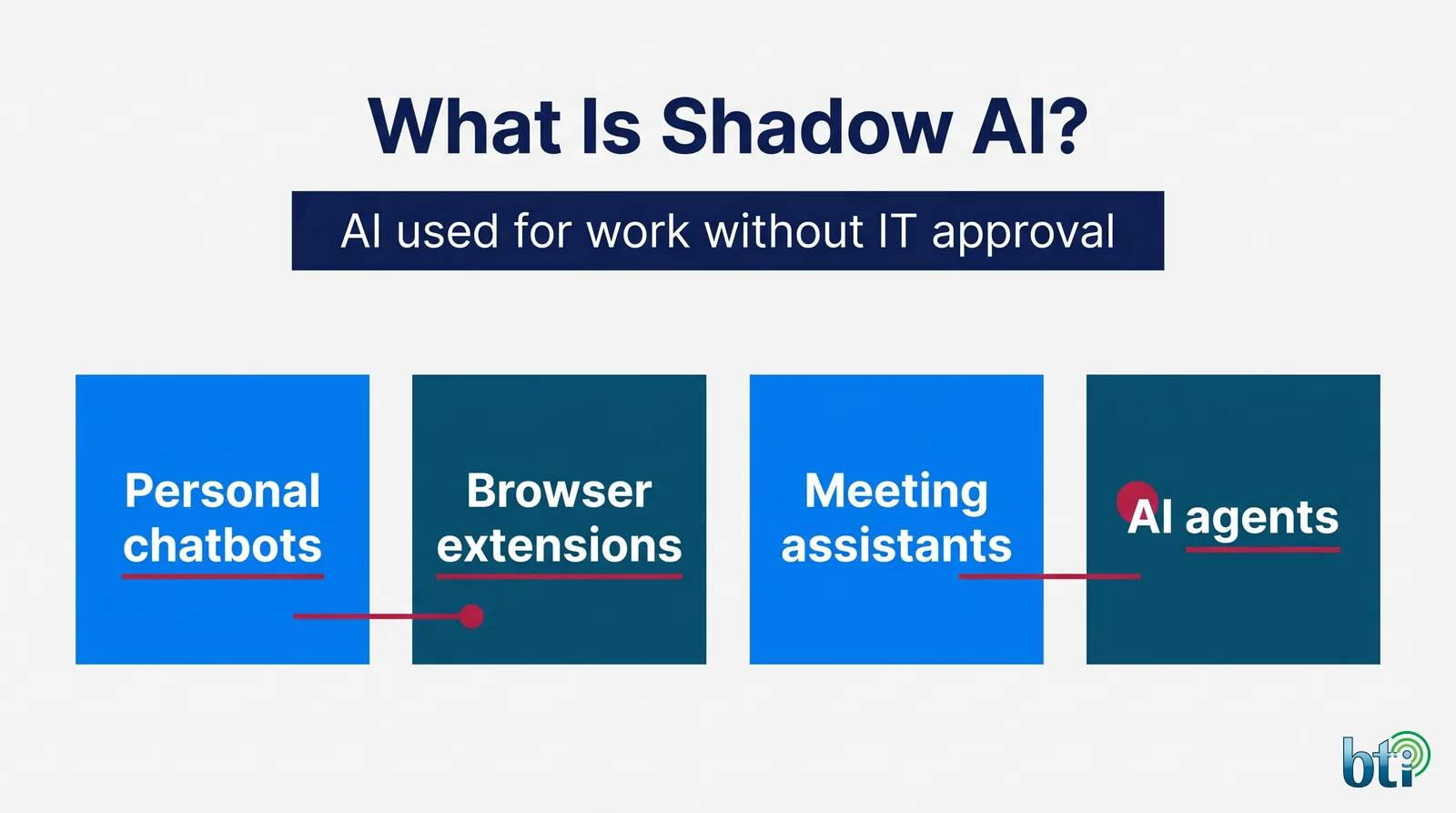
Shadow AI is any AI tool, account, plugin or agent used for work without IT or security knowing about it or approving it. It is the AI version of shadow IT, with one important difference. Most shadow IT stores data. Shadow AI often learns from it, transforms it or acts on it.
Common examples include:
- Free or personal chatbot accounts used to draft documents, analyze spreadsheets or answer customer questions.
- Browser extensions and writing aids that can read whatever is on the screen.
- Transcription and meeting assistants that record calls and store the notes in their own cloud.
- Embedded assistants switched on inside office suites, CRMs and support tools.
- AI agents and automations connected to mailboxes, files and business systems with standing permissions.
Most of this use is well meant. People are trying to get more done. The risk is that customer records, employee details, contracts and financial data end up in services nobody reviewed, outside your retention rules and beyond your ability to delete.
Shadow AI vs shadow IT
Shadow IT is any technology used for work without IT’s knowledge or approval, such as a personal file-sharing account or an unapproved project tool. Shadow AI is a fast-growing subset with one important difference: people do not just store data in these tools, they type it, paste it and upload it into prompts, and the tool can retain, transform or reproduce it. The OWASP Top 10 for Large Language Model Applications lists sensitive information disclosure as one of its top risks for 2025 (OWASP Top 10 for LLM Applications).
It is also common. Microsoft’s 2024 Work Trend Index found that 78% of AI users were bringing their own AI tools to work, and the share was 80% at small and medium-sized companies (Microsoft Work Trend Index 2024).
Common examples of shadow AI
- An employee pastes a customer list or contract into a free chatbot on a personal account.
- A team installs an AI meeting note-taker that joins calls and stores transcripts outside your tenant.
- A browser extension that rewrites email or summarizes pages reads everything on screen.
- An AI feature is switched on inside a SaaS tool you already pay for, without a data review.
- A developer or power user connects an AI agent or API key to company systems with broad permissions.
What the data says about shadow AI risk
IBM’s 2025 Cost of a Data Breach Report put numbers on the problem. One in five organizations (20%) reported a breach tied to shadow AI, and organizations with high levels of shadow AI saw about $670,000 more in breach costs than those with little or none. Of the organizations that reported a breach involving AI models or applications, 97% lacked proper AI access controls. And 63% of breached organizations either had no AI governance policy or were still developing one (IBM, Cost of a Data Breach 2025).
Even a written policy is not enough on its own. IBM found that only 34% of organizations with AI governance policies regularly audit for unsanctioned AI. A policy nobody checks is a hope, not a control.
Why the inventory comes first
You cannot set a sensible AI policy for use you have not found. Banning everything pushes AI use further underground. Approving everything ignores the risk. An inventory gives you the facts to decide what to allow, what to constrain and what to stop.
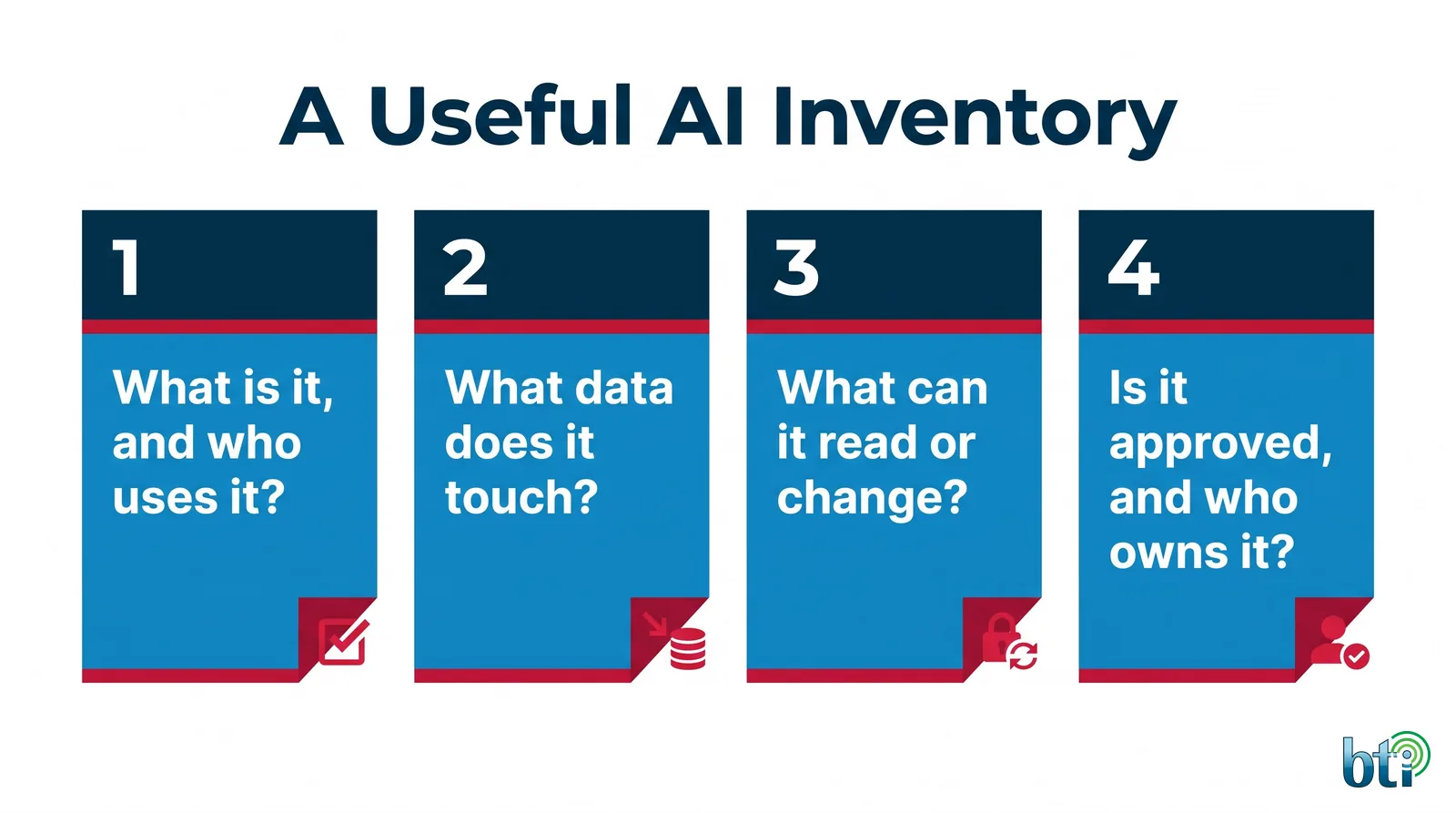
A useful AI inventory answers four questions for every tool, account and agent:
- What is it, and who uses it? Tool name, account type (company or personal) and the teams using it.
- What data does it touch? Customer records, employee information, financials, contracts, source material.
- What can it read or change? Mailboxes, file shares, CRM records, the ability to send or delete.
- Is it approved, and who owns it? A named owner, an approval status and a review date.
How to detect shadow AI
There is no single switch that reveals every AI tool, so a good discovery effort combines sources you approve:
- Identity and sign-in records show which AI services people sign in to with company accounts, and which apps have been granted access to mail and files.
- Network and DNS records show traffic to AI services, including ones nobody signed up for officially.
- Endpoint and browser records show installed apps and extensions.
- Expense and purchasing records show small subscriptions bought on a company card.
- Short interviews with the teams that use AI most often reveal what the logs miss, including what people are trying to accomplish.
The output is a living AI register, not a one-time spreadsheet. New tools appear every month.
From inventory to governance
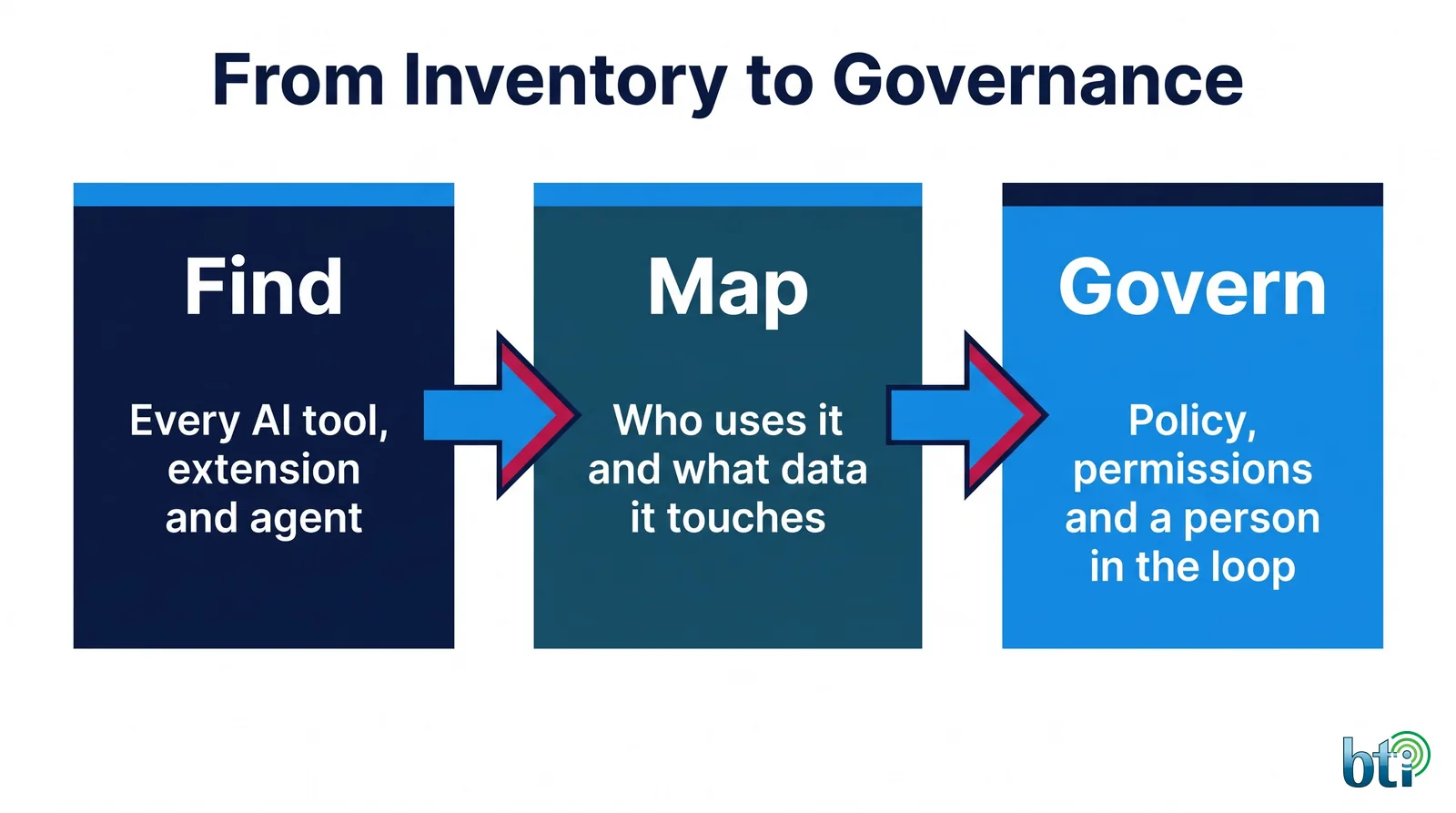
Once you know what is in use, governance becomes practical:
- Write an AI acceptable use policy your people can actually follow. It should say which tools are approved, what data may never be entered, how to request a new tool and who to ask.
- Move useful work onto governed AI. If people rely on a tool to do their jobs, give them a supported option instead of a ban. BTI’s governed AI runs with each BTI AI client on its own hosted Azure tenant, so company data stays in an environment you control.
- Add technical controls. AI data loss prevention can block sensitive content in prompts and uploads, stop unapproved AI tools and keep activity records for review.
- Keep a person in the loop for decisions that affect customers, money or employees.
- Review on a schedule. Re-run discovery, update the register and report changes to leadership.
For organizations that want a formal program, BTI’s AI security, governance and risk service turns findings into written rules, approval paths and an AI register leaders can stand behind.
Frameworks that help you govern AI use
You do not need to invent a governance model. Two public frameworks give you a structure:
- NIST AI Risk Management Framework. Released January 26, 2023, it is a voluntary framework for managing AI risk across governance, mapping, measurement and management (NIST AI RMF). NIST added a Generative AI Profile, NIST AI 600-1, on July 26, 2024, to help organizations identify risks unique to generative AI (NIST AI 600-1).
- OWASP Top 10 for LLM Applications. A practical list of the most common risks in AI applications, including prompt injection and sensitive information disclosure (OWASP GenAI Security Project).
For California businesses, the regulatory picture is moving too. The California Privacy Protection Agency’s regulations effective January 1, 2026 add requirements for risk assessments and consumer rights around automated decisionmaking technology for covered businesses (California Privacy Protection Agency). Our post on California workplace AI laws for 2027 covers the employment side. An inventory of AI use is the first input to all of it.
Find out which AI tools are already touching your data.
Map the AI tools touching your data or talk it through on a free consultation. Call Los Angeles 323-510-8003, Chicago 312-492-2613, Phoenix 480-272-8728.
Shadow AI checklist for leadership
- We know which AI tools, accounts and agents are in use, and who owns each one.
- Personal AI accounts are blocked or managed for company work.
- We have a written AI acceptable use policy, and staff have seen it.
- Sensitive data is protected from prompts and uploads by a technical control, not just a rule.
- AI activity is logged and could be shown to an insurer, auditor or customer.
- Someone reviews the register at least quarterly.
If you cannot check most of these boxes, the inventory is the place to start.
Once the inventory is done, enforce the policy with AI data loss prevention controls that block sensitive data in prompts and uploads. The same discipline applies to the rest of your security program: an inventory first, then prioritizing what to fix by real-world risk, then independent review of the controls.
Local AI and security teams in Los Angeles, Chicago and Phoenix
BTI’s AI and security engineers work with organizations across Southern California, Chicagoland and Arizona. See our managed AI pages for Los Angeles, Chicago and Phoenix and Tucson, or learn how an outsourced AI partner can run governed AI for you. If you want to know where AI could add value first, our AI opportunity assessment covers the business side.
Find the AI use you cannot see yet
BTI’s Shadow AI and data governance assessment finds the AI tools, accounts, plugins and agents your people already use, maps where sensitive data could flow into prompts and uploads, compares what we find with your current policy and controls, and delivers a ranked findings report and roadmap.
Request a Shadow AI and data governance assessment or book a free consultation. Call the BTI IT team: Los Angeles 323-510-8003, Chicago 312-492-2613, Phoenix 480-272-8728.
Calling from outside those metros? Reach BTI toll-free at 800-435-7284 (800-HELP-BTI).
Cybersecurity by industry

Healthcare
Medical groups, pharmacies and dental practices.
Healthcare cybersecurity →Nonprofits
Lean teams protecting donor and client data.
Nonprofits cybersecurity →Education
Schools and campuses with many users and devices.
Education cybersecurity →Logistics
Warehouses, dispatch and multi-site networks.
Logistics cybersecurity →Construction
Job sites, project files and field devices.
Construction cybersecurity →Government
Public agencies and contract vehicles.
Government cybersecurity →