What happened, in plain terms
The attackers did not need to break into each computer. They used the remote support tool’s own features to run commands on many managed computers at once and install a second, attacker-controlled copy of the remote access software. Huntress’s early analysis links the activity to a third-party add-on for the tool: in two versions of that add-on, if an administrator never set its access key, it accepted a blank one. Because the add-on worked outside the tool’s normal user accounts, roles and multi-factor authentication (MFA), one missing setting was enough to open the door (Huntress analysis).
This is not a new pattern. CISA warns that threat actors increasingly co-opt legitimate remote access software to get into victim systems (CISA Guide to Securing Remote Access Software). Two lessons apply to every business, whatever tool its IT provider uses:
- Remote access tools are a master key. Whoever controls the console can reach every computer connected to it.
- Small leftovers become big risks. An add-on installed for an old project and never reviewed can quietly sidestep the controls you think you have.
1. Who can reach your remote access tools from the internet?
Ask where the remote access console lives and who can reach its sign-in page. A console that anyone on the internet can find gets probed all day. Stronger setups limit access to approved networks or managed devices, put the console behind a VPN or zero trust access gateway, and switch off public features nobody uses.
A good answer sounds like: “Only our technicians, on managed devices, can reach the console, and we can show you the settings.”
A red flag: “It’s hosted in the cloud, so the vendor takes care of that.”
2. Does every sign-in require MFA?
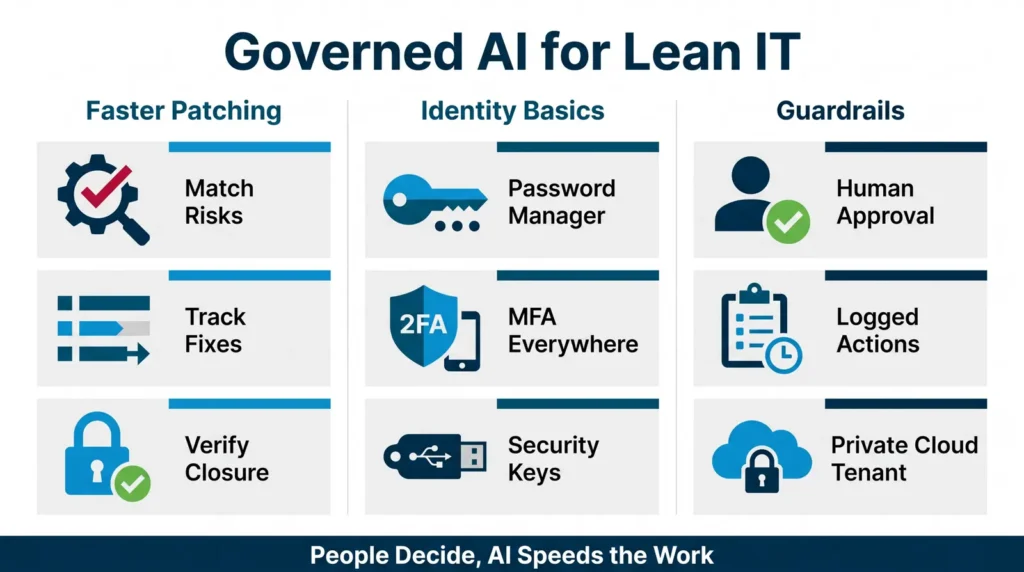
Every technician account should require MFA, with no shared logins. Then ask the follow-up most people miss: do any integrations, add-ons, API keys or service accounts connect to the tool without MFA? This week’s incident shows why it matters. MFA on the front door does little if a side door accepts a blank key.
A good answer sounds like: “MFA is enforced for every account, and we keep a list of every integration and how it authenticates.”
A red flag: “MFA is on for most of our team.”
3. Which add-ons are left running?
Remote access tools pick up extensions, plug-ins and integrations over time, often for a single project. Ask for the current list, who approved each one, when it was last reviewed and what it is allowed to do. Anything no longer in use should be switched off, and new add-ons should be reviewed before they are turned on.
A good answer sounds like: “Here is the list. We review it on a schedule and anything unused gets switched off.”
A red flag: “We would have to check.”
4. How fast do updates land?
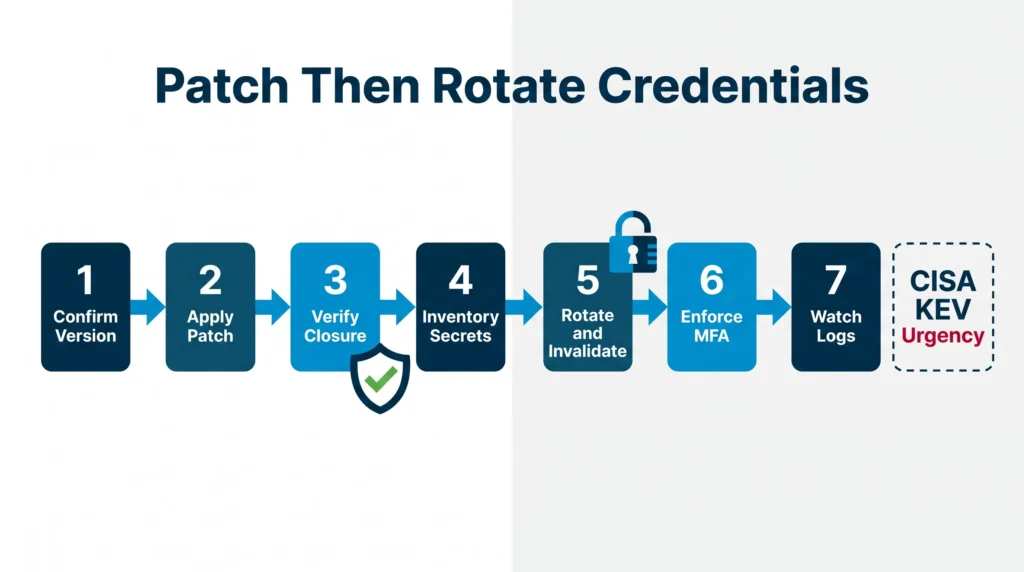
Ask how quickly your provider applies security updates to the remote access tool itself, not just to your computers, and how it handles an emergency fix that cannot wait for the next maintenance window. Ask whether the target is written down and how you will know it was met. Our patch and vulnerability alerts page shows the kind of critical, actively exploited issues that should jump the queue, and our post on deciding what to fix first explains how to rank them.
A good answer sounds like: “Critical fixes for our own tools go in as soon as they are released and tested, and we report when it is done.”
A red flag: “We update when we get to it.”
5. How would you contain a compromise?
If the remote access tool itself were taken over, what happens next? Ask how your provider would cut off the tool quickly, check every connected computer for rogue software from a separate, trusted channel, reset exposed sessions and passwords, and tell you what was affected. Researchers investigating this week’s incident advised against connecting to a suspect computer through the same remote tool, because doing so could spread the problem (Huntress mitigation guidance).
A good answer sounds like: “We have a written plan for a compromise of our own tools, we have practiced it, and you have a copy.”
A red flag: “That would never happen to us.”
Want a second look at how your remote access is set up?
Book a free cybersecurity assessment or talk it through on a free consultation. Call Los Angeles 323-510-8003, Chicago 312-492-2613, Phoenix 480-272-8728.
A quick remote access checklist for leadership
- We know which remote access tools our IT provider uses and who can reach their consoles.
- Every sign-in to those tools requires MFA, including integrations and service accounts.
- We have seen the list of add-ons, and unused ones are switched off.
- Security updates to the tools themselves have a written target, and we see proof they landed.
- There is a written plan for a compromise of the provider’s own tools.
If you cannot check most of these boxes, start the conversation this week. It is also worth asking for an independent review of your provider’s controls rather than relying on the same team to grade its own work.
How BTI handles remote access for clients
Our 24/7 NOC/SOC checks this for our clients: whether remote access requires MFA and whether unused add-ons are switched off. For managed and co-managed clients, that work sits alongside identity, MFA and device security, patch and vulnerability management and 24/7 detection and response, so a problem with a remote tool is something someone is watching for, day and night. If you have your own IT team, co-managed IT support lets BTI add that coverage without replacing your people.
Local cybersecurity teams in Los Angeles, Chicago and Phoenix
BTI has served businesses for over 40 years, with cybersecurity teams in Southern California, Chicagoland and Arizona. See our cybersecurity pages for Los Angeles cybersecurity services, Chicago cybersecurity services and Phoenix and Tucson cybersecurity services, or the national BTI cybersecurity services overview.
Get a second look at your remote access
BTI’s free cybersecurity assessment shows where you stand today and gives you a prioritized list of what to fix first, including how remote access into your environment is protected.
Request a free cybersecurity assessment or book a free consultation. Call the BTI IT team: Los Angeles 323-510-8003, Chicago 312-492-2613, Phoenix 480-272-8728.
Calling from outside those metros? Reach BTI toll-free at 800-435-7284 (800-HELP-BTI).
Sources: Huntress, Nov 11, 2026 research report; BleepingComputer, Nov 11, 2026; CISA, Guide to Securing Remote Access Software.