Why law firms are asking about ChatGPT and Claude
The appeal is obvious: first drafts in seconds, long documents summarized and research questions framed faster. Clients are asking about it too, both because they expect efficiency and because their security questionnaires now include questions about AI. The risk is just as clear. Client information is among the most sensitive data any business holds, and a general purpose AI tool is not set up around your firm’s confidentiality obligations by default.
Confidentiality comes first
Every firm’s starting point is the same: client information should only go where the firm can explain and defend how it is protected. For AI tools, that means knowing whether the provider can use your inputs to train its models, how long inputs and outputs are kept, who at the provider can see them and whether you can delete them.
Professional guidance on generative AI continues to develop. Ask your counsel which guidance applies to your firm and what it means for client communication, supervision and billing. The checklist below supports that conversation. It does not replace it.
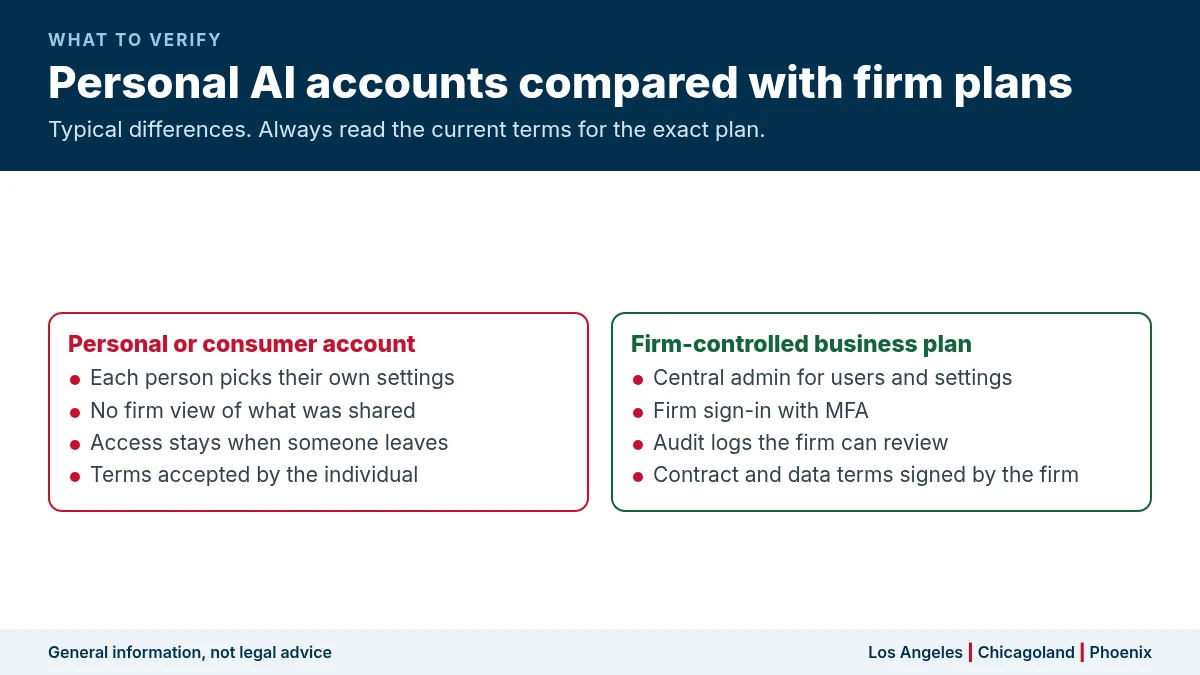
Consumer plans versus business plans: what to verify
Most AI providers offer free and individual plans alongside business and enterprise plans, and the terms can differ in ways that matter to a law firm. Do not rely on a blog post or a comparison chart, including this one. Read the provider’s current terms for the exact plan you are considering and verify the following.
| Question to verify | Why it matters |
|---|---|
| Are inputs and outputs used to train models by default, and can that be turned off for every user? | Training use is the core confidentiality question. |
| How long are prompts, files and outputs kept? | Retention decides how long client data exists outside the firm. |
| Can an administrator manage all users, settings and data centrally? | Without admin control, every user sets their own rules. |
| Does the plan support single sign-on and multifactor authentication? | It ties AI access to firm identity, so departing staff lose access. |
| Are audit logs available? | Logs show who used the tool and when. |
| What do the contract and data processing terms say? | Commitments belong in a signed agreement, not just a web page. |
| Which subprocessors handle the data, and where? | Client data may pass through other companies. |
| Can data be deleted on request, and how is deletion confirmed? | It matters at matter close and when a client asks. |
Terms change often. Check them again at renewal and whenever the provider announces a new plan or feature.
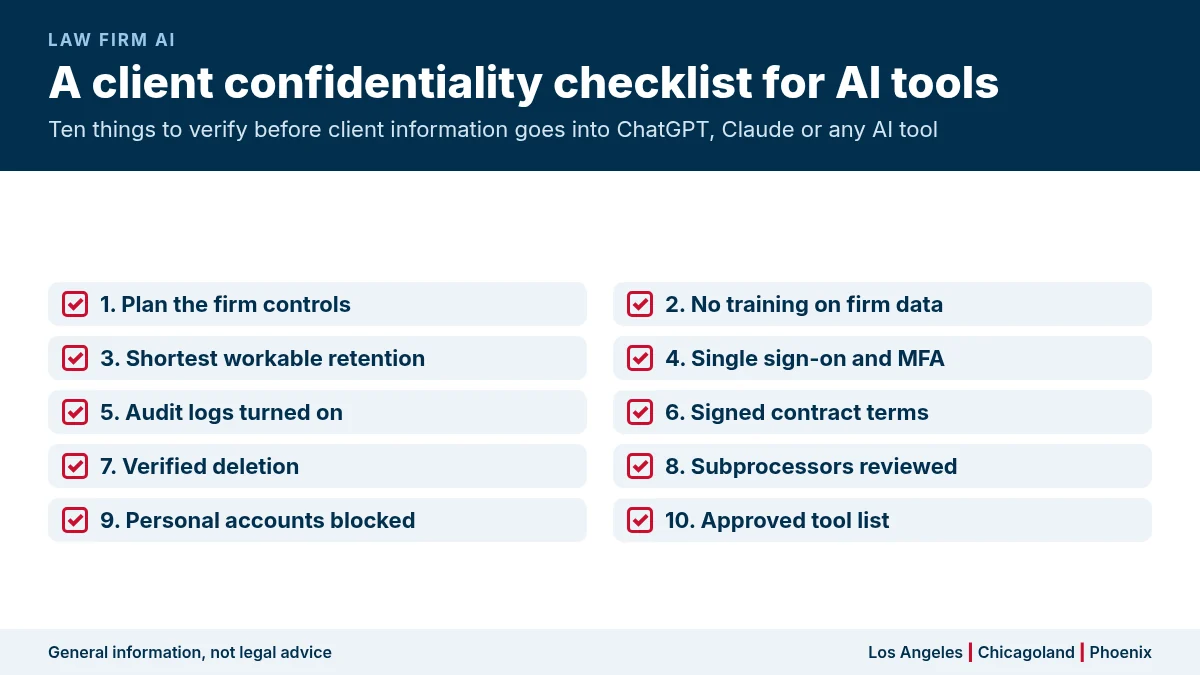
The 10-point law firm AI checklist
- Plan: use a business or enterprise plan the firm controls, not personal accounts.
- Training: confirm in the current terms that firm data is not used for model training, and that the setting is enforced for every user.
- Retention: know how long prompts, files and outputs are kept, and set the shortest retention that works for the firm.
- Access: require single sign-on and multifactor authentication, and remove access when people leave.
- Logging: turn on audit logs and keep them with your other security records.
- Contract terms: get confidentiality, security and data handling commitments in a signed agreement.
- Deletion: confirm how to delete data and how deletion is verified.
- Subprocessors: review who else processes the data, and where.
- Staff accounts: block personal AI accounts for firm work with technical controls, not just policy.
- Approvals: keep a list of approved tools and a simple way to request new ones.
How to stop client data reaching a personal account
A policy that says “do not paste client information into personal AI accounts” is necessary, but it is not a control. People are busy, and the free tool is one click away. The controls that work are technical:
- Identity: approved AI tools sign in through the firm’s identity system, with multifactor authentication and conditional access.
- Data-loss controls: AI data loss prevention checks prompts, uploads and web forms for sensitive data and helps stop it before it leaves.
- Discovery: a Shadow AI assessment finds the AI tools, accounts and browser extensions already in use.
- Device management: firm devices are managed, so browser extensions and apps follow firm policy.
- Logging: AI activity is recorded, so the firm can answer client questionnaires with facts.
These controls sit on top of a well run IT environment. BTI provides managed IT support for law firms, including help desk, network and security.
Writing a short firm AI policy
A useful AI policy fits on two pages. It should cover:
- Which tools are approved, and for what kinds of work.
- What information may never be entered, and what may be entered only in approved tools.
- How AI output is reviewed before it is used, sent or filed. A person is responsible for every final work product.
- How to request a new tool, and who approves it.
- Who to contact with questions, and how to report a mistake.
Pair the policy with training and with the technical controls above. For a structured approach, see BTI’s AI security, governance and risk services.
Where a managed, governed workspace fits
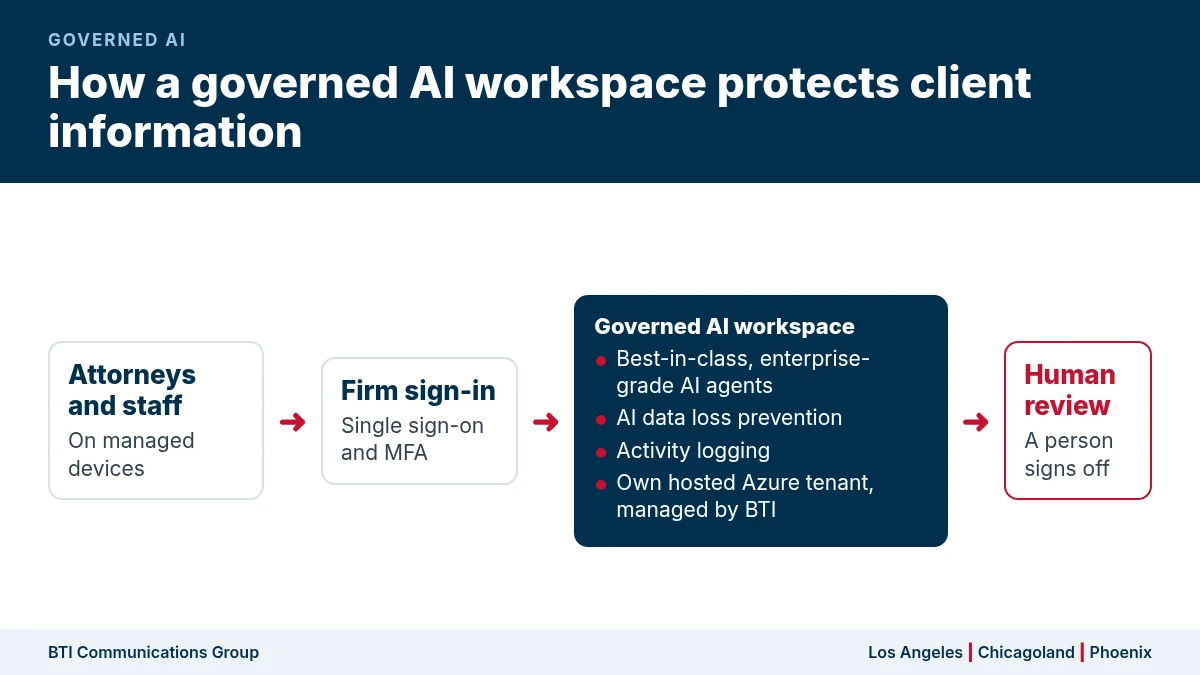
Many firms want the benefits of AI without managing the risks tool by tool. A governed workspace gives attorneys and staff access to AI inside controls the firm can explain. BTI uses best-in-class, enterprise-grade AI agents in a governed workspace that BTI deploys and manages. Each BTI AI client gets its own hosted Azure tenant.
BTI also provides managed AI services and guided automation to help firms perform better. That can include intake, matter and document workflows, scheduling, call answering and knowledge search, with human review kept in place. See AI tools and security for law firms.
What BTI does not do
BTI does not sell legal research software, and we do not give legal advice. We help firms use AI tools under controls, alongside the research and practice systems they already have.
Local notes for Los Angeles, Chicagoland and Phoenix
- Los Angeles: boutique and mid-size firms with attorneys working remotely need AI controls that follow the user, not the office network.
- Chicagoland: firms of every size are fielding detailed client security questionnaires that now ask how the firm uses AI.
- Phoenix: smaller firms often have no dedicated IT staff, which makes a managed approach practical. Call the Phoenix IT line to talk it through.
How BTI supports law firms
BTI Communications Group has over 40 years in business, with offices in Chicagoland, Los Angeles and Phoenix. We support law firms with managed and co-managed IT, cybersecurity backed by a 24/7 NOC/SOC, access control, phone systems and governed AI. Learn more about our law firm IT support and cybersecurity, book a free consultation or call the IT line for your region:
- Los Angeles: 323-510-8003
- Chicago: 312-492-2613
- Phoenix: 480-272-8728
Talk with BTI about governed AI for your firm.