



Office security is no longer about locking the front door at the end of the day. Modern businesses need to protect employees, visitors, equipment, data, and daily operations from a mix of physical and digital threats.
This guide explains what office security means, why security in office buildings matters, which systems are commonly used, and what best practices can help strengthen corporate office security without making the workplace feel inconvenient or overly restrictive.
Key Takeaways
- Office security protects people, property, data, and operations through a combination of systems, policies, and daily best practices.
- A strong strategy includes layered protection such as access control, video security, alarms, smart sensors, visitor management, monitoring, and integrated security systems.
- Physical security and cybersecurity should work together because modern office risk includes both on-site threats and data protection concerns.
- Data breaches remain costly, with IBM’s 2025 Cost of a Data Breach Report finding the global average cost of a breach was $4.4 million.
- Employee safety is a major business priority, with AlertMedia’s 2025 State of Employee Safety Report finding that 96% of employees say their physical safety at work is important to them.
- The best office security programs combine technology with planning, including routine evaluations, emergency response procedures, employee training, and integrated system management.
What is Office Security?
Office security is the combination of physical security systems, cybersecurity measures, security policies, and employee practices used to protect an office environment from safety threats.
This may involve tools such as access control systems, security cameras, alarms, employee badges, visitor check-in procedures, and cybersecurity protections. It also includes the processes that support them, including access permissions, visitor approval, credential removal, emergency response, and staff training.
Effective office security should be built around how the workplace functions. Every facility has unique operations, risks, and vulnerabilities, which means no single security approach fits every environment. The objective is not to install every available device, but to identify the most critical risks and implement the right combination of security measures to protect people, assets, and information while allowing day-to-day business operations to run smoothly and efficiently.
Why is Security in Office Buildings Important?
Security in office buildings is important because offices often contain valuable equipment, sensitive information, private work areas, and people who expect a safe environment. A security incident can affect more than the immediate target. It can interrupt operations, expose confidential information, create liability concerns, damage employee trust, and increase recovery costs.
Deters Crime & Vandalism
Research from UNC Charlotte, based on survey responses from 422 incarcerated burglars, found that most burglars considered signs of increased security, including alarms and outdoor cameras or surveillance equipment, when selecting a target. The same research found that 83% would try to determine whether an alarm was present before attempting a burglary, and 60% would seek another target if an alarm were onsite.
Enhances Employee Safety
Workplace emergencies can include severe weather, medical events, violence, fire, technology outages, and unauthorized intrusions. The U.S. Bureau of Labor Statistics reported 470 workplace homicides across all sectors in 2024, showing why physical safety and emergency preparedness remain important concerns for employers.
Ensures Industry Compliance
Some industries are specifically required to use administrative, technical, and physical safeguards to protect sensitive information. For example, the FTC Safeguards Rule requires covered financial institutions to maintain an information security program with administrative, technical, and physical safeguards, while HIPAA’s physical safeguard requirements include facility access controls for systems and facilities that house electronic protected health information.
Types of Security Solutions for Offices
The right office security system depends on your building layout, number of employees, visitor traffic, operating hours, compliance requirements, and risk level. Most corporate office security strategies include a combination of the following solutions.
Access Control Systems
Access control systems help businesses manage who can enter an office, when they can enter, and which areas they can access. Instead of relying only on traditional keys, access control systems may use key cards, badges, PINs, mobile credentials, biometric readers, or other authentication methods.
For offices, access control is especially useful at high-traffic or sensitive areas such as main entrances, employee-only areas, server rooms, or storage rooms. If an employee leaves the company, credentials can be revoked without rekeying the entire building. If a badge is lost, access can be disabled. If a security incident occurs, access logs can help determine who entered a specific area and when.
A well-designed access control system should match how the business operates. For example, some employees may need access only during business hours, while managers, IT staff, cleaning crews, or security personnel may need different schedules. Access control should make authorized entry easier.
Alarms and Smart Sensors
Alarms and smart sensors help detect suspicious or unsafe conditions in and around an office. These may include door contacts, window contacts, motion sensors, glass-break sensors, panic buttons, water leak sensors, smoke or heat detection, and other environmental sensors.
Intrusion alarms are useful after hours, during weekends, or in areas that are not constantly staffed. Smart sensors can also help detect non-criminal incidents that still create business risk. For example, a water leak in a storage area or server room can cause considerable damage if no one is alerted quickly.
The strongest alarm strategies are connected to a clear response process. An alert is only valuable if the right people know what it means, who should respond, and when the issue should be escalated to emergency services, facilities teams, IT, or building management.
Video Security Solutions
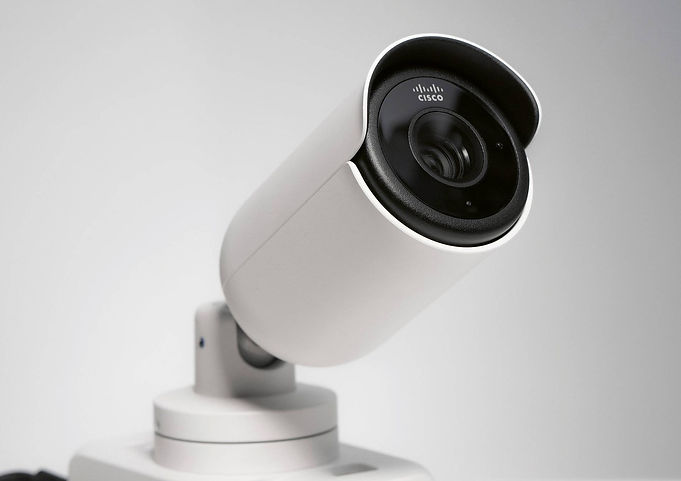
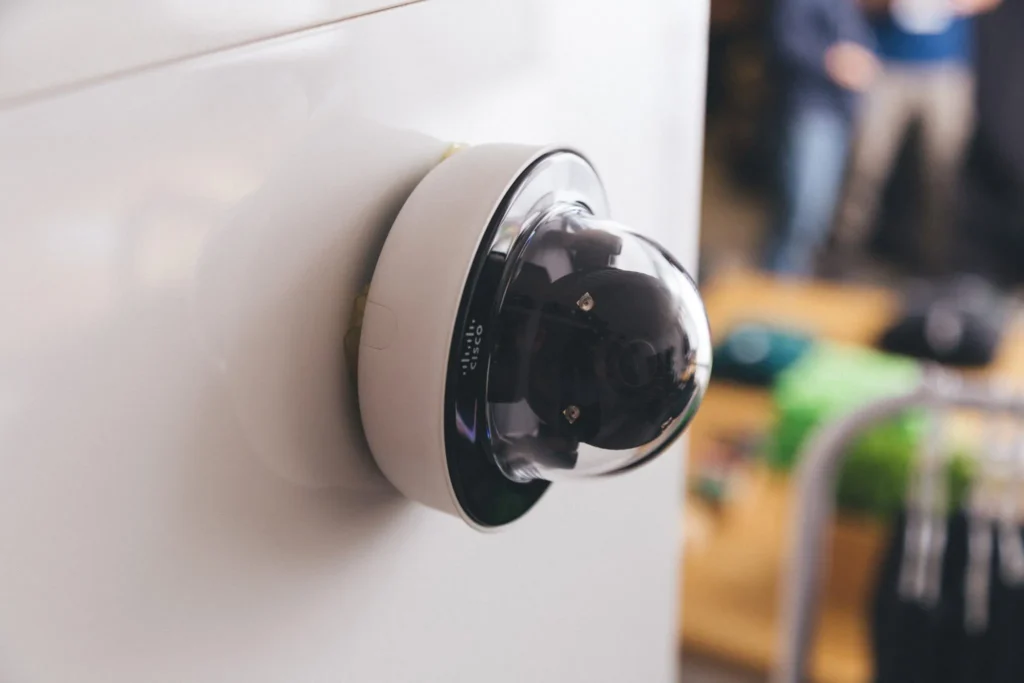
Video security solutions help businesses monitor key areas, deter unwanted activity, and review footage after an incident. In office buildings, cameras are commonly used at entrances, reception areas, parking lots, loading areas, hallways, storage rooms, server room entrances, and building perimeters.
The value of video security extends far beyond simply recording footage. Modern surveillance systems help security teams verify alarms, investigate incidents, monitor after-hours activity, and support faster, more informed emergency response efforts. When integrated with access control systems, video footage can also provide critical context around access events such as confirming whether a credential was used by the authorized employee or by an unauthorized individual. This added visibility improves accountability, strengthens security operations, and helps organizations respond more effectively to potential threats or incidents.
Businesses should also be thoughtful about camera placement and privacy. Cameras should focus on legitimate security areas and avoid private spaces such as restrooms, locker rooms, and similar areas. Employee notification and local legal requirements should also be considered before installation.
Visitor Management Systems
Visitor management systems help offices control and document guest access. Instead of relying only on a sign-in sheet, a visitor management process can include pre-registration, identity verification, visitor badges, host notifications, check-in and check-out records, and temporary access credentials.
This is especially important for offices that regularly interact with clients, vendors, contractors, delivery personnel, job applicants, and temporary staff. A visitor management system gives front desk personnel greater visibility and control by identifying expected visitors, verifying approvals, tracking where individuals are authorized to go, and monitoring when they enter and exit the facility. This helps improve security, accountability, and overall operational efficiency without creating unnecessary disruptions for guests or employees.
Visitor management also supports emergency preparedness. If an evacuation is required, accurate visitor logs can help account for non-employees who may be inside the building.
Professional Monitoring and Remote Monitoring
Professional monitoring and remote monitoring help businesses respond to security events even when employees are not actively watching the system. This is one of the most crucial differences between simply owning security equipment and having a complete office security strategy.
With professional alarm monitoring, alerts from intrusion sensors, panic buttons, or other connected devices can be reviewed and escalated according to defined procedures. Remote monitoring may also include live or event-based video review, system health checks, and notifications to designated contacts.
Self-monitoring through a mobile app can be useful, but many offices benefit from additional support. Employees may miss alerts after hours, while traveling, during meetings, or during emergencies. Professional and remote monitoring can help close that gap by ensuring alerts are seen and addressed quickly.
Do You Need a Security System If You Have Security Guards?
In most cases, yes. Security guards and security systems serve different but complementary roles.
Security guards provide a visible human presence. They can greet visitors, patrol the building, respond to incidents, enforce policies, and provide judgment in situations that require human decision-making. For some office buildings, especially larger properties or multi-tenant facilities, guards are an important part of the security plan.
However, guards cannot be everywhere at once. A guard at the front desk may not see activity in other sensitive or high-traffic areas. Tools like cameras, access logs, alarms, and sensors give them better visibility and help them respond based on evidence rather than assumptions.
A security system also provides documentation. If an incident occurs, video footage, access logs, visitor records, and alarm history can support investigations, insurance claims, HR reviews, and compliance documentation.
The strongest approach is not “guards or technology.” It is usually security guards plus technology, supported by clear procedures. Security personnel can respond more effectively when they have access to cameras, alarm alerts, access control records, visitor logs, and an emergency response plan.
View the Office Security Guide
Open this PDF version of the office security resource to review, share with your team, or save for later when evaluating your organization’s physical security strategy.
View Your Office Security GuideCommercial Security Best Practices - How to Use the Office Security Checklist
Full Video Transcript
Commercial Security Self-Assessment Checklist Video Transcript
I’m Eric Brackett, Founder of BTI Communications Group, Ltd. We put this free Office Security Checklist on our website so you’d have a practical tool for enhancing security and workplace safety right away.
This checklist will help you evaluate and consider the best practices to secure your offices, warehouses, factory floors, and perimeter areas.
The checklist covers the most effective security safeguards and deterrents in commercial security technology. These include building and door access control, video security, visitor management, alarm systems, and emergency readiness.
The detailed checklist items in each category will help you identify easy wins to enhance security right away, as well as ideas for improved security system technology.
The biggest productivity and security gains come from effective perimeter and door access control. Ensure main entrances have controlled access. Force visitors to check in at reception. Secure secondary doors with credentials and emergency exit doors with alarms. Ensure loading docks have controlled access. Secure ground-floor windows and maintain well-lit parking areas.
Ensure individual credentials for employees and track temporary credentials and deactivate them when no longer used. Maintain an inventory of credentials, and restrict access based on roles. Regularly review permissions, configure alerts, and test systems annually. Access logs should be retained and reviewed for anomalies, and correlated with video footage when necessary.
A robust video surveillance system deters unauthorized activity and provides evidence. Ensure cameras cover entry points, parking areas, and sensitive zones. Maintain recording systems for reliable footage. Evaluate camera placement, image clarity, and recording retention. Regularly update firmware and monitor system health to prevent failures.
A professionally monitored alarm system is crucial for security, requiring proper configuration and dual-path communication. This ensures alarm signals transmit via both internet and cellular, preventing outages from silencing alarms. Key components include door contacts, motion sensors, and panic buttons, all tested regularly. Ensure cellular backup is active and communication paths are verified.
Visitor management is crucial for security. Ensure all visitors check in, verify IDs, and wear visible badges. Escort visitors at all times and restrict access to sensitive areas. Maintain a visitor log for accountability and emergency situations. Pre-approve contractors and limit their access to necessary areas only.
Ensure all security system accounts are unique and not shared. Change default passwords and remove access for former employees and vendors. Regularly update firmware and software. Limit remote access to authorized users and secure methods. Maintain and review audit logs, and manage vendor access strictly.
Evaluate your emergency response and employee training. Ensure a written plan is accessible, covering evacuation, shelter-in-place, and lockdown. Employees must know procedures, report incidents, and use panic buttons. Conduct annual drills, provide security orientation for new hires, and refresh training yearly. Effective training enhances your security posture.
Consolidate identified gaps into a prioritized action plan. Record details for each Critical Gap or Needs Improvement item. Transfer summary notes to this plan.
Use System Surveyor for a professional assessment, mapping your facility and identifying gaps. This transparent process ensures you see the proposed system before installation.
If you find you have gaps that require updates to your access control, cameras, or alarms, schedule a free assessment with BTI. Share your checklist, and we’ll map your facility using a digital property plan. Receive a detailed, itemized proposal with no obligation.
Contact BTI Communications Group for expert security solutions in Southern California, Phoenix, and Chicagoland.
This checklist by BTI Communications Group is a general reference for business security discussions. It’s a starting point for self-assessment, not professional advice. Review findings with a licensed security professional.
BTI is licensed in Illinois, Arizona, and California. No warranties or liabilities are assumed by BTI for checklist use.
Corporate Office Security Best Practices
Corporate office security works best when it is treated as an ongoing program rather than a one-time installation. Technology is important, but policies, training, maintenance, and accountability are what keeps the security program effective over time.
Have Strong Cybersecurity Measures
Modern office security must include cybersecurity. Physical and digital risks often overlap. An unauthorized person who enters a server room, uses an unattended workstation, connects to an unsecured network, or steals a company laptop can create a data security incident as well as a physical security incident.
For companies using connected cameras, access control systems, and IoT devices, cybersecurity should also include secure device configuration, firmware updates, network segmentation, and credential management.
This matters because data breaches are expensive and disruptive. IBM’s 2025 Cost of a Data Breach Report found that the global average cost of a data breach was $4.4 million. The same report emphasized the need for data discovery, classification, access control, encryption, key management, and faster detection and response
Conduct Routine Office Security Evaluations
Office security evaluations help identify gaps before they become incidents. These evaluations should review the building layout, access points, camera coverage, alarm performance, visitor procedures, employee access permissions, emergency response plans, cybersecurity controls, and vendor access processes.
- A good evaluation should answer practical questions:
- Are there doors that employees prop open?
- Are former employees still listed in the access control system?
- Are cameras covering the right areas?
- Are alarm notifications going to the right people?
- Are visitor badges returned?
- Are emergency exits clear?
- Are employees trained on what to do during a lockdown, evacuation, or suspicious activity report?
Security evaluations should also include system testing. Cameras should be checked for visibility, recording quality, retention settings, and remote access. Alarms and sensors should be tested to confirm they trigger correctly. Access control logs should be reviewed for unusual patterns. Cybersecurity controls should be assessed against current business risks, not just old policies.
Implement Data Protection Solutions
Data protection is a core part of corporate office security because sensitive information can exist in both physical and digital forms. Offices may store employee records, financial documents, contracts, customer information, payment data, health information, intellectual property, and confidential communications.
Data protection solutions should include digital safeguards such as encryption, access controls, backups, endpoint protection, and secure disposal policies. They should also include physical safeguards such as locked file storage, restricted server room access, secure workstation placement, visitor controls, and procedures for handling devices and media.
Regulated organizations should pay special attention to industry-specific requirements. The FTC Safeguards Rule requires covered financial institutions to develop, implement, and maintain an information security program with administrative, technical, and physical safeguards. HIPAA’s physical safeguard standard requires covered entities and business associates to limit physical access to electronic information systems and the facilities where they are housed, while ensuring authorized access is allowed
Have a Strong Emergency Response Plan
An emergency response plan gives employees clear instructions before a crisis happens. A basic emergency response plan should explain:
- How to report emergencies.
- Who is responsible for decision-making.
- How employees and visitors will be notified.
- When to evacuate your premises.
- When to shelter in place.
- How to account for people.
- How to communicate with emergency responders.
A plan that sits in a binder and is never practiced will not be enough. Employees need to know where to go, whom to contact, what alerts mean, and how to respond under pressure.
Perform Employee Training Sessions Regularly
Employees are part of the security system. Even the best access control or video security solution can be weakened if employees are not trained in an active crisis.
Training should be practical and role specific. New employees should learn badge policies, visitor procedures, emergency exits, reporting channels, clean desk expectations, cybersecurity basics, and how to respond to alarms or alerts. Managers may need additional training on incident escalation, employee access approvals, emergency communications, and documentation.
Refresher sessions are also important because office environments change. New systems are installed, teams move, vendors change, hybrid schedules evolve, and new risks emerge. AlertMedia’s 2025 State of Employee Safety Report found that 35% of employees do not feel prepared to manage workplace emergencies, which reinforces the importance of clear communication and recurring training
Integrate Office Security Systems
Office security is stronger when systems work together. If your security environment is disconnected, teams may have to jump between platforms during an incident. That can slow responses and make investigations harder.
Integrated office security systems help connect events across different tools. For example, an access control event can be paired with video footage to provide visual evidence once a risk is detected. Another example is that cybersecurity and physical security teams can coordinate shared risks, such as connected cameras, access control devices, and IoT equipment.
Security system integration also makes ongoing management easier. Instead of treating each system as a separate project, businesses can build a security environment that supports daily operations, incident response, compliance, and long-term scalability
Enhance Corporate Office Security Solutions with BTI
Whether your office security systems are outdated, disconnected, or difficult to manage, BTI Communications Group can help you create a more reliable approach to protecting your people, premises, and assets.
With the right solution in place, your organization can improve visibility, strengthen access management, and respond more effectively to potential security events.
Ready to Strengthen Your Office Security?
BTI helps businesses replace outdated, disconnected security systems with integrated solutions for access control, video security, monitoring, and smarter protection across the workplace.
Explore Business Security SolutionsSources
- IBM. Cost of a Data Breach Report 2025. Used for data breach cost and cybersecurity risk context.
- AlertMedia. The 2025 State of Employee Safety Report. Used for employee safety and workplace emergency preparedness statistics.
- U.S. Bureau of Labor Statistics. Injuries, Illnesses, and Fatalities: Latest Numbers. Used for 2024 workplace homicide data.
- UNC Charlotte. Through the Eyes of a Burglar – Study Provides Insights on Habits and Motivations. Used for burglary deterrence and alarm-related findings.
- Electronic Code of Federal Regulations. 29 CFR 1910.38 — Emergency Action Plans. Used for emergency action plan requirements.
- Federal Trade Commission. FTC Safeguards Rule: What Your Business Needs to Know? Used for information security programs and safeguard requirements for covered financial institutions.
- Electronic Code of Federal Regulations. 45 CFR 164.310 — HIPAA Physical Safeguards. Used for facility access control and physical safeguard requirements.