Over 40 Years in BusinessISO 27001 compliantPublic sector: GSA contract holder
LA 562-298-5000 · Chicagoland 312-432-5300 · Phoenix 602-733-6807 · Client Support
Over 40 Years in BusinessISO 27001 compliantPublic sector: GSA contract holder
LA 562-298-5000 · Chicagoland 312-432-5300 · Phoenix 602-733-6807 · Client Support
Update (Nov 2026): Cisco ended Meraki Cloud Monitoring for Catalyst on March 31, 2026. The current path is Cloud Management with IOS XE using configuration source device (or cloud configuration where the model and code support it). This article remains useful background; talk to BTI if any Catalyst switches still need a dashboard migration.

Managing networks does not have to be complex. With Cisco’s integration of Catalyst switches into the Meraki dashboard, businesses can streamline operations, improve security, and simplify IT management, all while protecting their existing investments. Let’s explore how this game-changing solution can transform your network.
A hot topic recently is the integration of Cisco Catalyst switches with the Meraki dashboard, which represents a significant advancement in your network management. While cloud management allows network administrators to oversee catalyst switches using the Meraki dashboard, this new integration (Cisco Wireless) provides a more comprehensive view of network performance, configurations, and traffic data; to name a few.
This blog will dig into how the Meraki cloud management for Catalyst can boost network efficiency and help you determine if upgrading to their technology is the right move for your business. It is worth noting that this integration mostly applies to the Catalyst 9000 series and will progressively become available for all devices.
Cisco previously offered Cloud Monitoring for Catalyst 9000 series switches and Catalyst 9800 wireless controllers so teams could view device statistics, configurations and diagnostic tools in the Meraki dashboard while devices stayed in a monitor-only posture for configuration changes.
As of March 31, 2026, Cloud Monitoring for Catalyst reached end of service. The current path is Cloud Management with IOS XE. Depending on the model and software, you choose configuration source device (the CLI stays authoritative while the dashboard adds monitoring, alerts and Cloud CLI) or full cloud configuration where supported. BTI can inventory Catalyst switches and plan dashboard onboarding for any sites that still need to move.
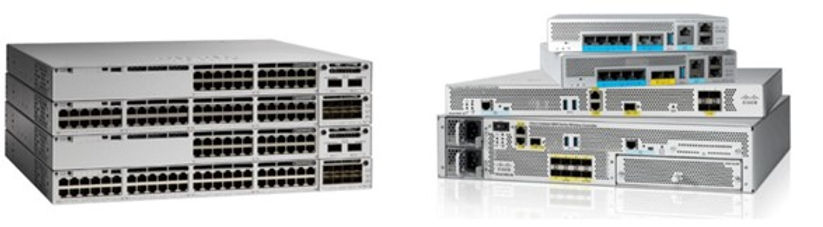
Currently, Cisco offers a migration path for selected Catalyst devices, including the Catalyst 9300 series switches, so the option of transitioning to a full Meraki management mode is possible. The migration to Meraki Management Mode enables certain Catalyst switches to be fully managed through the Meraki dashboard.
This transition provides a unified management experience but requires compatibility checks and may involve a factory reset for the devices.
Transitioning to Meraki Management Mode involves a few key steps:
At BTI, we are experts in Cisco solutions, offering tailored integration services to unify your Catalyst and Meraki devices for simpler more efficient network management.