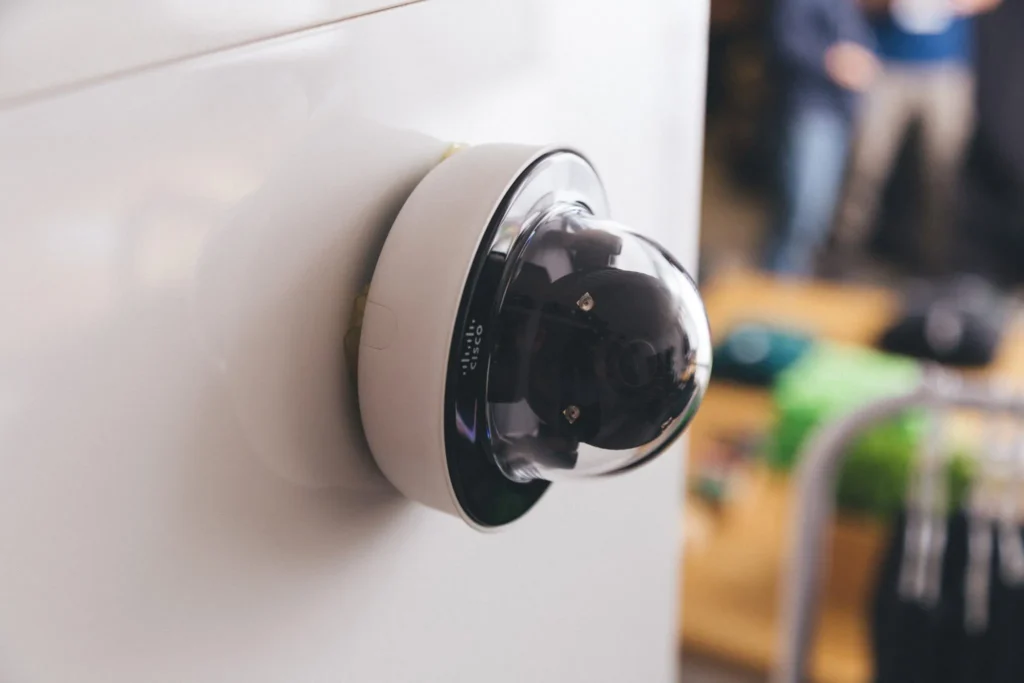


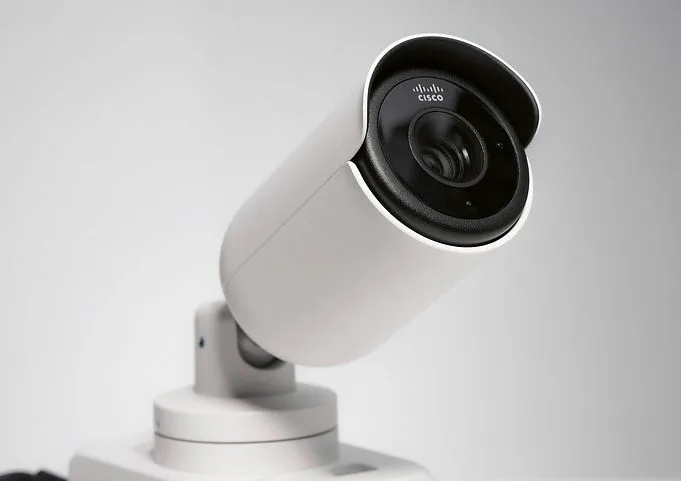
If your organization already uses Cisco Meraki networking and is now considering Cisco Meraki for video surveillance, the natural question may be which cameras belong in that environment.
BTI recommends starting with a different question: What does each camera need to accomplish for your organization? Perhaps you’re installing cameras for the first time. Perhaps an aging camera system needs to be replaced. Or perhaps you’re adding cameras to expand an existing deployment.
Whatever the starting point, the objective should be the same: select cameras and a recording solution that meet your actual requirements, not simply equipment that connects to your dashboard.
Cisco Meraki MV cameras are an important part of that evaluation. Cisco’s integration with Axis Communications using Axis Cloud Connect expands the available choices by allowing supported Axis camera video to be brought into the Meraki Cloud Dashboard and supported Axis cameras to be managed alongside Cisco MV cameras through the Meraki Dashboard.
For organizations already considering Meraki video, this creates an opportunity to evaluate both portfolios within the proposed solution: Cisco MV cameras where they meet the application, and compatible Axis cameras where a different model would better address a particular requirement.
More camera choice can create greater flexibility, but it also makes proper system design more important.
BTI’s approach is to start with the requirement, then determine which technology best serves it.
Cisco Meraki MV Cameras Are Part of the Design
A Meraki camera project should not begin with the assumption that Axis cameras are needed everywhere, or that Cisco MV cameras are appropriate everywhere.
Cisco’s MV portfolio includes indoor and outdoor models, with fixed-lens, varifocal, panoramic, and multi-imager options. These provide multiple starting points for designing a Meraki camera deployment.
The Axis integration adds another set of compatible camera choices. Cisco identifies support by individual Axis model and licensing tier, so selection must be more specific than simply choosing an “Axis camera.”
BTI’s approach is to evaluate the requirements of each location and the operation of the system as a whole.
The outcome may be a deployment using Cisco MV cameras throughout. It may be a combination of MV and compatible Axis cameras.
There is no reason to add another manufacturer where it does not improve the design, and no reason to force a camera into an application it does not adequately serve.
Scene Requirements: What Must Each Camera See?
Start with the purpose of each camera. Do you need an overview of activity, a useful view of someone approaching an entrance, or sufficient detail to investigate an incident at a specific location? What distance must the camera cover? What happens to the scene after dark?
Before choosing between an MV camera and an Axis model, BTI evaluates the intended subject, viewing distance, field of view, lighting, mounting position, and environmental conditions.
For example, a design might call for broad visibility in one area and a more concentrated view of a particular activity in another. The camera that works well for the first objective should not automatically be selected for the second.
The scene should also be evaluated during the day and after dark.
For a parking lot, loading area, exterior entrance, or other challenging environment, the review should include recorded footage under representative lighting and movement. Look at the detail of people and vehicles, bright and shadowed areas, and whether moving subjects remain distinguishable.
A clear still image of an empty scene is not a substitute for testing the conditions in which the system will actually be used. The question is not which manufacturer is better. It is which camera is better suited to the scene and the purpose of the recording.
Within a Meraki camera project, Cisco MV and compatible Axis models should be evaluated against that same standard.
Feature Requirements: What Must Users Be Able to Do?
The next step is defining how people will actually use the system.
- Will staff primarily watch live video and review recordings?
- Do they need to search for people or vehicles?
- Receive particular alerts?
- Monitor multiple locations?
- Export incident footage?
- Are specialized viewing controls or analytics essential to the application?
For the Axis integration, Cisco documents historical playback, video exports, person- and vehicle-filtered event search, motion alerts, and motion heatmaps under its Advantage licensing tier.
Those documented capabilities are a starting point for evaluation, not a substitute for checking the required workflow.
A useful acceptance test follows the entire task:
Generate the event → locate the recording → review the relevant detail → export the footage.
For specialized cameras, the test should also cover the viewing controls operators expect to use.
This distinction is particularly important in an integrated environment:
A feature available on a camera and a feature available through the Meraki Dashboard should not be treated as interchangeable without verification.
BTI’s role is to evaluate the proposed camera, licensing, and management experience together.
That applies to Cisco MV cameras as well as compatible Axis cameras.
Retention Requirements: How Long Must Recordings Remain Available?
Retention requirements should be established before equipment and licensing are finalized. An excellent image is of little value to an investigation when the required recording is no longer available.
- Start by defining how long video must be retained.
- Does every camera need the same recording period?
- Is continuous recording required, or is motion-based retention acceptable?
- What resolution and frame rate must remain available?
- Where must recordings be stored and accessible?
- How will important footage be preserved beyond the normal recording window?
For MV cameras, Cisco documents on-camera retention settings and optional Cloud Archive for supported models. Cloud Archive offers several retention periods, including options up to 365 days, with model and recording-quality restrictions that need to be reviewed.
The Axis integration has its own storage and licensing provisions. Axis currently identifies 30-day cloud storage as an included Advantage-tier capability.
That creates another important design distinction:
Do not assume that an MV cloud-storage option also applies to an Axis camera simply because both appear in the same Dashboard.
BTI matches the required retention period to the supported configuration for each selected camera.
A requirement for 90 days of continuous recording at a specified quality should be evaluated as exactly that, not replaced with a general statement that the system offers “extended retention.”
Compliance Requirements: What Must the Deployment Satisfy?
Compliance considerations should enter the discussion before a camera model or storage arrangement is approved.
The requirements review should identify applicable equipment procurement restrictions, cybersecurity expectations, privacy policies, storage-location requirements, access controls, recording-retention obligations, and any required equipment certifications.
These requirements may affect more than the camera itself.
The review should cover the proposed hardware, licensing, storage, configuration, user permissions, and operating procedures.
The appropriate question is not simply:
“Is this camera brand compliant?”
It is:
“Does the proposed deployment satisfy the requirements applicable to our organization and this location?”
BTI works from the customer’s documented requirements and involves the appropriate IT, security, operations, and compliance stakeholders.
A shared management dashboard can provide valuable operational benefits.
It should not replace the requirements review.
New Installation, Replacement, or Expansion: Start With the Complete Project
The same evaluation process applies whether an organization is installing its first cameras, replacing an aging system, or expanding an existing deployment.
New Installation
For a new installation, the planning process should define coverage, responsibilities, recording requirements, infrastructure, and day-to-day use from the beginning.
Replacement Projects
For a replacement project, the assessment should go beyond exchanging old cameras for new ones. Existing camera locations, cabling, network capacity, power, storage expectations, and the transition from the old system should all be reviewed.
Expansions
For an expansion, new cameras should be evaluated alongside the existing deployment. The goal should be consistent operational outcomes, not necessarily identical camera models at every location.
Across all three situations, BTI’s approach is to connect equipment selection to the customer’s requirements.
That means identifying where Cisco MV cameras fit, where a compatible Axis model deserves consideration, and what must be validated before the design is approved.
Why BTI for a Meraki MV and Axis Camera Project?
A modern video surveillance system involves more than cameras. Camera performance, network infrastructure, Power over Ethernet, connectivity, cybersecurity, user access, video retention, compliance, system management, and ongoing support can all affect how well the completed environment performs.
That’s where BTI brings a broader perspective. BTI works across Communication, IT and Security Services, allowing our team to evaluate video surveillance as part of the broader technology environment rather than as an isolated camera project.
For organizations using Cisco Meraki, that means evaluating how Meraki MV and compatible Axis cameras fit alongside the network infrastructure, cybersecurity requirements, cloud management environment, and other physical security technologies already in place.
For multi-location organizations, BTI can also help establish consistent technology standards, system design, visibility, documentation, and support across locations.
The goal isn’t simply to install cameras. It’s to design a video surveillance environment that works with the rest of your technology.
Choosing Between Cisco Meraki and Axis Cameras
For organizations considering Cisco Meraki cameras, the decision does not have to be framed as Cisco MV or Axis. Cisco supports managing compatible Axis devices alongside MV cameras within the Meraki Dashboard. The more useful question is:
Which combination, if a combination is needed, best meets the project’s requirements?
BTI starts with what your organization needs to see, the features your team needs to use, how long recordings must remain available, and the compliance requirements the deployment must address.
From there, we evaluate the cameras, licensing, management experience, network infrastructure, cybersecurity, and other technology requirements necessary to support the design.
Considering Cisco Meraki cameras for a new installation, replacement, or expansion?
Talk to BTI about evaluating Cisco Meraki MV cameras and compatible Axis options against your scene, feature, retention, network, cybersecurity, and compliance requirements.
With core markets in Los Angeles, Chicago, and Phoenix, BTI supports organizations nationwide and beyond, including multi-location organizations that need consistent technology standards, security, visibility, and support across their operations.
Planning a Cisco Meraki Camera Project?
BTI can help you evaluate Cisco Meraki MV and compatible Axis cameras based on your coverage, retention, network, cybersecurity, and compliance requirements.
Discuss Your Camera Project →