




For commercial, government, healthcare, and education environments, professional Wi-Fi installation is a lot more than just running wire and installing access points. In these environments, modern wireless networks support business-critical applications, IoT devices, smart building devices, guest networks, SCADA, and regulated data in high-density workspaces.
Wireless network setups are mission-critical operations and/or life safety networks in commercial environments lacking cell coverage. That means your Wi-Fi partner must deliver more than coverage; they must deliver capacity, reliability, security, operational consistency, and service after the sale.
Since Wi-Fi is critical infrastructure, the same engineering discipline applied to your wired network, identity controls, and security stack should apply to wireless design, because Wi-Fi is now where performance issues, security gaps, and user frustration show up first.
This guide outlines what “good” looks like, the most common failure points we see in the field, and exactly what to demand from any provider you hire.
What “Good” Looks Like in Professional Wi-Fi Installation
A high-performing wifi setup starts before any hardware is installed. The difference between a stable network and an endless helpdesk problem is almost always planning and design.
Site Survey and Planning
A credible Wi-Fi partner validates your environment before deployment, then documents the plan.
- RF site survey and discovery to map signal behavior, interference, and coverage constraints
- Predictive planning plus real-world validation to avoid guesswork
- Spectrum and interference analysis to account for neighboring networks, industrial equipment, building materials, and density zones
Tailored Wi-Fi Design
Coverage alone is not a success. You need a design that holds up under load.
- Capacity planning based on user density, application demand, and peak concurrency
- Roaming considerations for mobile workflows, warehouses, campuses, and multi-zone facilities
- Performance engineering for business applications such as VoIP, video conferencing, EMR/PACS workflows, ERP, and cloud collaboration
Precision Installation and Configuration
Proper mounting and tuning matter. This includes:
- Correct AP placement, mounting height, and orientation
- Channel and power planning to reduce collisions and co-channel interference
- Segmentation strategy for corporate, guest, and IoT device classes
- Documentation of configurations, VLANs, SSIDs, and as-built topology
Post-Install Validation and Optimization
A professional deployment ends with proof, not assumptions including:
- Heatmaps and validation testing after install
- Performance baselines for throughput and roaming behavior
- Ongoing tuning options as usage changes and new devices are added
| Before (No Design) | After (BTI-Engineered Design) |
|---|---|
| 📶 Dead zones in meeting rooms | 📶 Coverage mapped and validated with real RF surveying |
| 🧠 Guess-based AP placement | 🧠 APs placed based on usage patterns & building structure |
| 😵💫 Complaints about dropped Zoom calls | 💡 Voice & Video optimized for bandwidth and roaming stability |
| 🔓 Insecure guest traffic mixed with internal | 🔐 Segmented networks for guest, corporate, and IoT |
| 💸 IT time wasted troubleshooting Wi-Fi | 💰 Lower support burden, better performance from day one |
The Real Tradeoff: Engineered Wi-Fi vs. “Quick Install”
Pros of thoughtful Wi-Fi installation service:
- Better performance under load, not just in a speed test
- Fewer tickets and fewer repeat visits
- Higher user satisfaction and fewer workflow interruptions
- Stronger security posture with intrusion prevention, especially for IoT and guest access
- A vendor able to respond immediately as needed to consult and optimize as the environment changes and evolves
Cons of ad hoc installation
- Dead zones and unpredictable roaming
- Intermittent speed, especially during peak usage
- Security gaps from flat networks and poor segmentation
- Expensive rework that often costs more than doing it right the first time
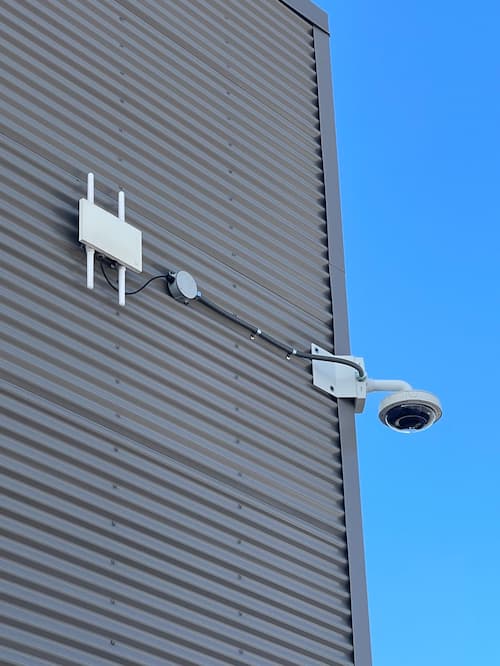
5 Common Mistakes Made During Wireless Network Installation
These are patterns BTI frequently sees when businesses inherit poorly designed wireless networks:
1) Skipping the Site Survey
Without a site survey, AP placement becomes guesswork, and guesswork fails in real environments.
2) Buying Gear Based on Price, Not Performance
The “cheapest” access points rarely meet enterprise operational needs, especially in warehouses, high-density offices, healthcare spaces, and multi-tenant buildings.
3) Ignoring Security and Segmentation
Your guest network should not share space with internal systems. IoT devices should not sit on the same network as business-critical endpoints.
4) Underestimating Interference
Walls, racks, machinery, neighboring networks, and device density can heavily impact performance. If interference is not mapped, performance becomes inconsistent.
5) “Set It and Forget It”
Wireless environments change constantly. A network that is not monitored and tuned will degrade over time.
| ❌ Common Mistakes | ✅ BTI Best Practices |
|---|---|
| Skipping the site survey | RF survey with spectrum and interference analysis |
| Over-relying on signal bars | Heatmaps plus capacity-based design |
| Using consumer-grade APs in enterprise zones | Business-class and industry-rated APs where required |
| Ignoring interference sources | Ignoring interference sources Channel planning and interference mapping |
| One-size-fits-all installs | Design aligned to applications, density, and workflow |
| "Set it and forget it" mentality | Ongoing optimization and quarterly health checks (as needed) |
How to Choose the Right Wi-Fi Installation Partner
When evaluating providers, focus on deliverables and accountability, not just hardware and labor.
What to look for
- In-house engineering expertise, not outsourced installers
- Documented survey and design artifacts, including expected coverage and capacity outcomes
- Security-aware network design, including segmentation and identity controls where appropriate
- Post-install optimization and support, with a clear plan for ongoing tuning
- One-call accountability, so you are not coordinating multiple vendors when issues occur
| Key Factor | What to Look For | BTI Delivers |
|---|---|---|
| Site Survey Included? | RF and usage-based | ✅ Yes |
| Design Plan Provided? | Coverage and capacity mapping | ✅ Yes |
| Experience with Your Industry? | Healthcare, logistics, enterprise | ✅ Yes |
| Ongoing Support and Optimization? | Post-deployment tuning available | ✅ Yes |
| Cybersecurity Aware? | Segmentation, VLANs, compliance awareness | ✅ Yes |
| One-Call Support? | No outsourcing, no finger-pointing | ✅ Yes |
The BTI Difference
BTI’s Wi-Fi installation services are engineered for performance, security, and scale. We approach wireless as part of the broader environment, not a standalone project.
That means:
- Wireless design aligned with your wired LAN, firewall, and identity strategy
- Segmentation built around business systems, guest access, and IoT devices
- Design awareness for regulated environments and operational realities
- Integration readiness for systems that increasingly rely on Wi-Fi, including VoIP, video surveillance, access control, and building technologies
When wireless is engineered correctly, it reduces IT friction, improves uptime, and strengthens security posture across the business.
Ready to Upgrade Your Wi-Fi Without Rework?
If your Wi-Fi is causing dropped calls, dead zones, productivity loss, or ongoing troubleshooting, it is time to treat it like infrastructure, not an accessory.
Talk to BTI about a Wi-Fi site survey and design plan that delivers measurable results.